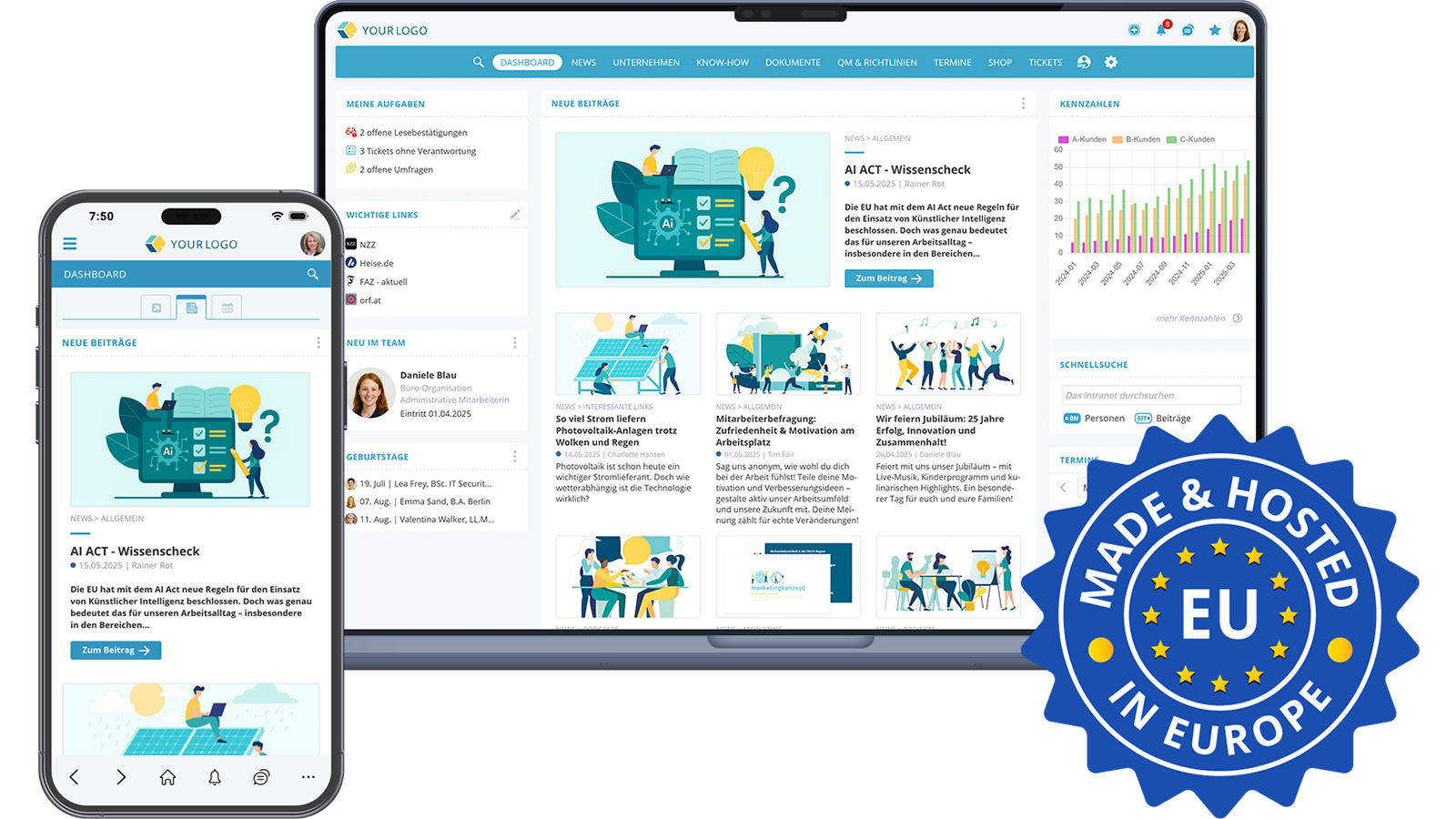

30 Ideas & Inspirations for Your Social Intranet
The KenCube Social Intranet is designed to bring relief and joy to your employees' daily work. The intranet is simple and intuitive to use – similar to a social media platform. In the following suggestions, learn how you can make your intranet valuable, interesting, and engaging. The software allows editors to create highly attractive content with minimal effort. Both writing articles and reading them are fun thanks to easy menu navigation. The intranet informs and entertains, often both at the same time.
Choose the package that suits your business and needs, and get started!
NEWS | Keeping Everyone Informed with Relevant Information
The KenCube Social Intranet informs all employees - including those who do not have a desktop workstation. The intranet always offers the latest information and is the go-to source every morning for all employees to stay up to date on current developments within the company.
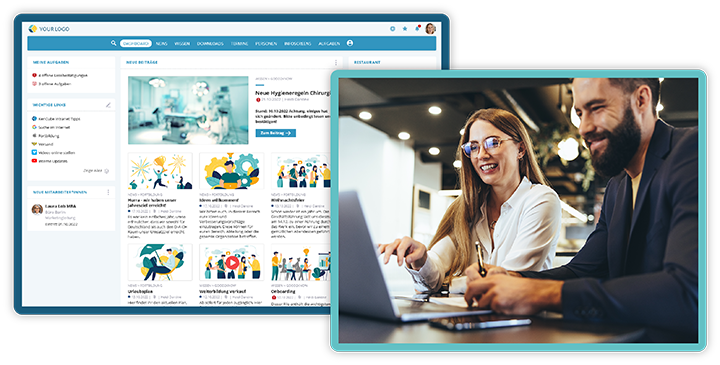
Almost unlimited possibilities with the KenCube Social Intranet
1. Overview of Important News and Priorities
With a glance at the news in the intranet, all employees are immediately up to date every morning. Current news in text, video, and image form can be shared and accessed in no time. The dashboard provides a clear overview of news items and priorities.
With only one mouse click statistics for all articles are available, providing interesting insights into the usage behavior and interests of employees. This allows the intranet editorial team to easily adapt content when needed and continuously improve the intranet.
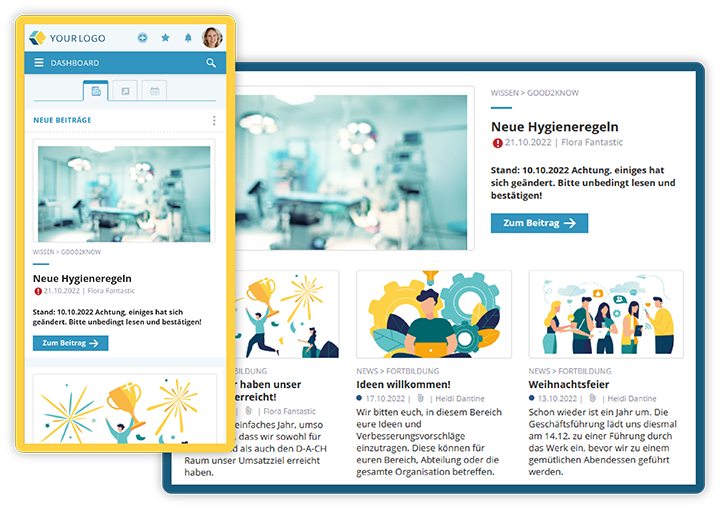 Keep an eye on company news anywhere
2. A Central, Trustworthy Source of News
Where do employees get their information about the company? Notice boards in the break room or gossip at the coffee machine are definitely no longer an option, especially when field teams, home offices, or multiple locations are involved. Active official communication can explain what is happening in the company, answer questions, and clarify misunderstandings. A current, attractively designed intranet is the most important and most trustworthy source of company news for all employees.
Branches abroad or employees whose native or everyday language differs from the company language benefit from the integrated translation function. Guesswork and risky, time-consuming self-translations are now a thing of the past. Thanks to an interface to the multi-award-winning, GDPR-compliant, and ISO-certified translation platform DeepL, all articles in KenCube can be translated with one click. The AI-powered translations are of the highest quality.
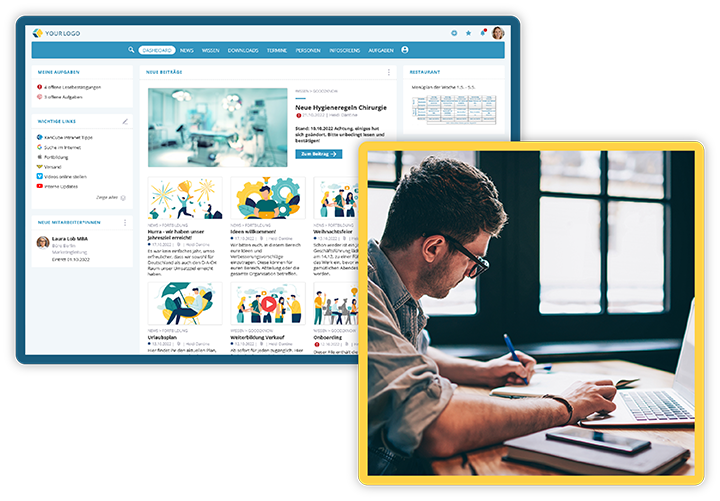 News in the intranet is trustworthy
3. Motivating Employees 1: Communicating Goals, Achievements & Benefits
As the saying goes: those who do not know the goal will not find the way. Clearly communicating goals, priorities, and interim results helps to achieve results.
Recognitions of exceptional employees and their achievements are also very popular in the intranet. An article published in the intranet is a sign of appreciation and can also inspire the rest of the workforce. In this way, the intranet accompanies and motivates the workforce in the realization of specific projects.
Do good and talk about it! This also applies to internal communication and the news in the intranet. Are there bonuses for achieving goals or for recruiting new colleagues? The intranet is the ideal place to remind employees of benefits. Whether it's bonuses, offers, or other promotions.
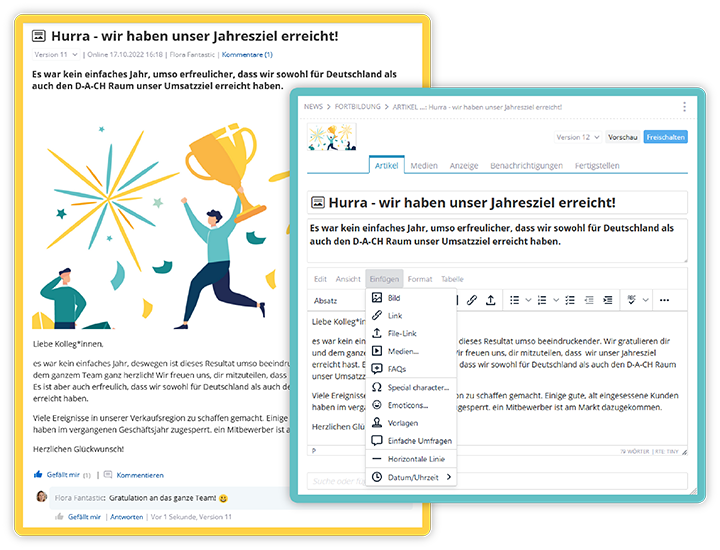
The optimal place to communicate goals, celebrate achievements, and show appreciation
4. Motivating Employees 2: Involving the Workforce
Pure top-down communication is a thing of the past. With the KenCube Intranet, employees can be involved and heard. They can submit ideas, answer surveys anonymously, like posts, ask questions, or comment. Depending on permission settings, employees can also post articles in certain areas, for example on the digital "bulletin board". Involving and appreciating the workforce increases productivity and loyalty.
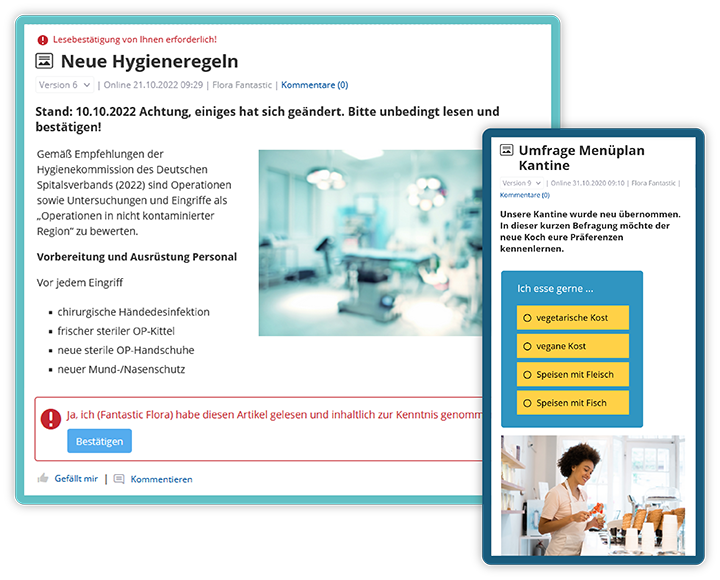
Confirming reading, filling out surveys, liking, and commenting –
these are just some of the ways to involve employees in the intranet
5. Everyone Informed Everywhere with the Employee App
Every user can automatically use the KenCube Intranet on the employee app on their smartphone or tablet. KenCube is BYOD-compatible (BYOD: Bring Your Own Device). This means that, if the company allows it, private smartphones or tablets can also be used.
Biometric authentication can also be used to verify users. This ensures that access to the KenCube app is granted only to actually authorized persons. In addition, company news can also be sent to employees from the intranet by email or push notification if desired.
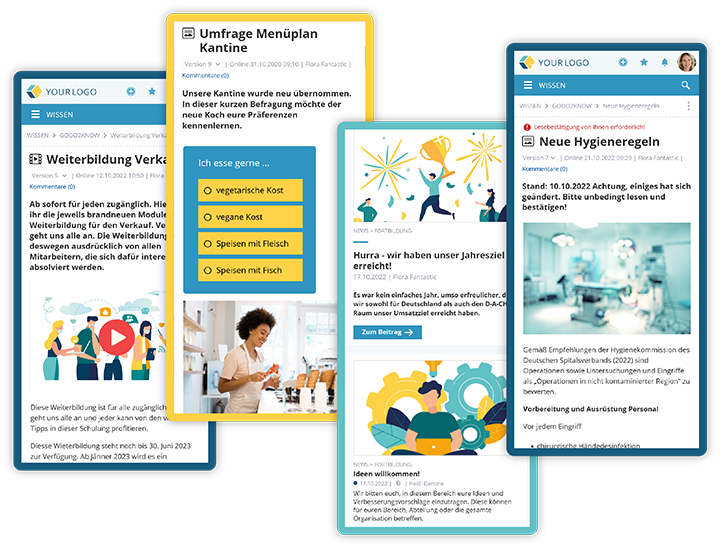
Always have all current information at hand
6. Reliably Informed Thanks to Read Confirmation, Email, and Push Notifications
With KenCube, employee complaints like "I didn't know that!" or "Nobody told me that!" are a thing of the past. Thanks to the optional read receipt and the option to automatically send important news from the KenCube Intranet to employees via push notification or email, the entire workforce is reliably informed.
7. Crisis Communication Made Easy
In a crisis, good information is crucial. The intranet enables the workforce to be warned and protected. Communication takes place in real time and can be sent either as a push notification to the mobile phone, as "Breaking News," or optionally with read receipt. Everyone is informed about the news from the intranet in good time, if necessary even before work begins.
8. Always Informed Thanks to Newsletter or Digest Mail
Are you away from the office for a few days or unable to check the intranet for other reasons? With KenCube, that's no problem, because you can have digital newsletters and personalized digest emails about what's happening sent directly to you from the intranet. This function can replace internal newsletters and employee magazines.
The intranet version has decisive advantages: news in the intranet is always up to date. Updates and corrections can be carried out easily. In addition, the company not only reduces the flood of paper, but also saves costs and time. At the same time, employees are kept up to date and motivated.
9. Regular Reminders Thanks to Info-Screens
Is there a new product, a summer party, or a reward for recruiting new colleagues? This information is even more effective when employees are reminded of it regularly. Important information for staff, patients, or guests can easily be created in the intranet and shown on info-screens in a loop. This is not only informative but often also entertaining.
While waiting customers see product highlights on monitors in the reception area, employees inform themselves via an info-screen in the production hall about current benefits. Thanks to multiple channels, different screens can be programmed with different content in just a few clicks.
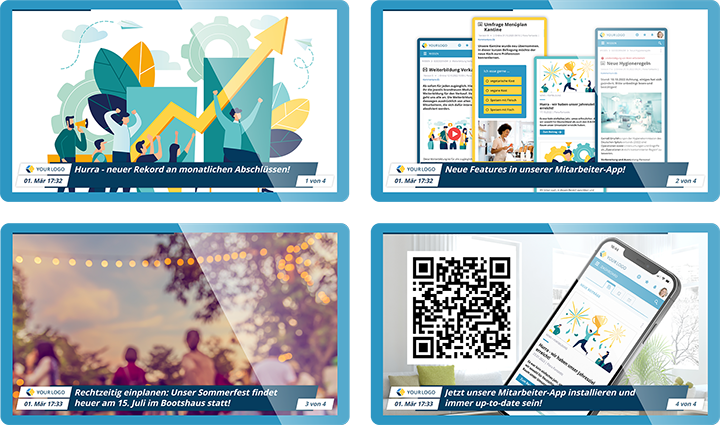
Various info-screens in different locations inform, remind, inspire, or entertain
10. Gain Valuable Insights with Surveys
With KenCube's new and expanded survey feature, managers have the opportunity to receive valuable feedback on employee satisfaction, engagement, and ideas. With the latest KenCube version, there are (almost) no limits to the possibilities for surveys: open or closed questions are possible, as well as single- or multiple-choice answers, optionally voluntary or anonymized participation, and many more settings.
Creating surveys is easy and intuitive. In no time, a survey is online for everyone or for individual groups of people. The results provide helpful insights into your organization and target group. If needed, they can also help improve the content of your intranet. There is now also the option to evaluate the results directly in KenCube, to filter them, and to create benchmark comparisons and portfolio analyses.
Surveys can optimize processes, increase employee motivation, and reduce staff turnover in the company.
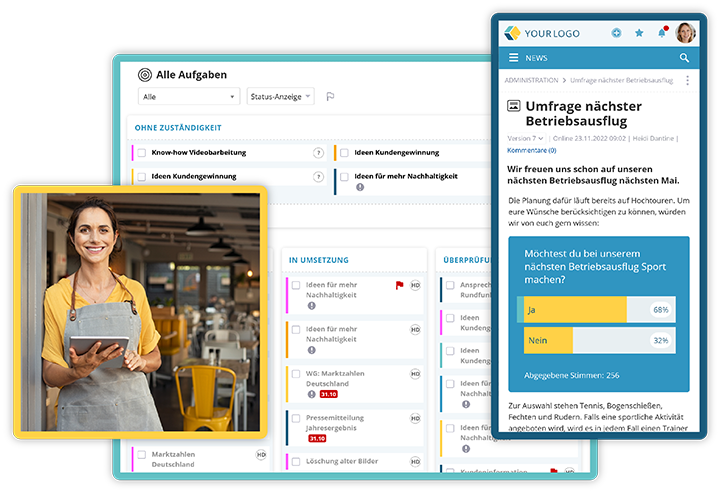
Survey results provide useful feedback
11. FAQs: Useful Answers to Frequently Asked Questions
Having to ask around again with every question and sending endless emails back and forth? KenCube makes it easy to set up your own FAQ pages. There, repeatedly recurring questions on specific topics can be answered once and for all. This way, everyone is informed right away.
12. Feedback Through Statistics
At the push of a button, statistics are automatically available, providing interesting insights into the usage behavior and interests of employees. This allows the intranet editorial team to easily adapt content when needed and continuously improve the intranet.
KNOWLEDGE MANAGEMENT | Providing Relevant Know-How & Documents
Tired of searching for all the work-relevant information over and over again? Make your intranet the first point of contact for questions and the central knowledge archive! Easily and quickly, you can give your workforce access to the collected knowledge and all relevant documents and forms, regardless of location. This way, expertise is never lost again when key personnel leave.
13. Access to Knowledge & Know-How
KenCube also includes a modern enterprise wiki. From product information to relevant studies to documents for quality management – in the intranet, employees can be equipped with all the relevant knowledge and know-how for their work.
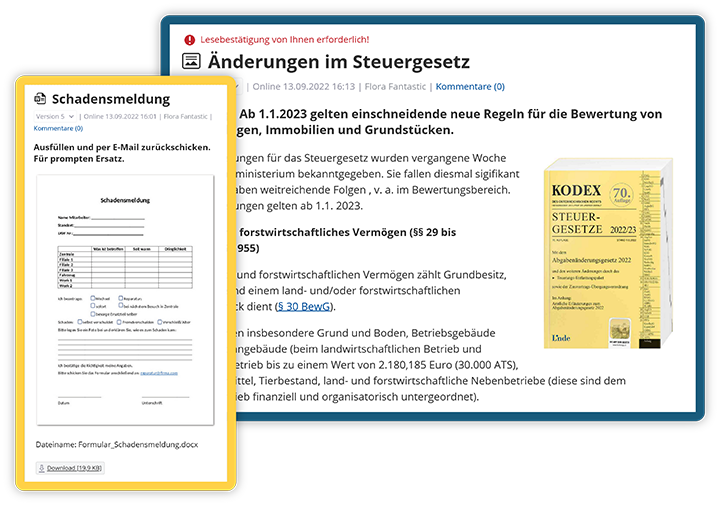
Relevant know-how and important forms are centrally accessible
Current internal processes are also clearly structured and accessible in the intranet. FAQs, directories with contact persons, and relevant guidelines are stored, and questions can be answered.
Users can easily and quickly search for specific topics or keywords in the KenCube Intranet with the powerful, type-ahead search. Thanks to full-text indexing, the search also works for attached PDFs. Optional filter settings allow search criteria by topic, time, author, and tags.
The knowledge can either be used across departments by everyone, or, optionally, in so-called "workspaces" it can also be made accessible only to individual departments or persons if needed.
14. Onboarding & Continuing Education Made Easy
All videos, documents, instructions, contact lists, and important forms for optimal onboarding are available centrally in one place. Whether it's product training, a sick leave form, or a travel expense report – new hires can systematically work through everything. For the existing workforce, this means enormous relief and time savings. Updating the documents is done in no time.
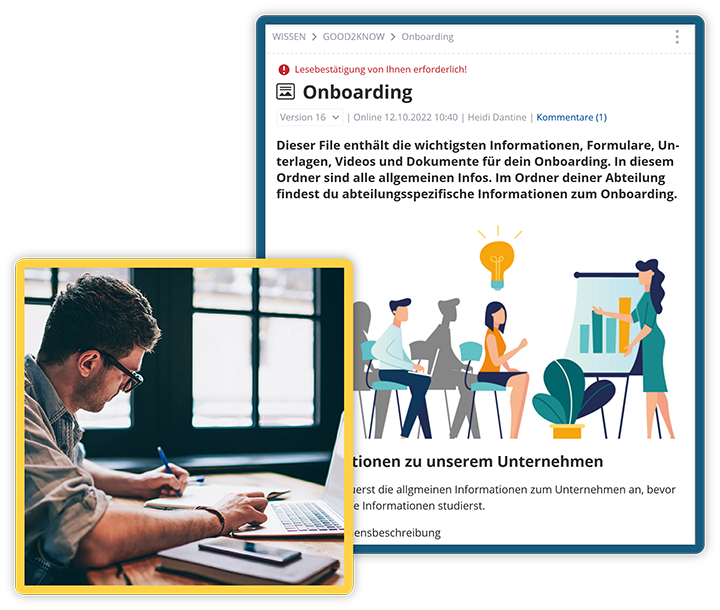
A well-structured onboarding area relieves the existing workforce
A training and continuing education area in the intranet also proves very practical. Here, training documents and videos are digitally available for employees. Employees can further their education in sales seminars or compliance courses as well as in in-house product training. Individual training sessions can optionally be offered for specific groups of people. A mouse click is enough for usage analysis.
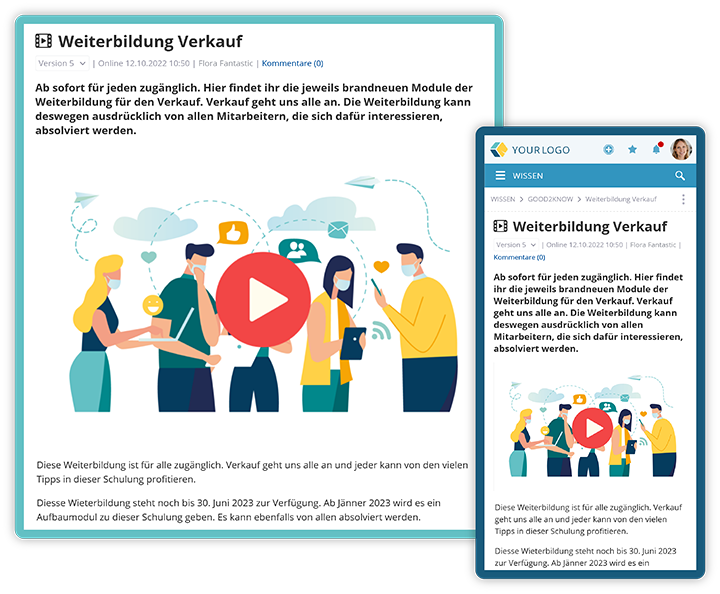
Training sessions can be easily made available to employees
15. Forms Ready at Hand
The KenCube Intranet guarantees that all forms, such as damage reports, sick notes, and vacation requests, can be found easily and quickly. All documents are available in their latest version, centrally and clearly arranged in one place. This way, they can be filled out and submitted whenever needed. The additional option of adding instructions in this area makes administration easier.
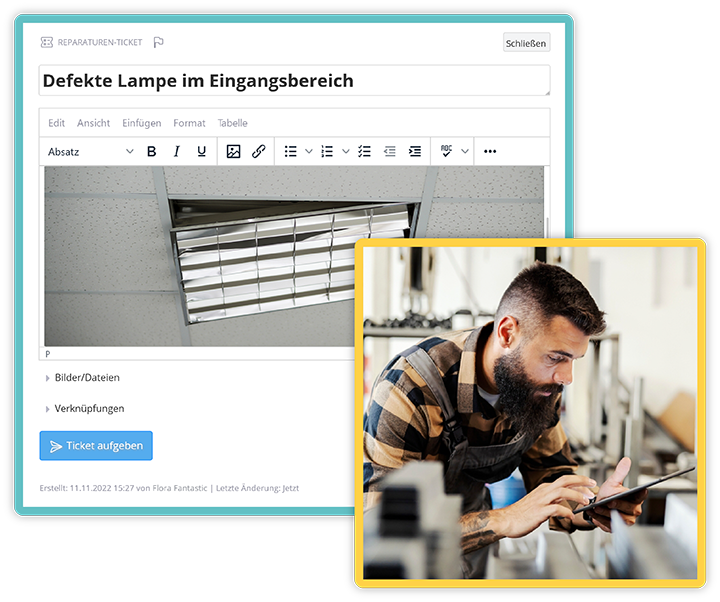
Access to forms such as vacation requests, damage reports, and sick notes anywhere
16. Employee Handbook and QM Handbook Always at Hand
Quality management is made easy: thanks to the intranet, all employees always carry the quality management handbook (QM handbook or QMH) or the company handbook with them in its latest version. It is the first point of contact for internal company questions and at the same time conveys the company culture and values.
17. View Safety Regulations Anytime
Employees have access to current safety regulations around the clock - if the company permits, also via the app on their own smartphone. Safety regulations can also be sent as email or push notification with optional read confirmation. The receipt of certain notifications can also be acknowledged with a read confirmation.
18. Communicate Duty Rosters
Whether it's a duty roster in a hospital or a shift plan in a production company – the current version is available in the intranet at any time. Via the app, even employees without a desktop workstation have access to the current schedules.
19. Cultivate Leadership Communication
The intranet can provide video messages from management with goals and recognition for the workforce, or a forum where employees can ask questions. The intranet connects groups and individuals within the company and establishes contact with the leadership level.
20. The Digital "Bulletin Board"
Your intranet can also become a paradise for bargain hunters. With just a few clicks, a virtual "bulletin board" is set up on which all employees can sell, give away, or find items and bargains.
INTERNAL TICKETING SYSTEM | Successfully Implementing Tasks, Ideas, and Projects
Never overlook a task or a good idea again! The smart internal ticketing system allows you to keep track of tasks, projects, and ideas and, where appropriate, to implement them quickly and successfully.
21. Keep Track of Tasks, Prioritize Them, and Process Them Smoothly
With the simple and practical ticketing system in KenCube, tasks and projects can be created, prioritized, tracked, and implemented. Forms can also be assembled modularly in the ticketing system. This way, to-do lists can be processed systematically. Users can also distribute tasks and send work instructions.
The optional Kanban board view always provides an overview of the tasks, project progress, and responsibilities.
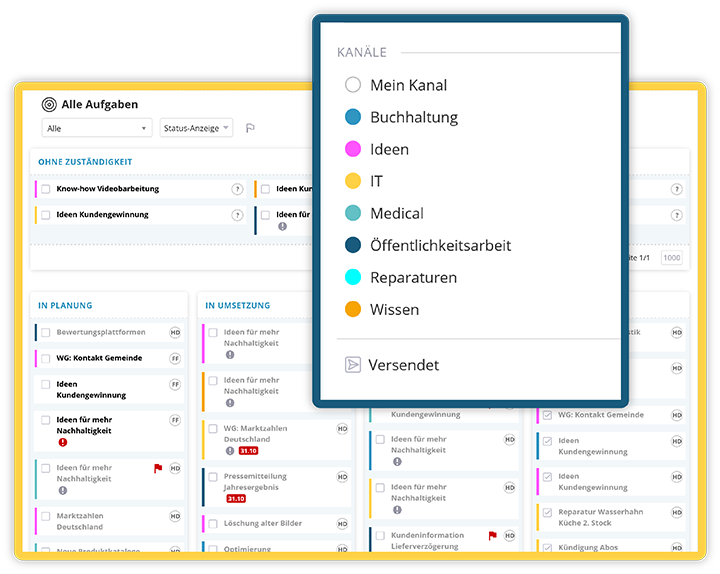
Submit ideas and successfully implement tasks with the transparent internal ticketing system
22. Receive Valuable Ideas - Drive Improvements
Does someone have a good idea for a process optimization or a new service? In the intranet, anyone from the organization can submit ideas and suggestions for improvement. If ideas are deemed good, they can be implemented quickly. Involving employees from all locations and departments creates appreciation and motivation. In addition, suggestions for improvements are generated and implemented. Good ideas are no longer lost.
Particularly valuable ideas can also be recognized, and employees can be rewarded for their submissions. This in turn motivates employees to come up with and submit further suggestions for improvement.
EMPLOYEES | Finding Colleagues and Experts
A company's employees are often its most important resource. With the KenCube Intranet's colleague and expert search, you can find colleagues with the right expertise with one mouse click and collaborate with them.
23. Find Colleagues and Experts Within the Company
Are you looking for someone in the company who has basic knowledge of emergency medicine or theoretical physics for a project? The powerful search function delivers results in no time, showing which people in the company have the necessary knowledge. In the KenCube Intranet, you can easily and quickly find their professional contact details. You can immediately get in touch with the relevant people, which ensures successful cooperation and efficient use of resources.
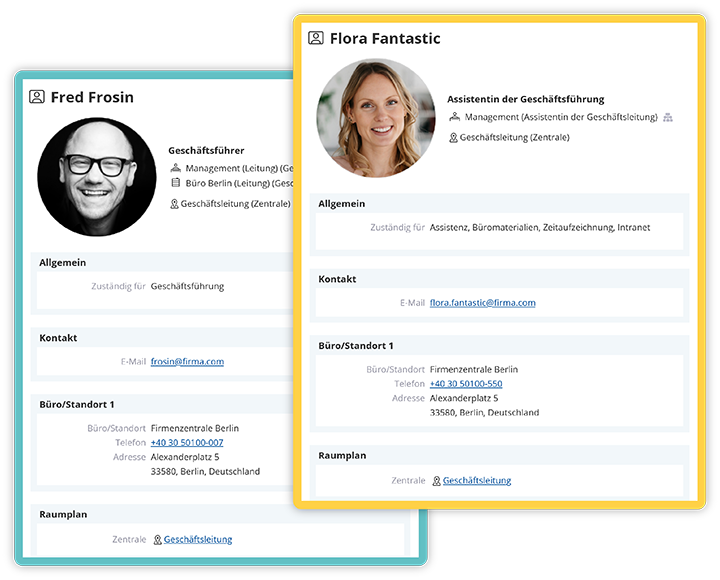
Get to know colleagues and their competencies
24. More Insight Through Automatic Orgnaization Charts
Organization charts are automatically created in KenCube and can be accessed with one click. Not only new employees benefit from this interesting insight into the organization and, where applicable, into other locations.
25. Quickly Find Your Way Thanks to Office and Room Plans
Running late for a meeting with a colleague at another location? A quick look at the intranet – perhaps even via the app on the way there – quickly tells you exactly where you are expected. You no longer waste time searching and arrive both on time and stress-free.
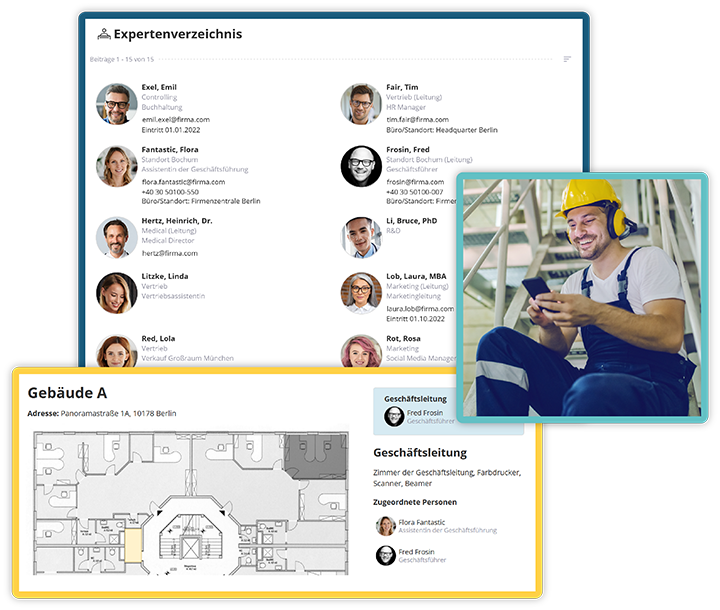
Room plans help find colleagues at other locations easily
APPOINTMENT MANAGEMENT | Successfully Manage Events
26. Successfully Organize Events
Events, trade fairs, seminars, training sessions, and other appointments can be announced in advance and downloaded directly into your own calendar. Timely announcements and good visibility of events increase participation and boost their success. A look at the calendar gives every employee an overview of upcoming appointments. After all, emails and their updates can be overlooked, and the notice board in the break room may not be accessible to everyone.
Multiple calendars can also be created for various topics (e.g., for training, meetings, projects, and much more). Thanks to KenCube's sophisticated permission system, calendars or events can be directed at everyone or specifically at certain departments, individuals, or groups of people.
27. Registration with a Click, Optionally with Limited Number of Participants or Staggered
Are you organizing a first aid course with a limited number of participants? On request, colleagues can register for events directly in the calendar entry in the intranet, optionally with a limited number of participants. This way, those responsible can keep track of participation. In addition, it is much easier to keep track of changes than in long email threads.
Is the company doctor coming to the office soon and offering a series of 15-minute slots for consultations during a specific time period? For these appointments, the editorial team can create events with staggered registration options in just a few clicks.
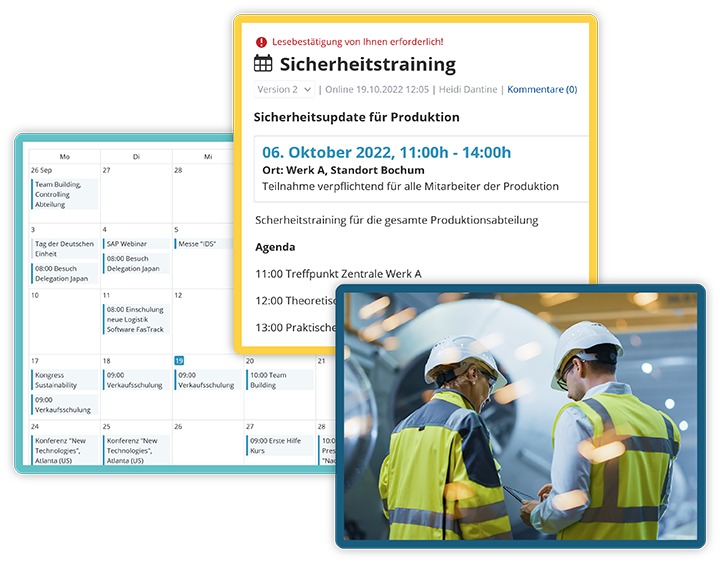
A timely registration option for appointments with one click increases their success
SERVICES | Ordering Systems & Whistleblower Tool
28. A Popular Menu Item: the Lunch Menu
At the latest, when their stomach growls, all employees are in the intranet. Whether it's the canteen menu or an order from the snack bar around the corner - food is a popular item in any intranet.
Of course, you can also simply upload the lunch menu. But KenCube also offers a module that can do more than that. All employees can order food from various restaurants or the canteen with one mouse click. The person responsible for processing the food orders can download all orders with just one click and forward them to suppliers. Hundreds of individual orders on slips of paper, by email, or by phone call are now a thing of the past.
This saves time and at the same time provides employees with a varied, rich food offering. In-house canteens can be integrated into the system. Orders placed in advance facilitate the optimal calculation of purchase quantities.
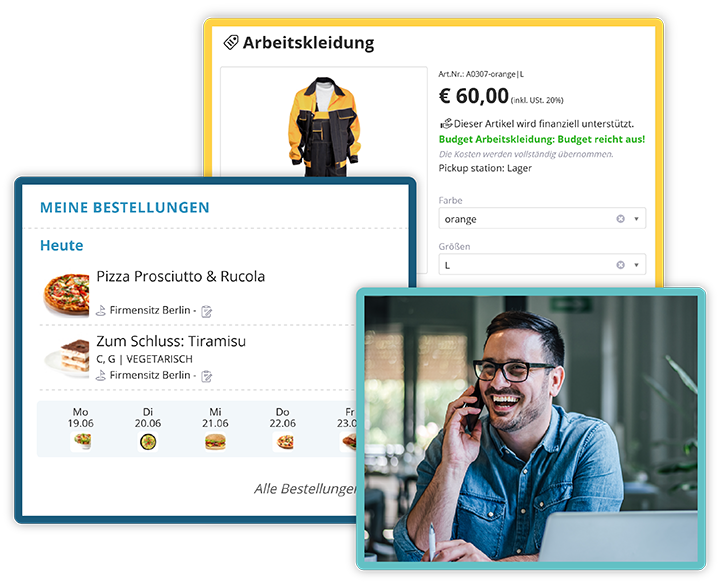
Integrated ordering systems for food and procurement
29. Provide Work Materials in the Internal Shop
Thanks to KenCube, every employee knows which brochures are available and where work clothing can be ordered if needed. In the KenCube Intranet, a module for internal procurement can optionally be enabled. With this internal shop, employees can be specifically supplied with promotional materials, office equipment, or work clothing. Quotas, limited budgets, or quantities can also be individually set, ensuring responsible consumption.
30. Whistleblower System
The EU Whistleblower Protection Act (HinSchG) requires companies with 50 or more employees to provide an internal reporting office. This gives you the opportunity to anonymously report unlawful actions or abuse of rights, such as corruption, fraud, misconduct, or negligence, under the protection of anonymity. Thanks to KenCube, you don't need to purchase and install your own whistleblower tool. The function can easily be enabled at no extra charge in any KenCube Intranet and the employee app on request.
But this overview is never complete, because even while you are reading this, we are working on further features that we continuously integrate into our intranet suite at the request of our customers.
Do you have questions about it? Would you like to get to know KenCube better and try it out for free? Then arrange a non-binding demo appointment on our website.
Download: KenCube - Ideas and Use Cases for Your Social Intranet.pdf

Heidi is responsible for marketing at KenCube. When she's not creating new marketing materials, she enjoys engaging with customers and prospects, using KenCube to find solutions to their internal communication and collaboration challenges.
 Praktische Feature-Auswahl