
Power Search
Leistungsstarke Such- und Filtereinstellungen nutzen, vordefinierte Filtersets für alle bereitstellen, eigene Synonyme festlegen

Search & find quickly
Search the intranet quickly and precisely
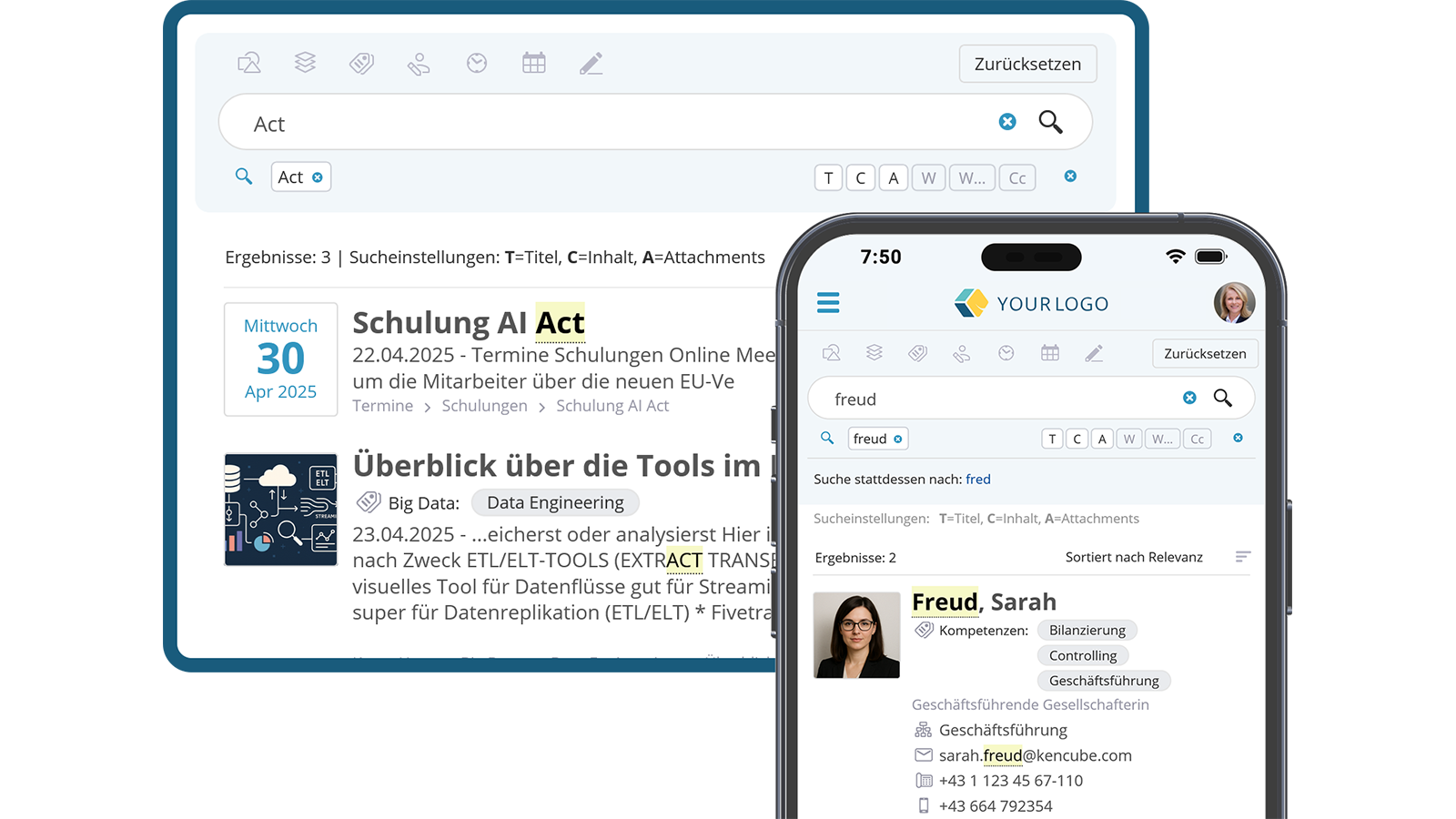
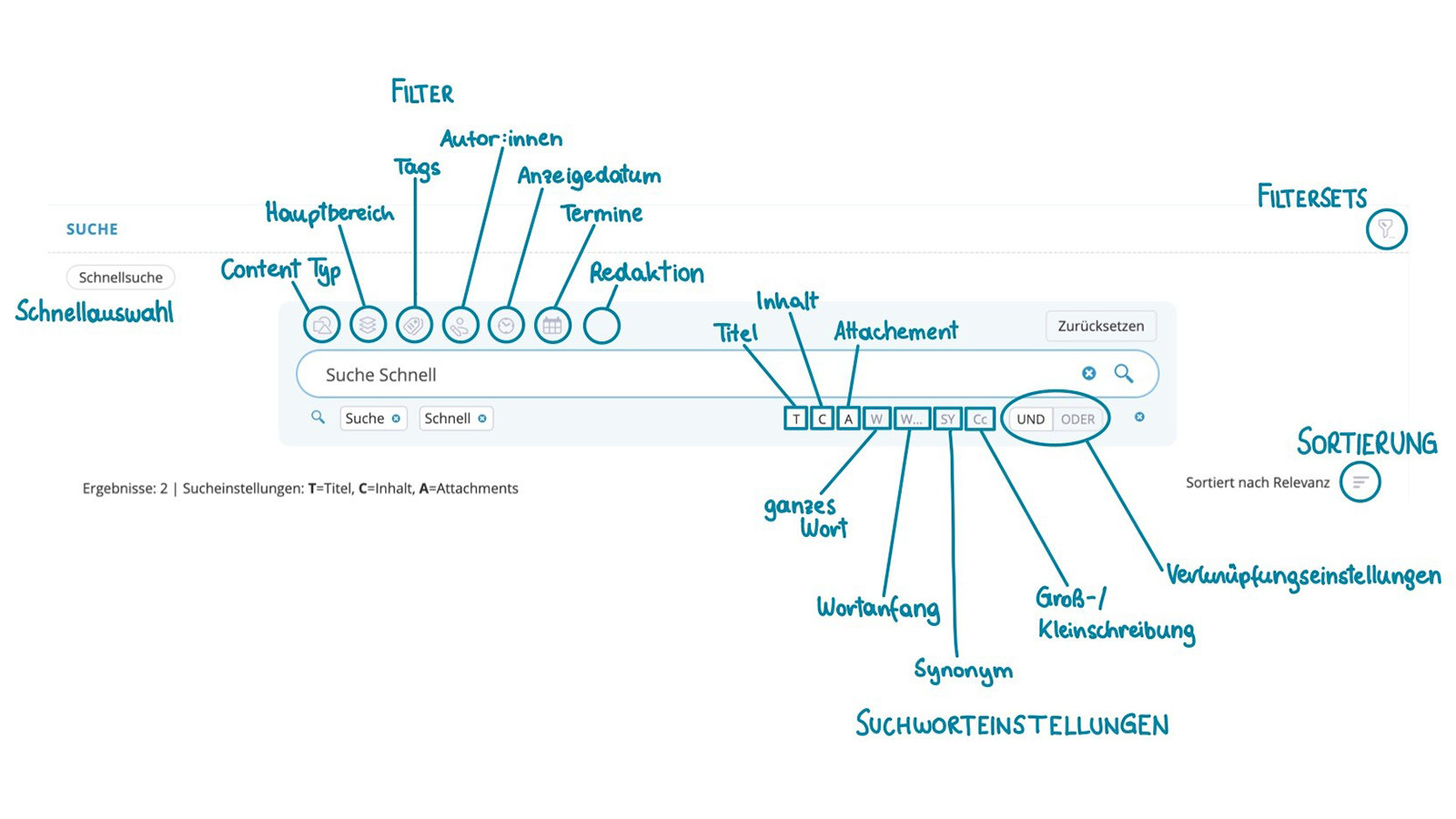
Whether people, specialised knowledge, circulars or document contents – quick finding is a central key function of any intranet. The display of results must also take into account the individual reading rights of the user. To refine the results, you can search specifically in the title, full text, at the beginning of a word and by exact spelling or phrase.
- Full-text indexed search
- Permission-based result display
- Step-by-step refinement of search results

Practical Additional Filters
Specifically narrow down and refine results in the power search
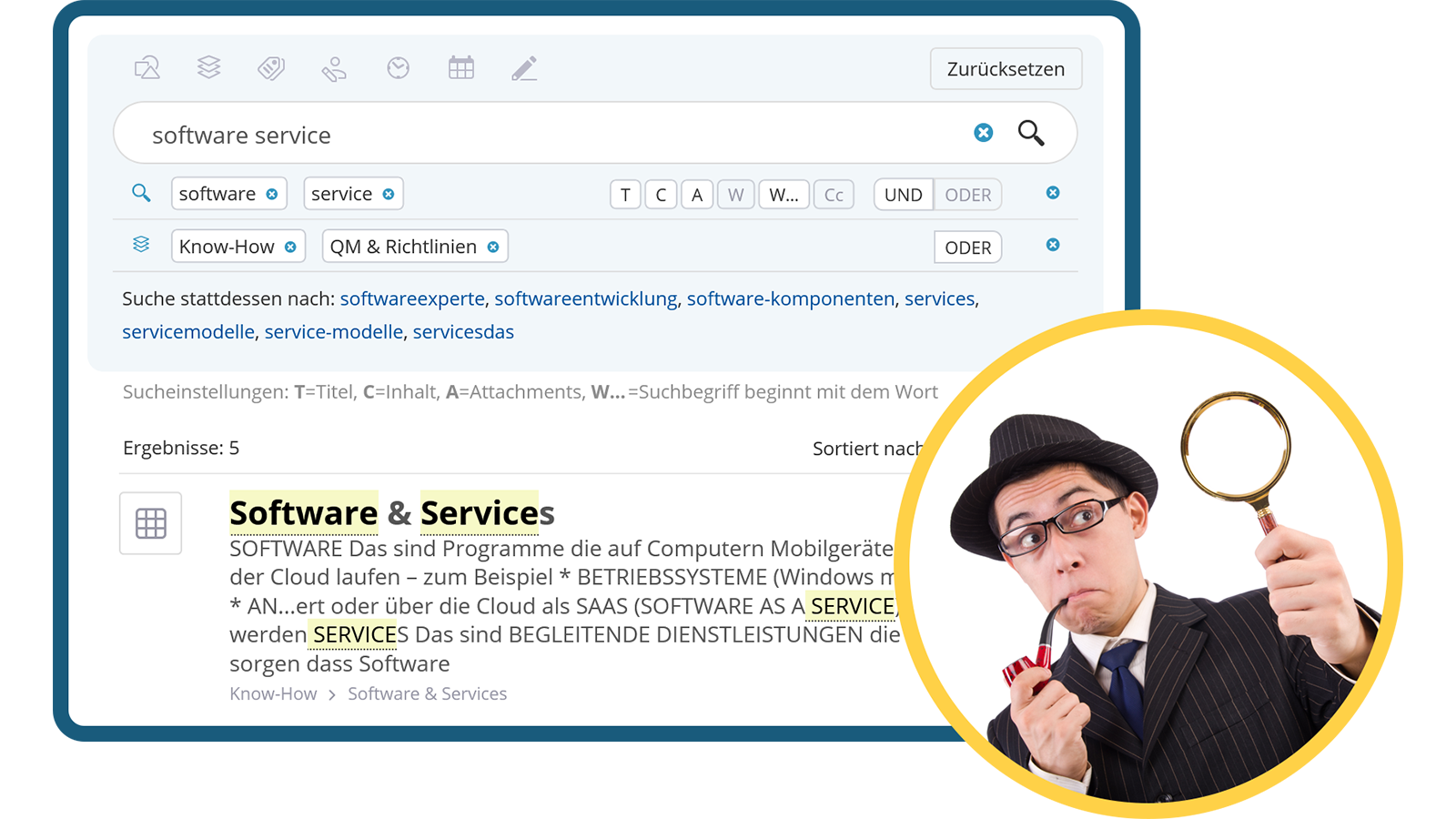
With flexible filters, search results can be narrowed down in a targeted manner: for example, by content type (e.g. person, article, document, process, shop item), storage location (e.g. knowledge, news, department), tags, authors or display date. Filters can be activated or deactivated individually, and for some filter groups and/or is also available for selection.
- Versatile filter options
- Flexible filter control
- Logical filter combinations


Use editorial filters
Track down editorial content that is not publicly visible
Within the editorial access options, you can specifically search for items in progress, upcoming or archived content. These filters can be combined with other search filters and give editorial staff quick access to items that have not yet been published or have already expired.
- Editorial overview
- Combine with other search filters
- Find hidden items

Provide Filter Sets
Save individual filter settings and make them available to others
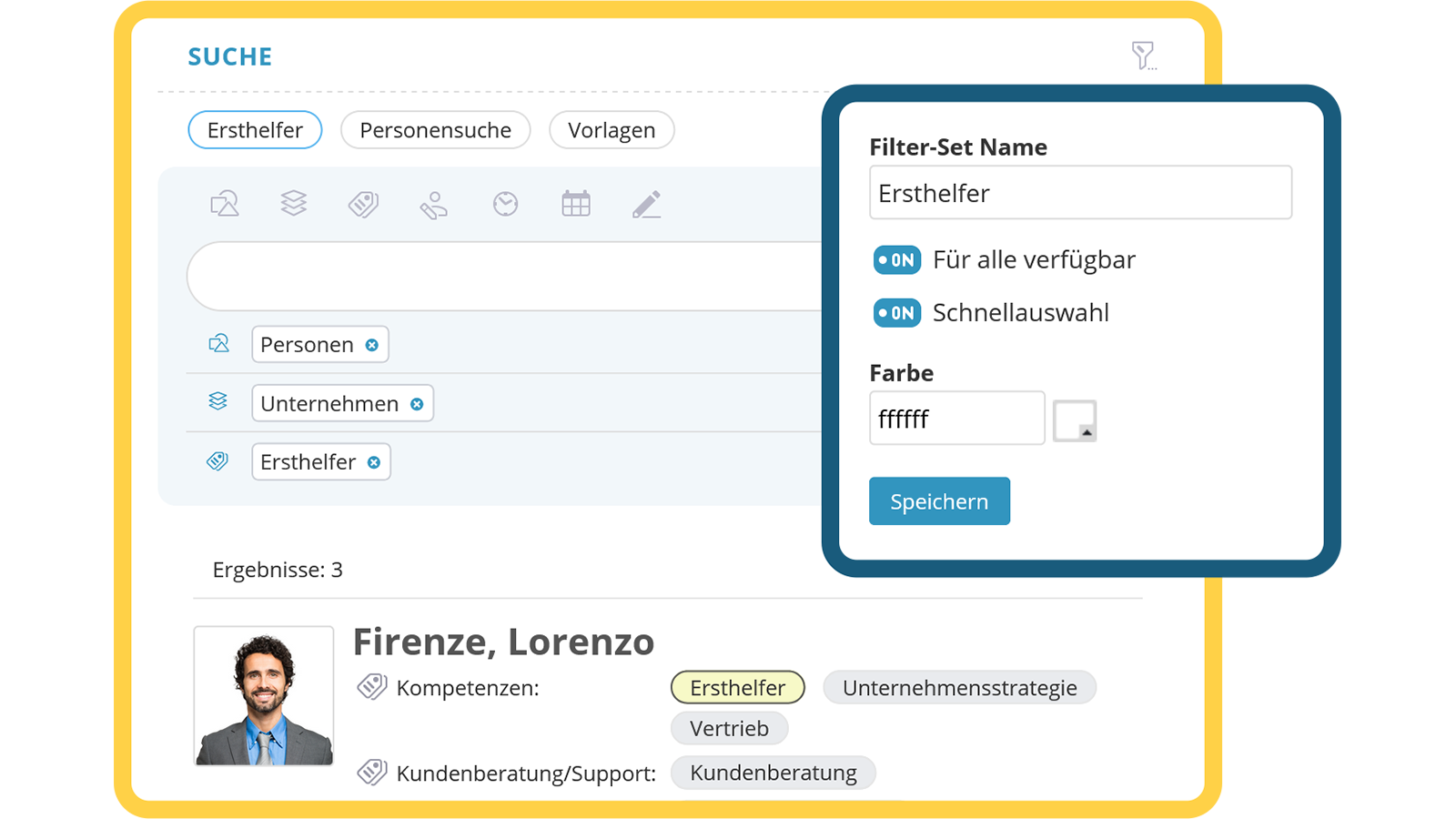
Frequently used filter settings can be saved as a filter set and quickly recalled at the push of a button – either via the context menu or using quick-link buttons. Admins can also share these filter search sets with other users, making the search even more efficient.
- Save individual filter sets
- Easy access with a single click
- Share with other users


Add synonyms
Find relevant results even with differing search terms
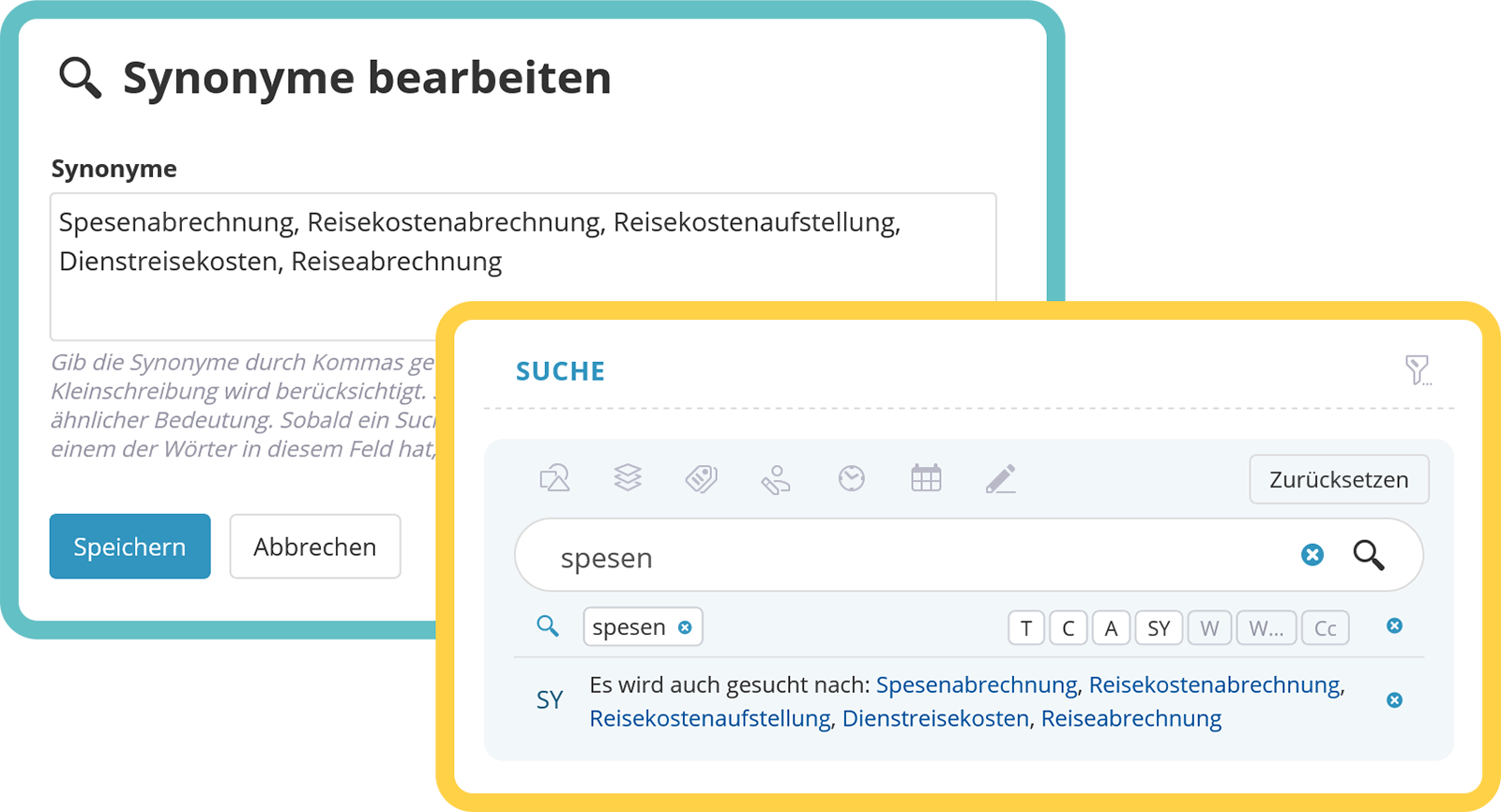
KenCube automatically suggests alternative terms during text searches ("Did you mean...") and also allows you to define your own company-specific synonyms in parallel. These are integrated into the search results by default to make handling as simple and efficient as possible for all users.
- Semantically appropriate alternative suggestions
- Define individual synonyms
- Company-specific search results

View next feature: Tagging
Explore KenCube
We would be happy to present our Social Intranet Employee App Software to you in a no-obligation online demo.
If you are interested, we can also provide you with access to a free trial version.