
Skip to content
Kencube_Mitarbeiterportal_Software_Logo.png
  1. Home
  2.  > 
  3. Features
  4.  > 
  5. Forms Tickets Tasks

Forms, Tickets, Tasks

Beliebige Formulare für Einreichungen, Ideen, Aufgaben, Verbesserungsvorschläge, Schadensmeldungen, Helpdesk-Aufgaben uvm. in individuellen Ticketkanälen verwalten

Control and handle key internal matters via dedicated ticket channels in the social intranet

Provide ticket channels with form input

Route requests directly to the responsible units within the company

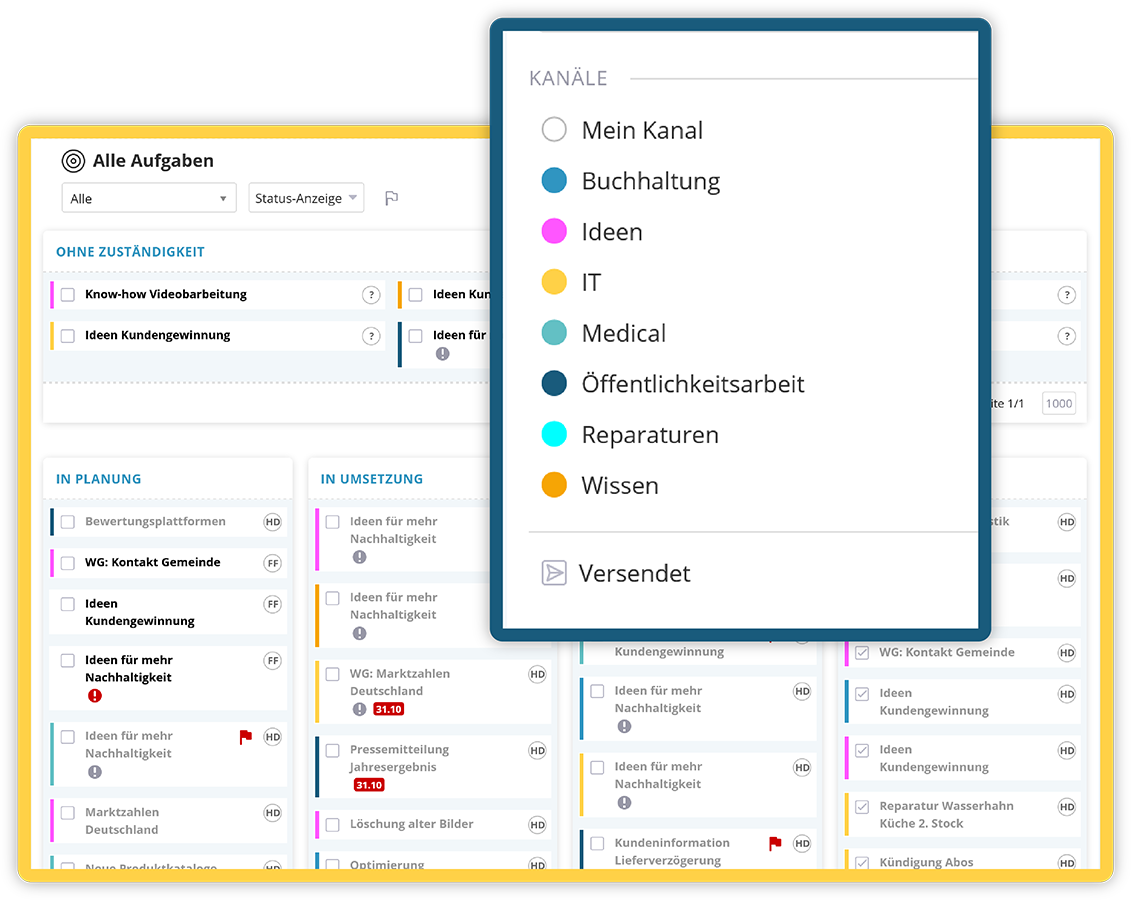
In KenCube, any number of ticket channels with individual form input fields can be set up for different teams – for example, a helpdesk channel for IT issues, a channel for damage reports, or one for ideas and improvement suggestions. The advantage for submitters: instead of individuals, an entire team is notified, and the ticket status is visible.

  • Set up different ticket channels with matching input forms
  • Address teams instead of individuals, enable flexible responsibilities
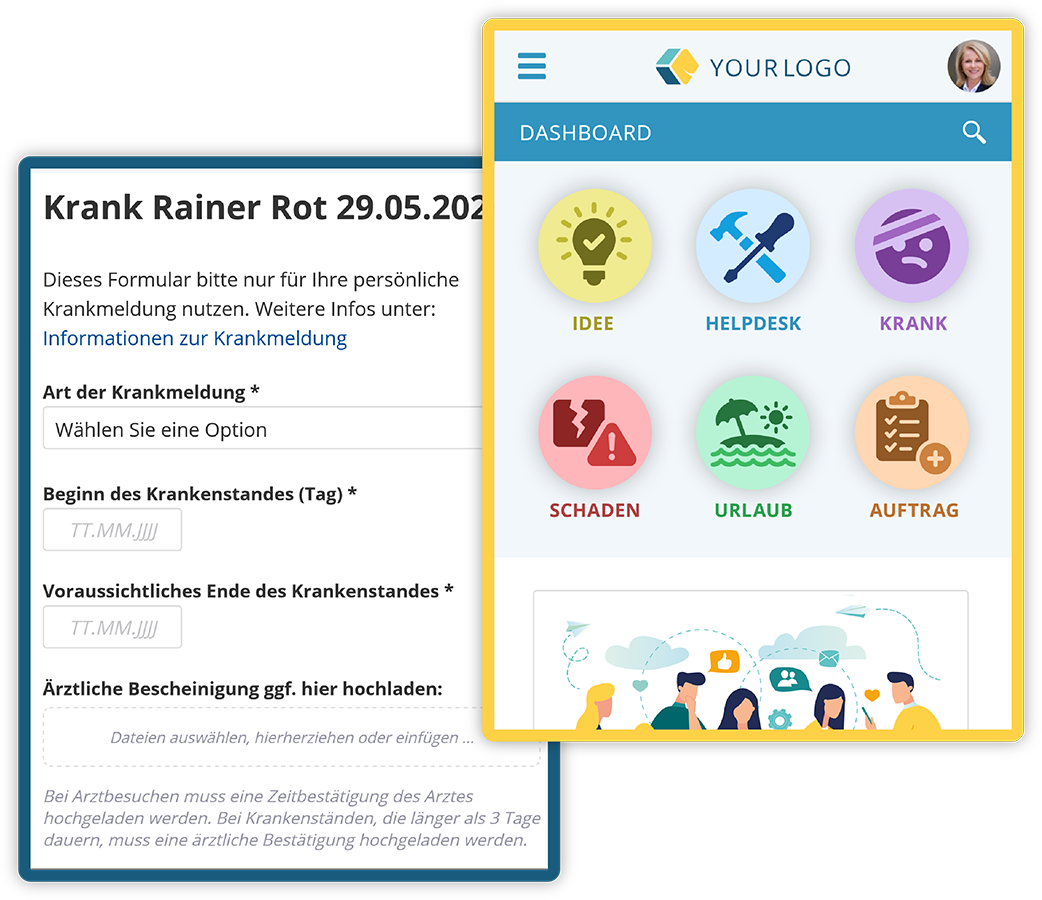
  • Set up appropriate input forms with mandatory fields
Control and handle key internal matters via dedicated ticket channels in the social intranet

Submit Tickets

Fast and targeted submission of requests

Select the appropriate ticket, fill out the form and submit it – the request immediately lands in the team's inbox and all members are notified. The ticket then becomes a task for the team and can be supplemented with further details such as responsibility, processing time, priority or due date.

  • Easy ticket creation for everyone in the company
  • Automatic assignment to the right team
  • Classification and prioritization of requests
tickets-auswahl-form-appsize-neu.webp
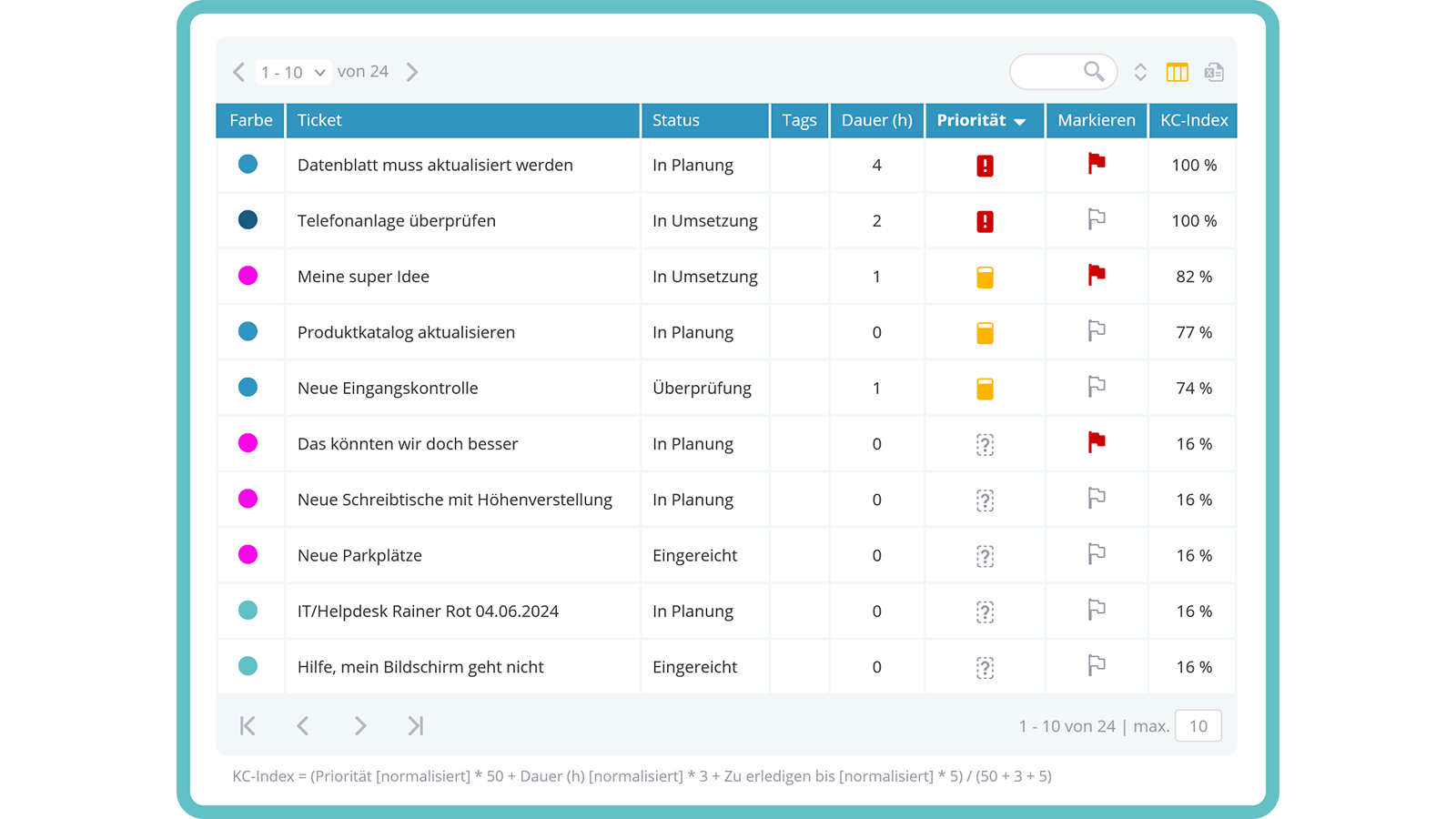
Tabular view as alternative to Kanban board

Ticket Display & Sorting

Clear management of incoming tickets & tasks

The status and responsibility of tickets are displayed either in the Kanban board or in a table view. Teams can search and filter across all ticket channels. Sorting by the KC index, an internal processing key, simplifies prioritization and the efficient handling of open requests.

  • Kanban board or table view
  • Advanced search & filter options
  • Sorting by KC index
Tabular view as alternative to Kanban board

Queries and Internal Discussion

Efficient coordination for smooth ticket processing

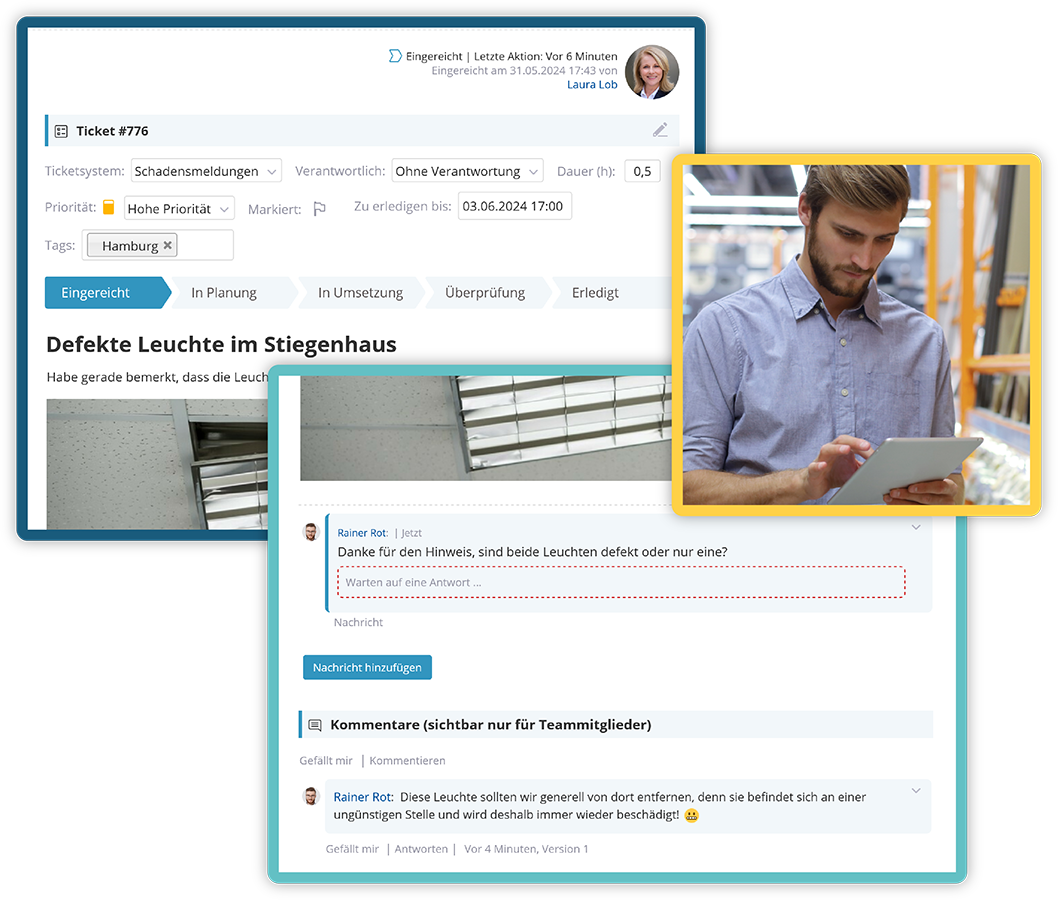
In case of ambiguities or missing information, queries can be sent directly to the ticket creators. Within the teams, responsibility for tickets can be reassigned at any time. The internal comment function enables targeted coordination between team members whenever needed.

  • Send queries to the submitters
  • Forwarding & taking over tickets
  • Internal coordination via comment function
tickets-communications-m.webp
Video-Tutorial: Ticketsysteme im KenCube Intranet

View next feature: Chat

Explore KenCube

We would be happy to present our Social Intranet Employee App Software to you in a no-obligation online demo.
If you are interested, we can also provide you with access to a free trial version.


Start Free Trial