
Skip to content
Kencube_Mitarbeiterportal_Software_Logo.png
  1. Home
  2.  > 
  3. Features
  4.  > 
  5. Tables & Charts

Tabelles & Charts

Individuelle Tabellen anlegen, Tabellen- und Chart-Ansichten erstellen und in Beiträge integrieren, am Dashboard anzeigen, Filter-Sets erstellen

Create interactive table and chart views

Custom Tables & Reports

Capture data in a structured way and present it in interactive views

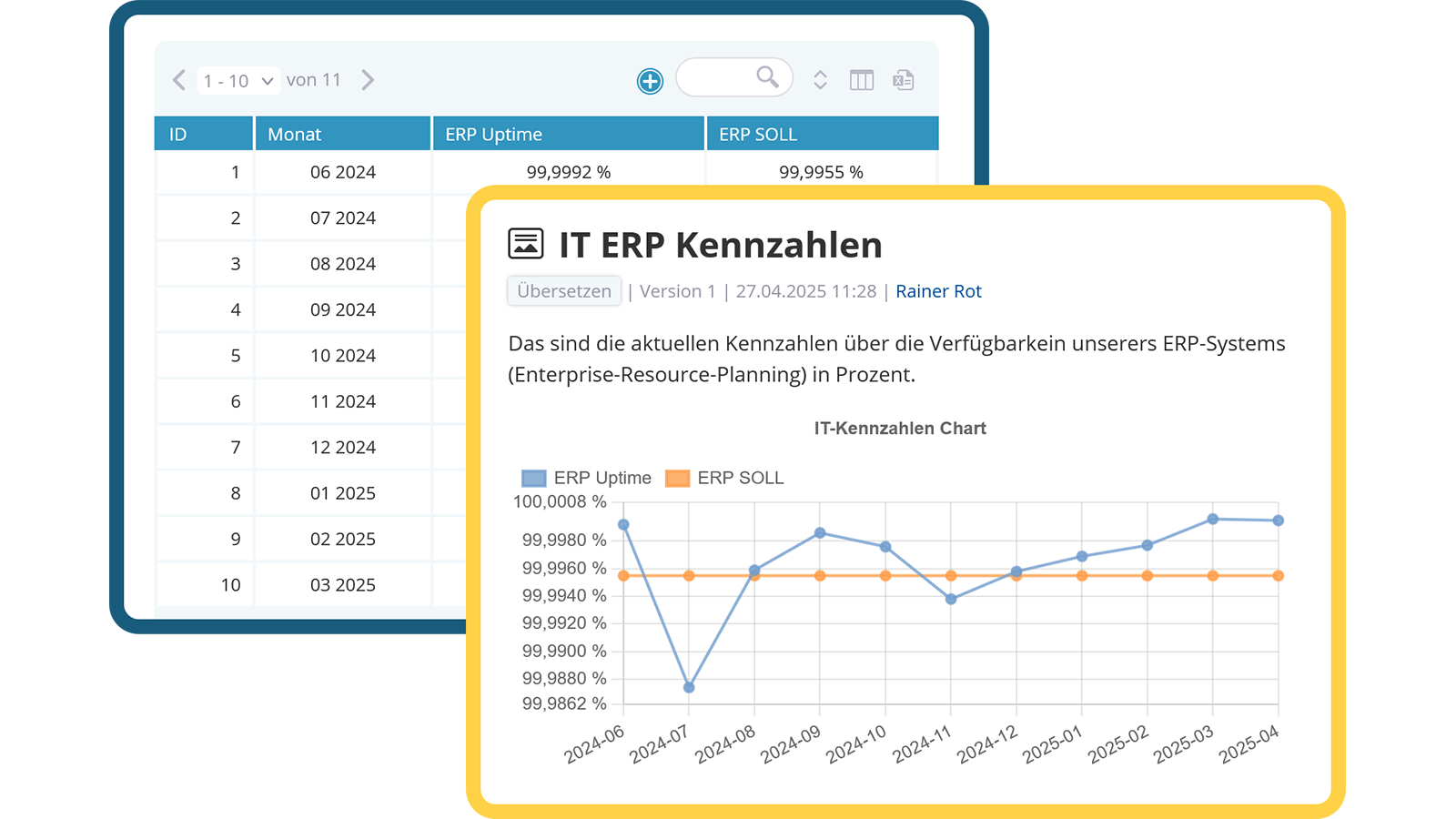
With KenCube, you can create custom tables with predefined field types such as numbers, text, date fields and more. The data can be displayed in convenient table or chart views, embedded in posts or shown directly on the dashboard.

  • Predefined field types such as number, text, date & more
  • Create interactive table and chart views
  • Integration into posts and on the dashboard possible
Create interactive table and chart views

Interactive Filters & Views

Targeted data analysis with practical filter options

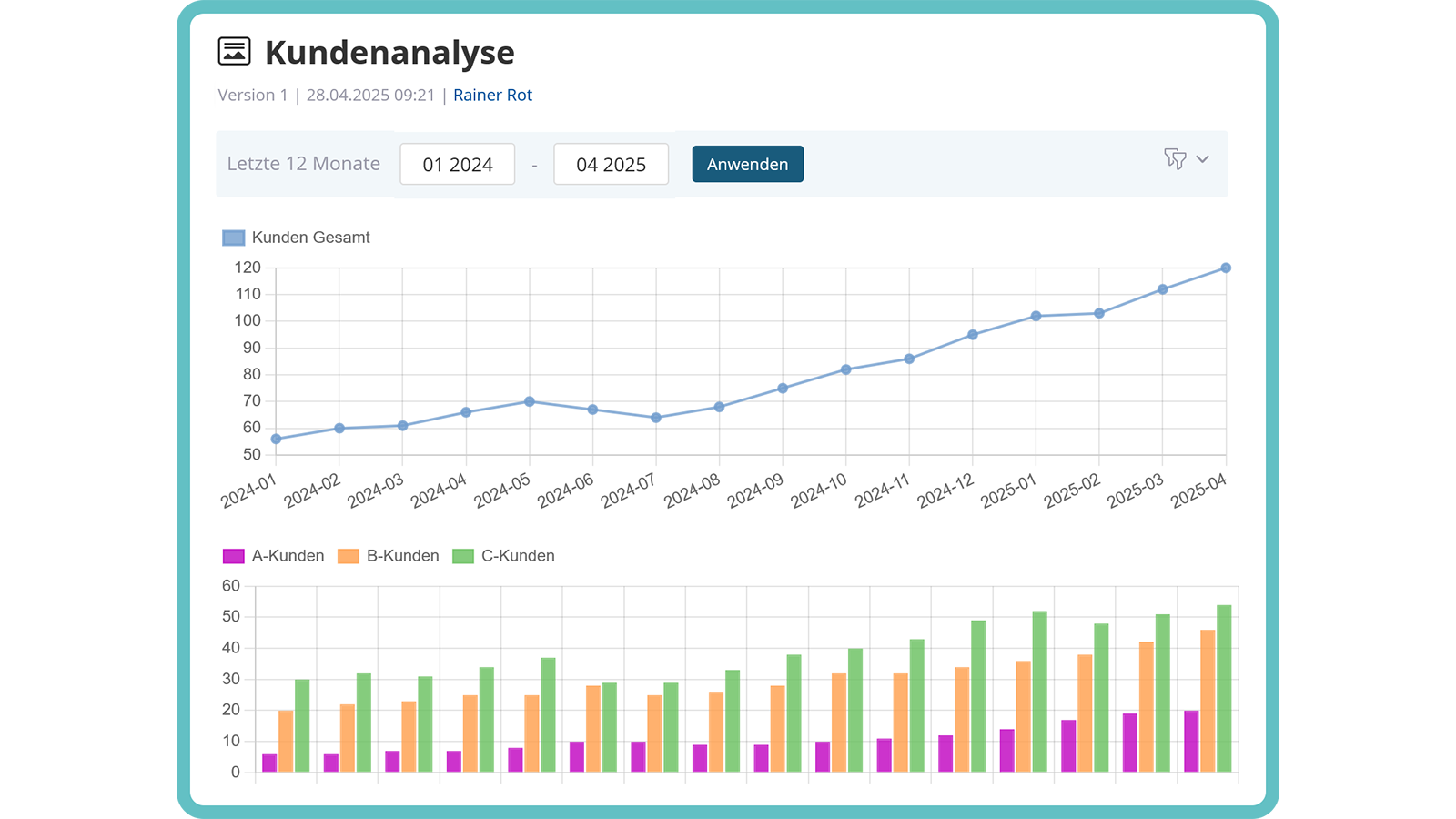
In KenCube, special filters can be created – for instance, to display only records from the last 12 months or only those with specific values. These filters can be combined into practical filter sets and integrated as predefined table views into the intranet content. Users can apply dynamic filter sets to tables and charts for targeted data analysis.

  • Dynamic filters for restricted views
  • Synchronize tables & charts with filter sets
  • Provide user-friendly filter options for interaction
Use dynamic filters for restricted views
Video: Eigene Tabellen & Charts im KenCube Intranet

View next feature: AI tools

Explore KenCube

We would be happy to present our Social Intranet Employee App Software to you in a no-obligation online demo.
If you are interested, we can also provide you with access to a free trial version.


Start Free Trial