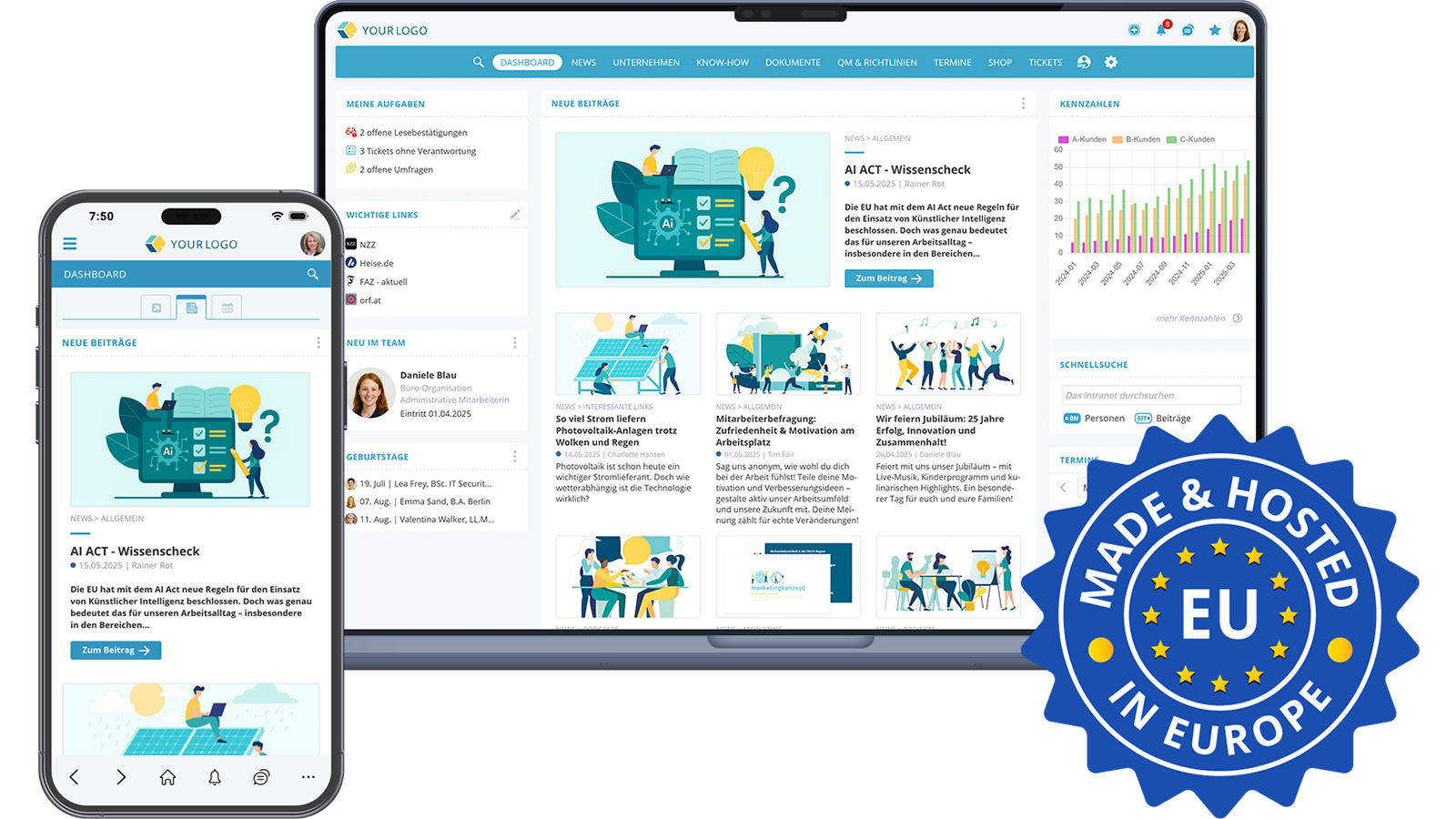

When a company starts considering whether to introduce a new intranet, those responsible often face not only enthusiasm but also resistance: "Why do we even need an intranet?", "What do we get out of it?", "Isn't it too much effort?" Many people think of the rigid, one-dimensional intranet solutions from 20 years ago. Modern social intranets have nothing to do with that anymore.
In this guide, we have summarized over 20 years of experience in developing and implementing intranet solutions. You will learn what a social intranet is, what features it offers, how to successfully implement it, and how to measure ROI.
1. What is a Social Intranet? – Definition
A social intranet is a closed, internal online platform accessible only to a company's employees. It combines classic intranet tasks – providing information, managing knowledge, storing documents – with interactive functions from the world of social media.
The difference compared to the classic intranet of the 2000s: communication no longer flows only top-down from management to the workforce. Employees can like and comment on posts, post content themselves, chat, work on tasks in projects, or maintain their profiles. The result is a platform that bundles corporate communication, knowledge management, collaboration, and employee engagement.
In practice, a modern social intranet is often also an employee app. That's because social intranets today are responsive and optimized for smartphones and tablets. This way, companies also reach non-desk workers – meaning employees without a permanent PC workstation – in production, retail, logistics, healthcare, field service, or home office.
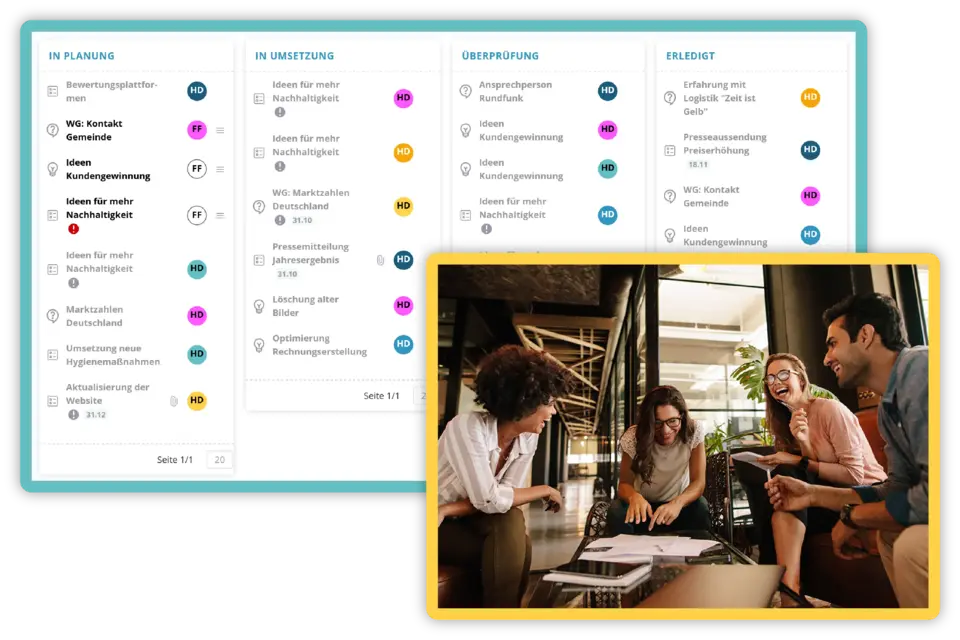 A social intranet fosters interactivity and collaboration
2. Social Intranet vs. Classic Intranet: What is the Difference?
The term "social intranet" is a blend of "intranet" and "social media." The central difference from the traditional intranet: employees are no longer just passive recipients of information but can actively contribute.
| Feature | Classic Intranet | Social Intranet |
|---|---|---|
| Communication | Top-down, one-way | Dialogue, interactive |
| Editorial | Central (IT/Communications) | Central and decentralized |
| Employee Participation | Passive (reading) | Active (liking, commenting, posting) |
| Access | Desktop at the office | Desktop, smartphone, tablet (app) |
| Content | News, documents | News, knowledge, chat, projects, profiles, calendar |
| Target Group | Office workers | Everyone, including non-desk workers |
| Culture | Information channel | Digital home and cultural anchor |
This turns a social intranet into a genuine platform for internal communication and employee engagement. It is simultaneously an information channel, knowledge database, collaboration tool, and cultural anchor – a digital home for the entire workforce.
3. Why Do Companies Need a Social Intranet? The Key Benefits
A modern social intranet contributes to several strategic goals at the same time: better employee communication, stronger engagement, more efficient collaboration, and measurably higher productivity. The key benefits at a glance:
3.1 Reach All Employees – Even Without a PC Workstation
Classic email distribution lists or bulletin board notices today only reach part of the workforce. A social intranet with an employee app reaches everyone – from the executive board to shift workers, from field staff to home office. This way, non-desk workers are integrated into internal communication on equal footing for the first time.
3.2 Centralized Knowledge Instead of Knowledge Silos
Rules, instructions, manuals, QM documents, onboarding materials: in the social intranet, all work-relevant information is stored centrally. Employees quickly find what they need, instead of asking key personnel the same questions over and over again.
3.3 Higher Engagement and Better Corporate Culture
Likes, comments, and chat create exchange across departmental and location boundaries. Employees experience appreciation, see what colleagues are working on, and feel like part of the whole. This boosts motivation, identification, and employee retention.
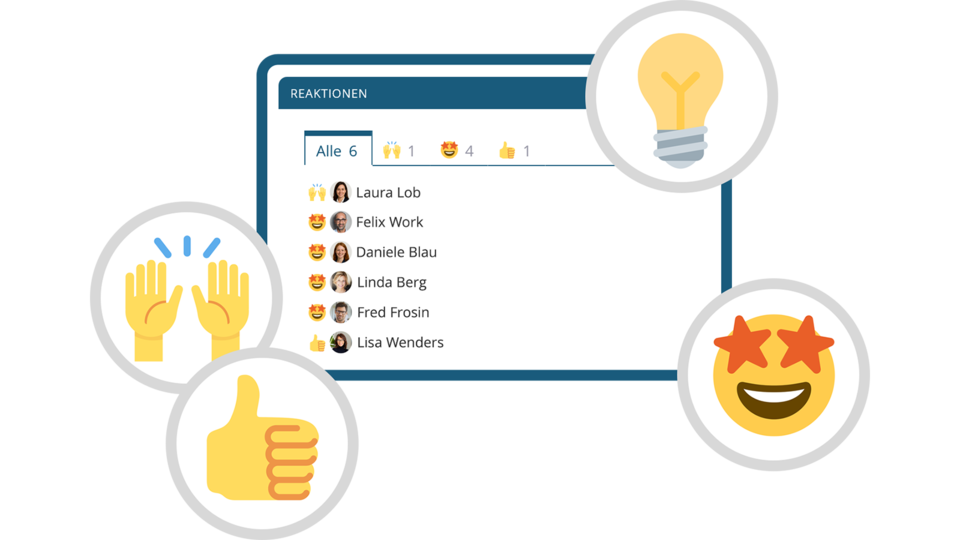 Show recognition and appreciation in the intranet
3.4 Faster Decisions and Fewer Errors
When everyone accesses the same information, misunderstandings, duplicate work, and errors are reduced. Read receipts for important messages ensure that critical information actually arrives.
3.5 Digital Workplace as a Starting Point
A social intranet is the central entry point to the digital workplace. From here, you connect other systems such as HR tools, ERP, document management, or learning platforms – giving your company a solid digital anchor point.
3.6 Measurable Return on Investment
Even with a conservative calculation – one hour of time saved per employee per month – the benefit exceeds the licensing costs in many cases by a factor of 10. More on this in section 10.
4. What Features Does a Modern Social Intranet Have?
The specific features of a social intranet can be tailored to a company's needs. However, a few core components are found in almost every good solution. When selecting a social intranet, it is worth checking how well these features are covered.
4.1 News and Newsfeed
The newsfeed is the heart of the social intranet. This is where revenue figures, company goals, guidelines, product launches, bonus programs, or shift schedules appear. For particularly important messages, a read receipt ensures the information has been received.
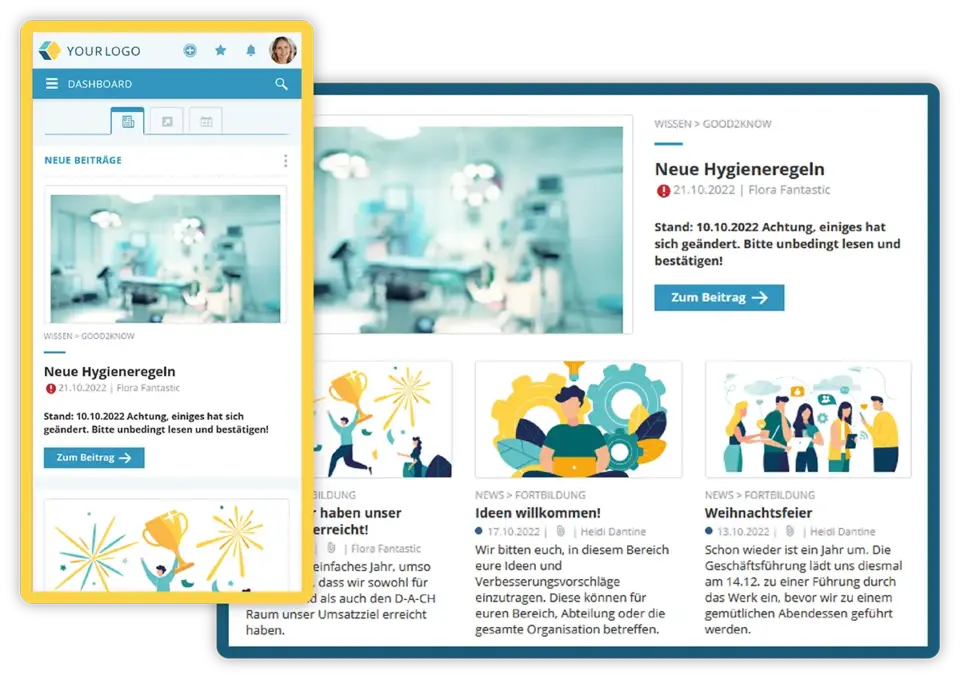 A social intranet distributes news to the workforce in real time
4.2 Knowledge Management and Documents
Manuals, QM documents, onboarding material, or instructions are stored centrally and are searchable. Sensitive content can be restricted to specific people or groups via a flexible permissions system.
4.3 Employee Directory and Organizational Chart
A digital employee directory with photo, position, area of responsibility, and contact details maps the structure of the company – right down to room or seating plans. This way, employees quickly find the right contact person.
4.4 Chat and Group Chat
A GDPR-compliant internal chat enables one-on-one and group communication in real time. Unlike external messengers, the data stays within the company's own system. The chat is also an ideal tool for referring to content within the intranet.
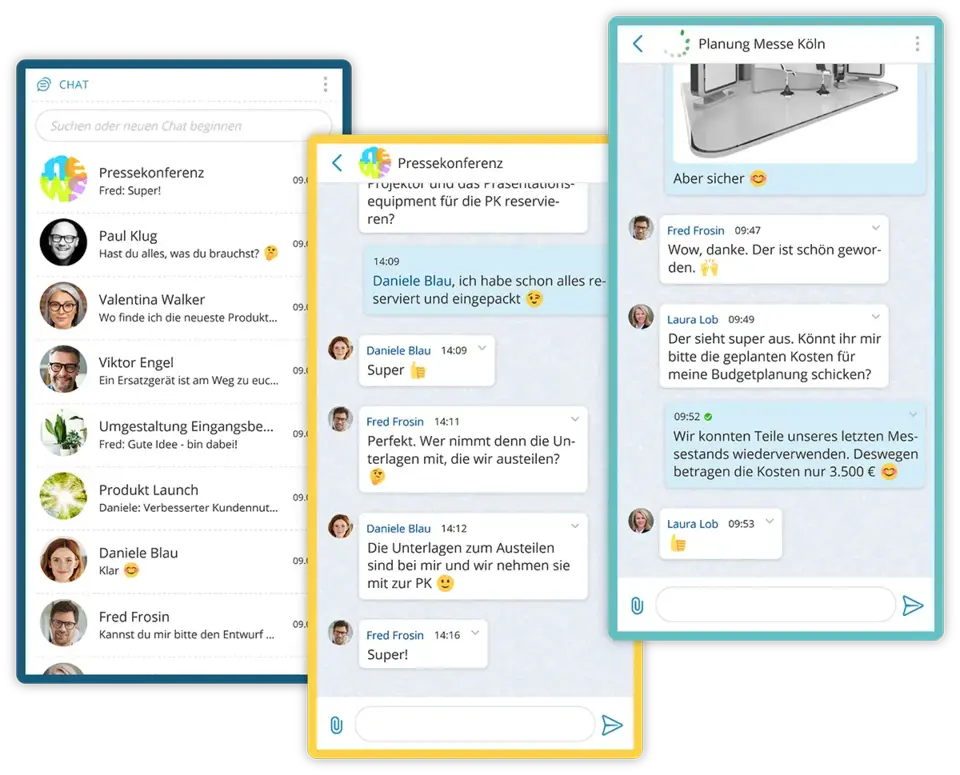 Secure internal company communication via the Social Intranet chat
4.5 Calendar and Scheduling
Company calendars cover events, meetings, facility management, editorial plans, trade fairs, or training. Employees can see at a glance what is happening in the company.
4.6 Ticket System and Task Management
An integrated ticket system helps to keep track of tasks and projects, prioritize, and complete them. It structures communication between departments and is suitable for a wide range of uses – from damage reports to idea management and product development.
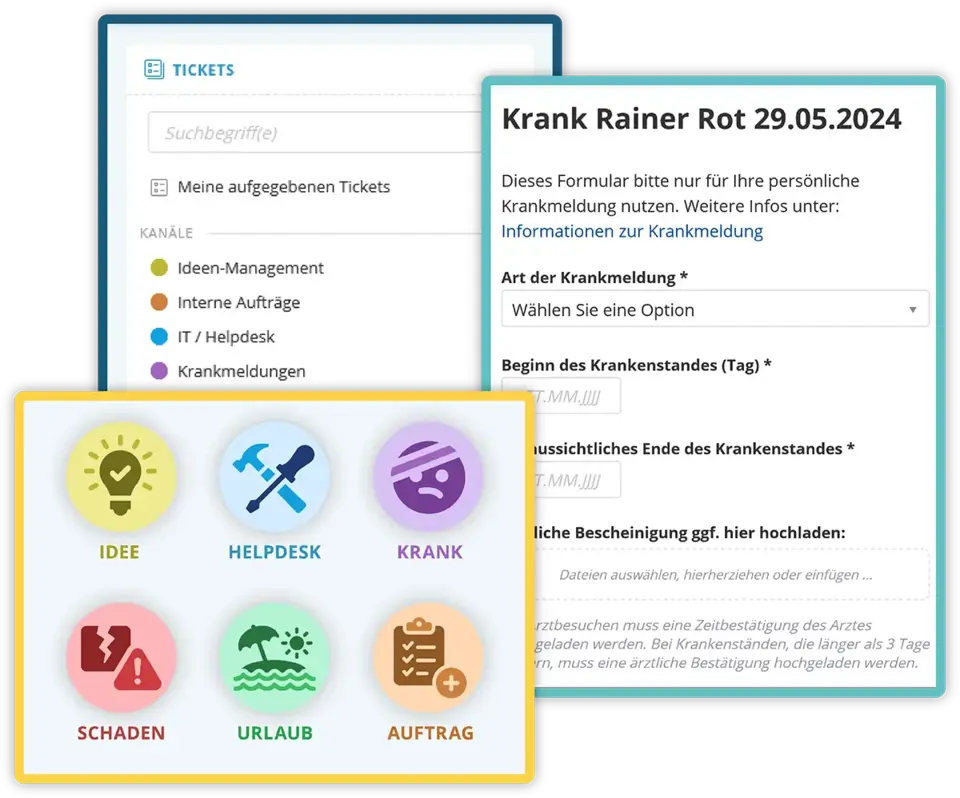 A ticket system makes it possible to keep track of tasks and work through them
4.7 Digital Bulletin Board and Employee Posts
Employees can – depending on permissions – post content themselves. The digital bulletin board replaces physical notices and brings conversations from the coffee kitchen and smoking corner into the digital world: congratulations, internal sales, team photos, expressions of appreciation.
4.8 Multilingualism at the Click of a Button
In many companies, people with different native languages work together. A social intranet with integrated translation – for example via a connection to DeepL – allows editors and readers to translate content into the desired language with a single click. This breaks down language barriers and increases the reach of every post.
4.9 Push Notifications and Internal Newsletters
Push notifications on smartphones and automatically sent digest emails ensure that employees don't miss important content – even after a holiday, sick leave, or longer offline assignments.
4.10 Search and AI Assistant
A powerful full-text search is a must. Modern social intranets go a step further and integrate AI assistants that answer questions, summarize content, and create texts automatically. More on this in section 8.
5. When Does a Social Intranet Work? The 6 Success Factors
Whether a social intranet is adopted in a company or gathers dust in the digital drawer does not depend on the software alone. Experience from hundreds of projects shows: these six factors determine success or failure.
Commitment from Management
The decisive factor is that management visibly stands behind the project. The purpose and benefits of the social intranet must be communicated clearly – as well as its importance for corporate goals. The more actively the leadership level uses the intranet itself, the more readily the workforce will follow.
Clear Responsibilities
A social intranet needs people responsible for planning, creating, and maintaining content. This can be one person, a team (such as corporate communications), or a network of editors from various departments.
Relevant Content for All Groups
A social intranet thrives on content that is relevant to its respective target group. Studies and market data for management, shift schedules for cleaning staff, product news for sales. A good permissions system unlocks content based on needs.
Interactivity from the Start
The more employees can participate – through likes, comments, their own posts, or surveys – the higher the acceptance. Interactivity must not be considered a nice-to-have but a core principle.
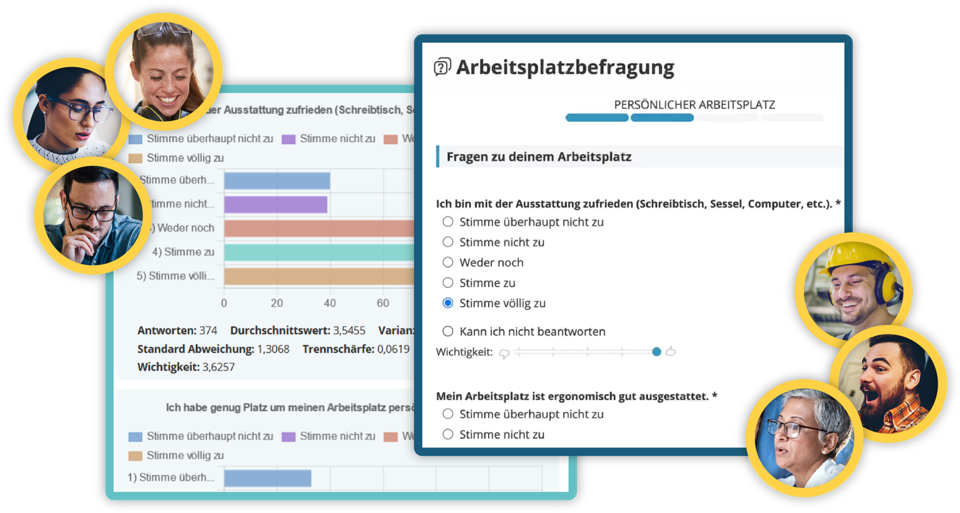 Run and evaluate internal surveys directly within the social intranet software
Clean Hosting
When starting a social intranet, hosting needs to be clarified. The most popular option is cloud-managed hosting in an ISO-certified high-security data center – firewall, intrusion detection, backups, and security are handled by the provider. Alternatively, there is on-premises hosting on your own server – more complex, more expensive, but desired in certain industries.
Bring Everyone on Board
The best social intranet is not a collection of dry "hard facts," but the mix of news, figures, and what used to be discussed at the coffee machine. Especially in companies with multiple locations, this creates community.
6. Introducing a Social Intranet: Step by Step to Implementation
Introducing a social intranet is not purely an IT project. It touches on communication, culture, HR, and processes. A proven implementation plan includes the following steps:
- Appoint project leads – often from marketing, communications, IT, HR, or management.
- Define objectives and KPIs: what specifically should the social intranet achieve – better reach, less email, faster onboarding?
- Map target groups and content: who needs which information? Which groups and areas are needed?
- Define a rights and roles concept – who is allowed to read, write, edit what?
- Create an editorial plan: which content appears at which point in time?
- Build and train the editorial team – ideally decentralized across all departments.
- Pilot phase with one department or one location – gather real feedback.
- Company-wide rollout – accompanied by a communications campaign, training, and clear contact persons.
- Continuous improvement: evaluate what works, and further develop content and features.
The duration of implementation strongly depends on company size, existing infrastructure, and clarity about content. Realistic timelines range, depending on scope, from three to nine months until company-wide go-live.
7. Data Protection and GDPR in the Social Intranet
It goes without saying that a social intranet must be data protection-compliant and adhere to GDPR and local legislation. In practice: the less personal data is processed, the better. Intranet solutions that are in compliance with works council regulations usually get by with very little personal data.
Just as important as the technical implementation is open communication with employees: what data is being processed, what happens with it, who has access? Data protection information can be displayed or linked directly in the intranet.
One aspect often overlooked: in many companies, users share the same IP address. Tracing individual accesses back to specific people is therefore often impossible. This defuses some data protection debates – but does not make transparent communication unnecessary. The greater the trust in the platform, the more actively it will be used.
8. AI in the Social Intranet: What Does Artificial Intelligence Bring?
Artificial intelligence is no longer a vision of the future for modern social intranets but a practical way to ease the workload. AI functions provide support at several points simultaneously:
- Creating content faster and more easily – from blog drafts to meeting summaries.
- Answering questions: employees ask the intranet questions and receive answers generated from existing documents.
- Explaining complex issues – such as internal guidelines or processes.
- Translating and summarizing content.
- Improving search results semantically – it is enough to ask a question instead of knowing the exact keywords.
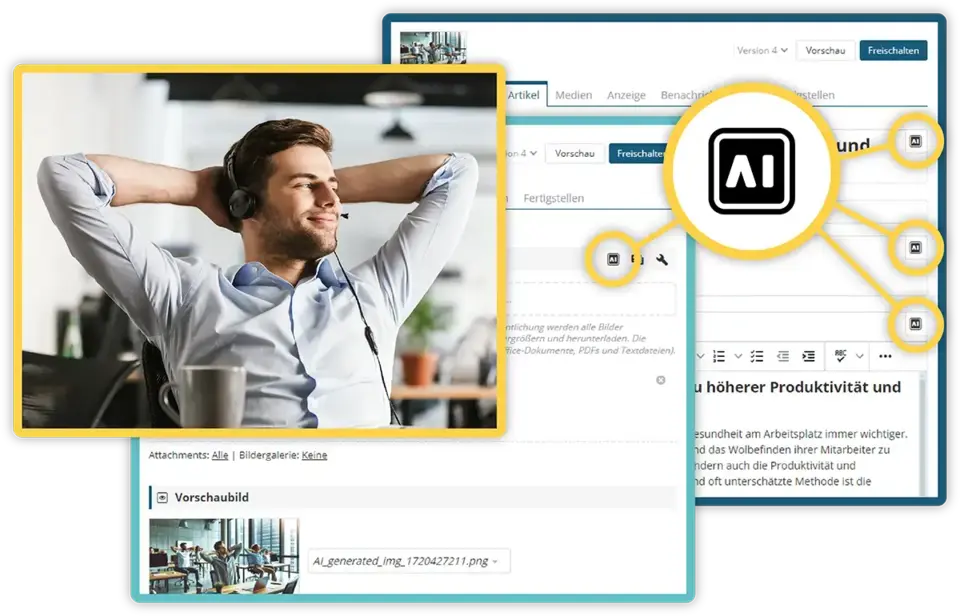 Create content or explain matters faster and easier with AI
A particular advantage: with just one corporate license, all employees use a state-of-the-art AI solution – data protection-compliant, without shadow IT, and without company knowledge flowing into external tools. At the same time, structured, central storage of information becomes even more important, because AI assistants are only as good as the data they can access.
9. Social Intranet and Digital Transformation
The social intranet is a central pillar of digital transformation in companies. It is the hub through which employees access other applications, find information, and collaborate – regardless of location and online.
Its importance as a corporate hub is growing for three reasons: First, more and more teams are working in hybrid or remote setups. Second, the number of applications in companies is increasing – a common point of entry becomes all the more important. Third, employees – shaped by their private tools – expect a comparably good employee experience at work.
A good social intranet bundles these requirements and thus becomes the backbone of the digital workplace.
10. Costs and ROI: How Economical Is a Social Intranet?
A social intranet is not a cost center but an investment with a measurable return on investment. Economic benefits emerge on several levels:
10.1 Better Communication, Relief for Key Personnel
Without an intranet, experienced employees are constantly asked the same questions. With a social intranet, all work-relevant information is stored centrally. Knowledge transfer to new employees happens faster and more easily – this directly impacts productivity.
10.2 Error Prevention Through Unified Information
When everyone has access to the same information base, fewer errors, misunderstandings, and duplicate efforts occur. This is particularly valuable in regulated industries – pharmaceuticals, finance, manufacturing.
10.3 Motivation and Reduced Employee Turnover
Well-informed, engaged employees are more motivated and stay with the company longer. According to the McKinsey HR Monitor 2024, willingness to change jobs in the labor market is high. At the same time, an employee leaving the company costs, according to Personio, on average around 120 percent of their gross annual salary. Every prevented resignation thus represents a concrete euro amount that a social intranet indirectly saves.
10.4 The Math in Numbers
Even with a conservative estimate – one hour of time saved per employee per month – the benefit exceeds the licensing costs in many cases by a factor of ten. That means: for every euro invested, the company saves more than ten euros in time, errors, and turnover.
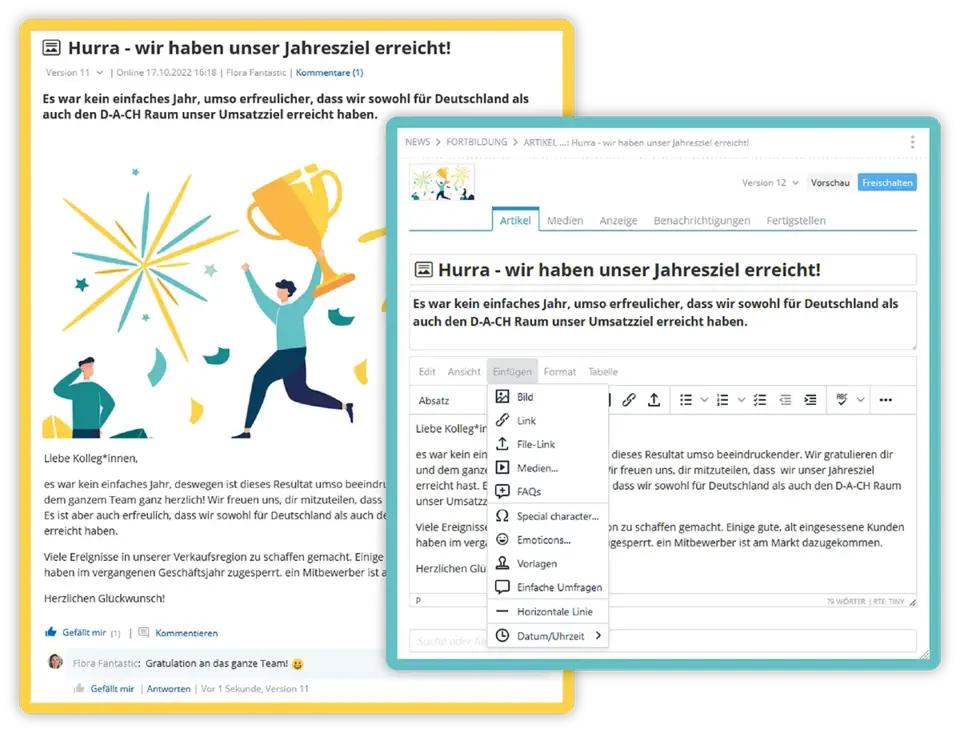 A social intranet motivates the workforce and helps achieve goals
11. Measuring Success: How Do You Measure the Success of a Social Intranet?
The success of a social intranet can be measured objectively. In good solutions, statistics and analytics functions are already integrated. The most important key figures:
- Active users per week / month (MAU, WAU)
- View counts of individual posts and content
- Reactions (likes, comments) per post
- Read receipts on mandatory messages
- Adoption at individual locations and departments
- Search queries – what is searched for, what is not found?
- Number of employee posts (top-down vs. bottom-up)
It is important that these KPIs are continuously evaluated and fed back to the editorial team. This way, topics that work well can be expanded – and less successful content can be improved. Comments and reactions are not just metrics but a valuable source for understanding the needs and mood of the workforce.
The ultimate indicator of success, however, is not a number on a dashboard – but a well-informed, motivated workforce that knows the company's goals and identifies with their work.
12. Finding the Right Social Intranet Solution: Checklist
The market for intranet software is vast. From Microsoft SharePoint and specialized providers to open-source toolkits – the selection is overwhelming. These criteria help find the right solution:
Experienced Provider with Demonstrable Practice
Work with a provider that builds and implements intranets – not just sells them. Practical know-how makes the difference, especially when translating your needs into concrete solutions.
Competent Contact Persons Throughout the Entire Lifecycle
Implementation is only the beginning. The decisive factor is that you also have dedicated contact persons during ongoing operations – for training, new requirements, and further developments.
Proven Implementation Process
A good provider has a structured implementation process that knows real-world hurdles – from the works council to change management.
Independence and Data Protection
The less the solution depends on external interfaces, the easier GDPR compliance becomes. Check where data is stored, who has access, and how hosting is secured.
Tailored Features
The solution must cover the features you really need – no more and no less. Less is often more: an overloaded intranet puts users off.
Easy to Use – for Readers and Editors
Good usability is crucial. If editing and consuming content is cumbersome, the intranet will not be used – no matter how good the features are.
Mobile-First and App
A dedicated employee app for smartphone and tablet is a must today, especially if you want to reach non-desk workers.
AI and Translation Features
Integrated AI and automatic translation (e.g., via DeepL) are no longer future topics but productivity factors.
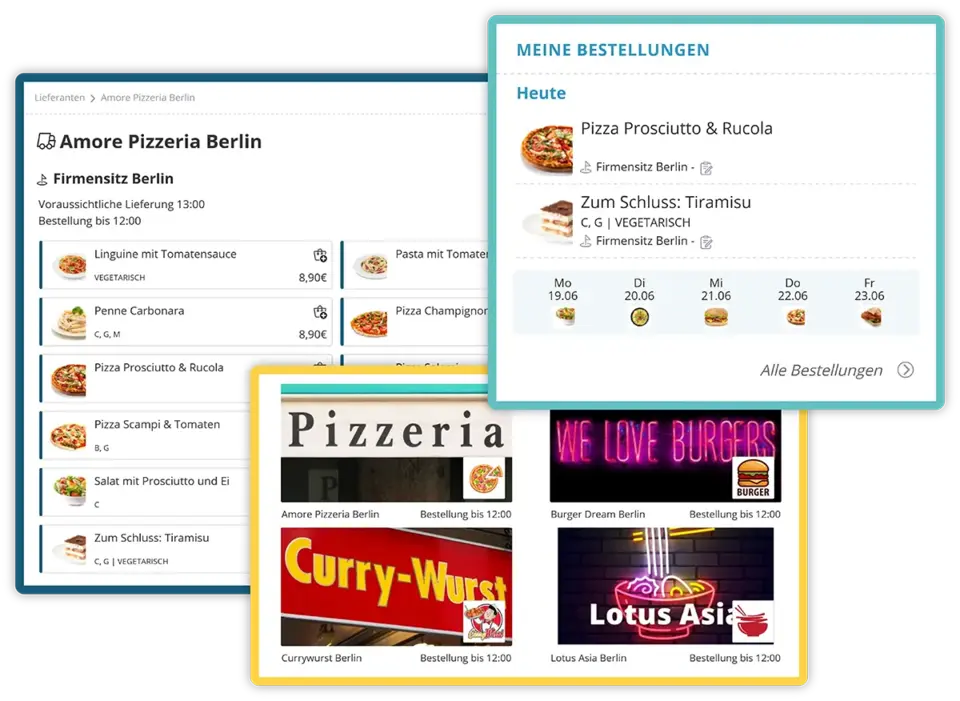 Practical features also ensure employees enjoy using the social intranet
13. Frequently Asked Questions (FAQ) About the Social Intranet
What is a social intranet in one sentence?
A social intranet is a company's central, closed digital platform that bundles information, communication, knowledge, and collaboration for all employees in one place – including social media elements such as likes, comments, and chat.
What is the difference between an intranet and a social intranet?
A classic intranet is top-down and one-sided: the editorial team sends information to the workforce. A social intranet is interactive: employees can like, comment, post, chat, and organize themselves in groups. Moreover, it is designed for mobile use.
Which companies benefit from a social intranet?
Fundamentally, all companies with about 10 employees or more – but especially companies with multiple locations, shift work, field service, home office teams, or non-desk workers. Anywhere where email and bulletin boards no longer reach everyone.
How much does a social intranet cost?
Costs depend heavily on the number of users, scope of functions, and hosting model. Cloud-managed solutions usually bill per user per month; on-premises solutions have higher setup and operating costs. More important than the price is the ROI: in many projects, the benefit exceeds the costs by a factor of ten.
How long does it take to introduce a social intranet?
Depending on company size and scope, between three weeks and nine months until company-wide go-live. The decisive factor is not so much the technology as the preparation of content, roles, and communication.
What features should a modern social intranet have at a minimum?
Newsfeed, knowledge management, employee directory, chat, calendar, ticket system, search, push notifications, multilingualism, and an employee app. AI assistants and translation features are increasingly becoming standard.
Is a social intranet GDPR-compliant?
Yes – if the solution is properly designed. Good providers minimize personal data, host in ISO-certified data centers, involve the works council early on, and offer transparent data protection information directly within the platform.
Social intranet or Microsoft SharePoint / Teams?
Microsoft 365 provides building blocks for internal communication but is not a finished social intranet. Specialized social intranet solutions offer more functions for internal communication, engagement, and non-desk workers – and are often easier to implement. In practice, the worlds complement each other: the social intranet handles communication and culture, Microsoft 365 remains for document editing and collaboration.
How do I reach employees without a PC workstation?
Through an employee app on smartphone or tablet. Important are push notifications, offline availability of important content, easy login (e.g., without a company email), and multilingual content.
How do I measure the success of my social intranet?
Through integrated analytics: active users, view counts, reactions, read receipts, search queries, and adoption at individual locations. The key is to regularly feed this data back to the editorial team.
What role does AI play in the social intranet?
AI accelerates content creation, answers questions from company knowledge, translates, and summarizes content. The big advantage: all employees use a central, data protection-compliant AI – without shadow IT.
How do I find the right provider?
Based on these criteria: demonstrable experience, competent contacts, structured implementation process, GDPR-compliant hosting, suitable features, good usability, mobile app, as well as AI and translation features. Have them show you references and – ideally – a demo based on a real use case.
Conclusion: Social Intranet as a Digital Home for Modern Companies
A social intranet today is far more than an internal information portal. It is the central place where employees are informed, exchange ideas, find knowledge, and experience corporate culture – at headquarters, on the shop floor, in the home office, and on the go. Properly selected and cleanly implemented, it is one of the greatest productivity and culture levers a company has.
Anyone looking to make their own organization fit for hybrid work, growing teams, and digital transformation cannot avoid a social intranet.

Active as a consultant in the IT industry for over 35 years, specialist in software development and interface design, founder of Artware Multimedia GmbH (later renamed KenCube)
 Praktische Feature-Auswahl