
What is an employee app and what is it used for?
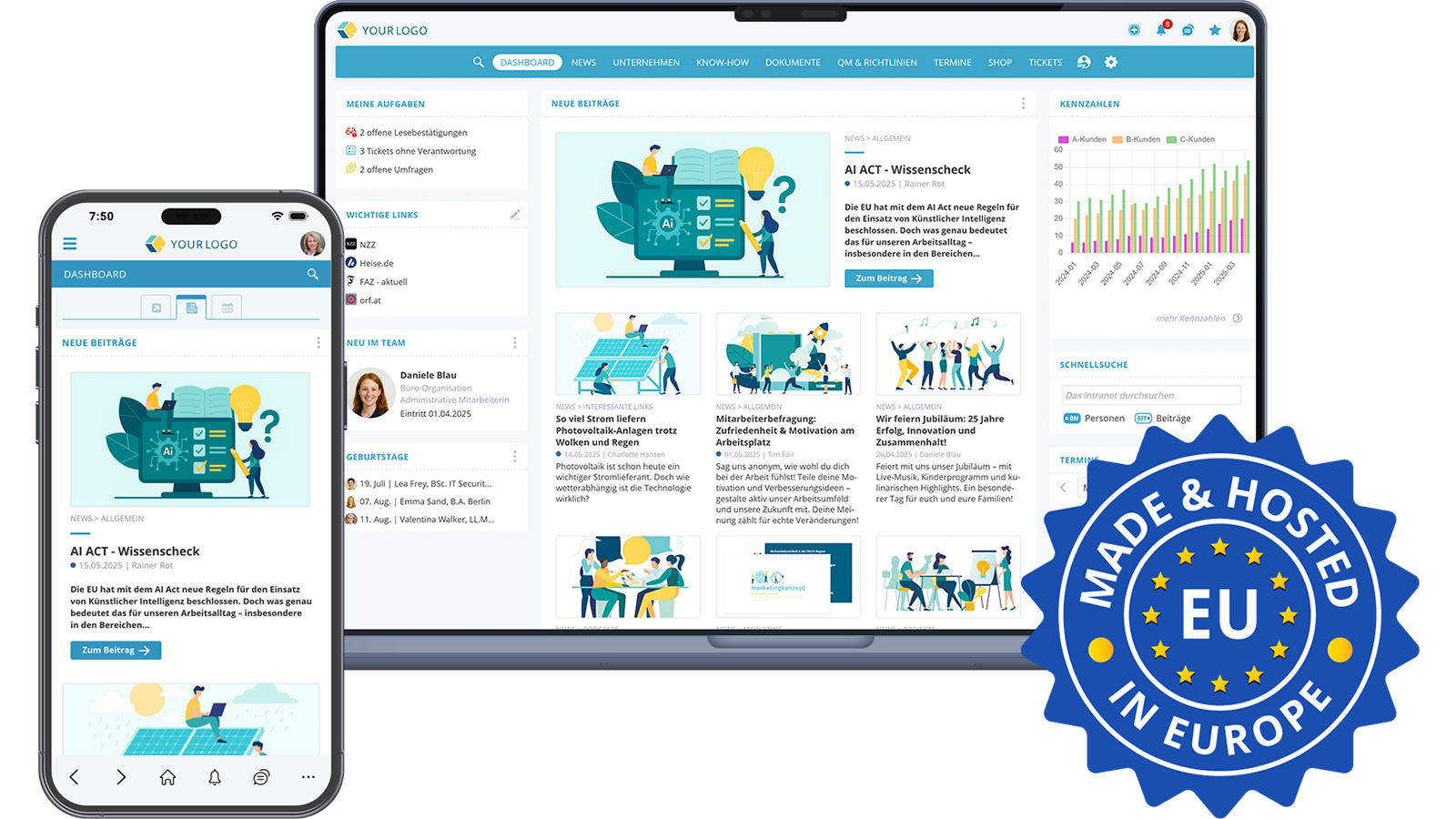
An employee app is the mobile extension of a social intranet. It enables employees to access the same content, functions, and communication channels on a smartphone or tablet that are also available via desktop. This includes company news, documents, knowledge bases, chats, calendars, forms, and internal self-services.
The key point is: a good employee app is not a stripped-down browser access to the intranet. It is optimised for everyday mobile use, offers push notifications, enables biometric login, and remains active in the background so that employees are reachable and informed at any time.
Employee app vs. intranet in the mobile browser
Sure, an intranet can also be opened in the smartphone browser. But a true employee app offers decisive advantages that browser access simply cannot provide:
- Push notifications: For important news, security alerts, or urgent messages, employees are actively informed without having to check themselves.
- Stay logged in: In the browser, users have to log in again with every visit. In the app, you stay logged in, which significantly increases willingness to use it.
- Biometric authentication: Fingerprint or Face ID enables fast and secure access, even on personal devices (BYOD: Bring Your Own Device).
- Mobile special features: Submit photos directly into a ticket or chat, share digital business cards via QR code, call colleagues directly with a tap on the touchscreen.
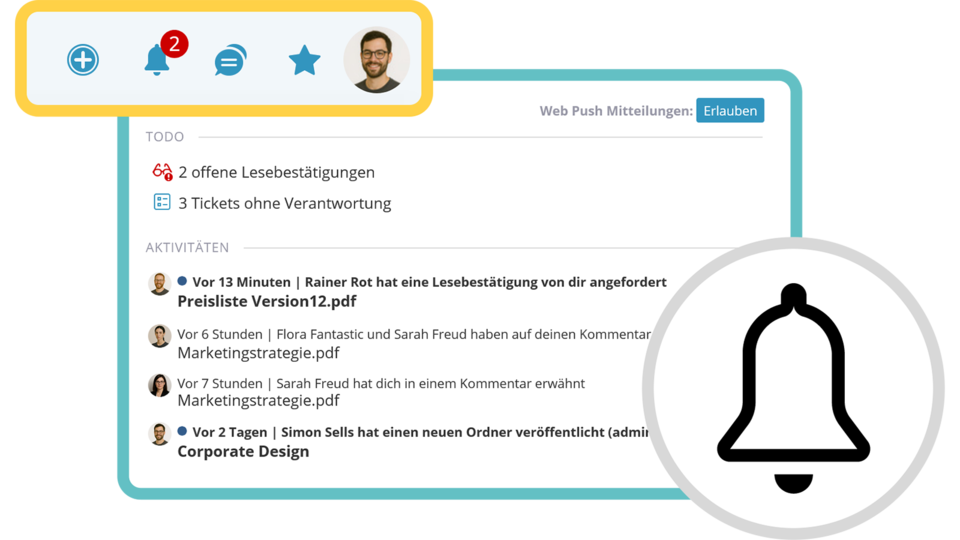 Keep track of all notifications in one central place
What are the most important features of an employee app for SMEs?
For small and medium-sized enterprises, choosing the right employee app is particularly important. The app should not only be functional but also easy to introduce and operate, without elaborate IT projects. The most important features at a glance:
Internal communication and news
Company news, announcements, and successes reach all employees in real time, whether they are working in the office, on a construction site, or in their home office. Chats and group chats enable direct exchange between colleagues, even across locations.
Finding and storing knowledge
A full-text search searches through all content of the employee app at once: documents, knowledge articles, people, and messages. Manuals, training materials, and process descriptions are available at any time, without lengthy searches in email inboxes or network drives.
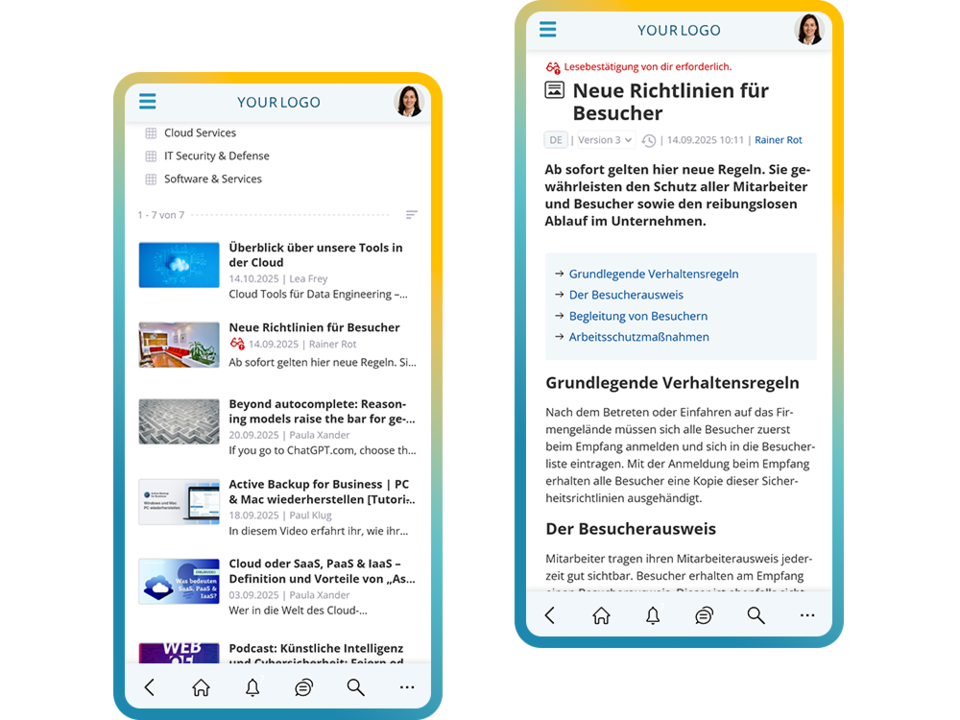 Access knowledge and expertise via the employee app
Self-services and digital processes
Submitting forms, creating tickets, sending in sick notes, booking shifts: many everyday processes can be handled directly in the employee app. This saves time on both sides and noticeably reduces administrative effort.
Employee retention and engagement
Surveys, reactions, comments, and feedback functions also give a voice to those employees who do not have a fixed office workstation. Regular insights into company goals and successes strengthen identification with the employer. According to Gallup, employees who are better integrated through digital tools are significantly more productive and remain loyal to the company longer.
Employee app and social intranet: two access points, one platform
A common misunderstanding: employee app and social intranet are considered alternatives, as if you had to choose one or the other. That falls short. In a well-designed system, both access points are connected; they share the same content, rights, and data.
The social intranet on the desktop is the productive editorial and administration centre. Anyone writing news, maintaining knowledge articles, creating surveys, or analysing evaluations benefits from a large screen and a keyboard.
The employee app is the mobile everyday channel. Reading news, submitting a sick note, calling a colleague, quickly uploading a photo to a ticket — all this can be done conveniently on the go. And this applies not only to non-desk employees. Office workers also reach for the app when they are on business trips, working from home, or simply not in front of the computer.
Both access points complement each other. Not either/or, but a consistent experience across all devices.
Expert tip: To ensure acceptance of the employee app within the company from the start, it is advisable to set up an internal point of contact. A person or a small team that helps with installation, answers questions about BYOD and data protection, and dispels uncertainties. This significantly lowers the entry barrier.
Why an employee app improves internal communication
Effective internal communication is not a “nice to have”. According to a widely cited analysis by the McKinsey Global Institute, productivity in companies where employees are better connected and informed can increase by up to 25 percent (McKinsey Global Institute: The Social Economy). An employee app is a central tool for unlocking this potential.
The benefits are tangible: official announcements really reach everyone, regardless of working hours or location. Informal exchange among colleagues is encouraged, which is particularly important in companies with multiple locations or country organisations. Security alerts or crisis information can be distributed in real time via push notification. And thanks to centralised storage of documents and knowledge, the same information does not need to be researched or forwarded again and again.
Employee app for SMEs: what counts when choosing
Many providers of employee apps and intranet solutions primarily target large corporations with their own IT departments, long implementation projects, and corresponding budgets. For SMEs in Europe, these are often not realistic options. When selecting an employee app for SMEs, the following criteria should be the focus:
Range of features without module traps
It is important that the app does not just do one function well but covers a broad spectrum: communication, knowledge management, and self-services on one platform. Only then will all employees find their own reason to open the app daily, and acceptance will grow sustainably. Solutions that split the feature set into expensive add-on modules cause hidden follow-up costs and complicate the rollout.
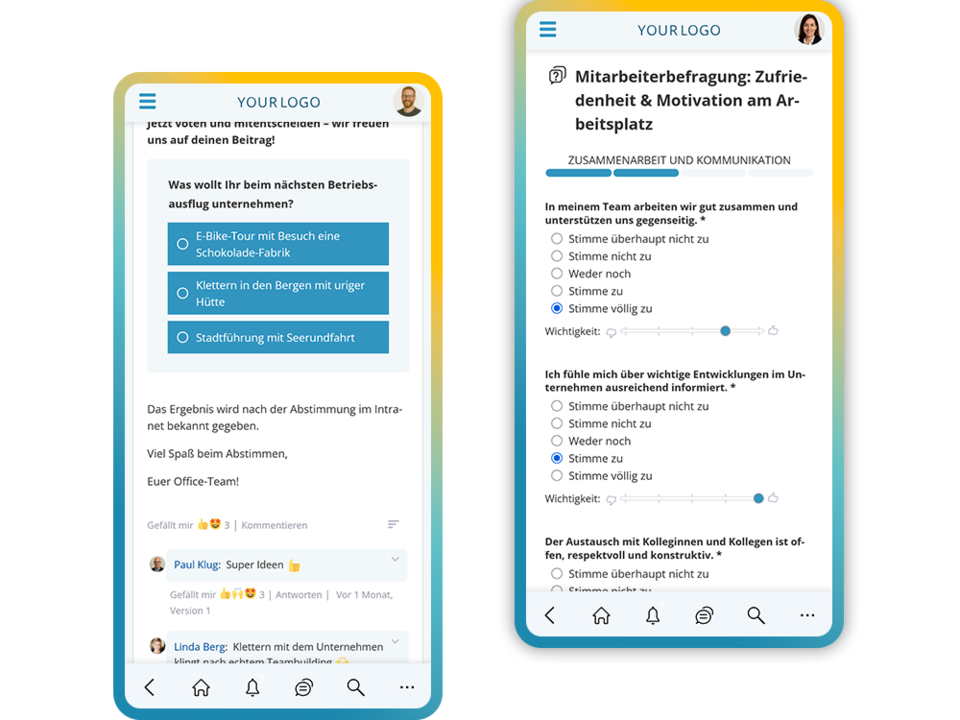 Conduct votes and surveys with the employee app
Easy implementation and operation
Setup should be possible without months-long IT projects. Clear structures, intuitive navigation on desktop and app, and competent support during rollout make the difference between a well-used platform and one that fades into everyday irrelevance after a few months.
GDPR-compliant hosting in Europe
Particularly for companies and organisations in Europe, the issue of data protection is central. An employee app operated on servers outside the EU creates legal uncertainty. According to a recent analysis by Gartner, by 2026 at least 50 percent of companies will have introduced a dedicated digital employee experience strategy, with EU data sovereignty gaining weight as a key selection criterion (Gartner: Employee Experience Primer, 2025). Hosting in ISO 27001-certified data centres within the EU is a clear quality indicator.
Identical navigation on desktop and app
An often underestimated requirement: employees who use the intranet alternately on desktop and via app benefit enormously when the structure and navigation are identical on both access points. This reduces onboarding time and increases willingness to use it.
Costs and efficiency: what an employee app delivers in the long term
The return on investment of a good employee app is measurable. Less duplicated work thanks to centralised knowledge, fewer communication losses thanks to push notifications, less administrative effort thanks to digital self-services: all of this saves time and therefore money.
On top of that comes an often underestimated factor: employee retention. Employees who are well informed, can contribute, and feel that their opinion matters remain loyal to the company longer. According to a recent analysis, deskless workers receive only around 1 percent of corporate technology investments, despite accounting for around 80 percent of the global workforce. Yet it is proven that employees who have suitable digital tools are up to 158 percent more engaged. An employee app for SMEs that truly reaches everyone is therefore not a cost factor, but an investment in productivity and loyalty.
Conclusion: The right employee app as a strategic decision
Today, an employee app is far more than a nice add-on tool. It is the mobile foundation of modern internal communication that reaches all employees, no matter where they are working. For SMEs and organisations in Europe in particular: the best app is the one that is easy to implement, offers the full range of features without hidden additional costs, keeps data in Europe in compliance with the GDPR, and fits in as a natural second access point to the social intranet — not as a replacement.
Anyone evaluating an employee app now should not just look at the price but at the overall benefit: how many employees are truly reached? How quickly is the system ready to use? And which platform grows along with the company's requirements?

Active as a consultant in the IT industry for over 35 years, specialist in software development and interface design, founder of Artware Multimedia GmbH (later renamed KenCube)
 Praktische Feature-Auswahl