
 DE
DE

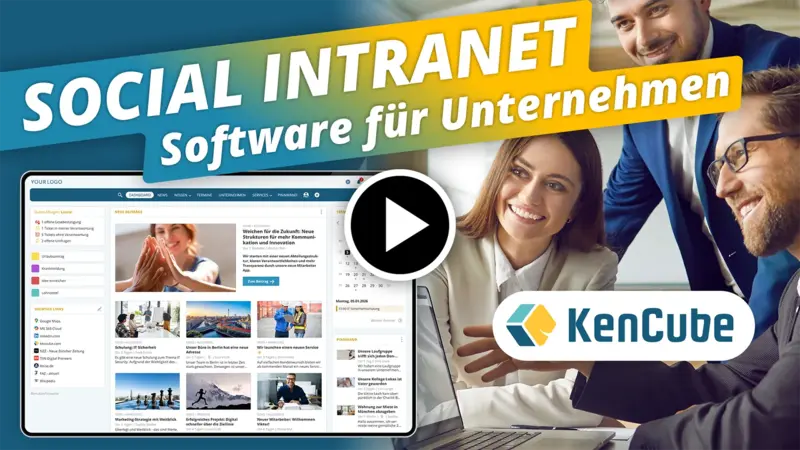
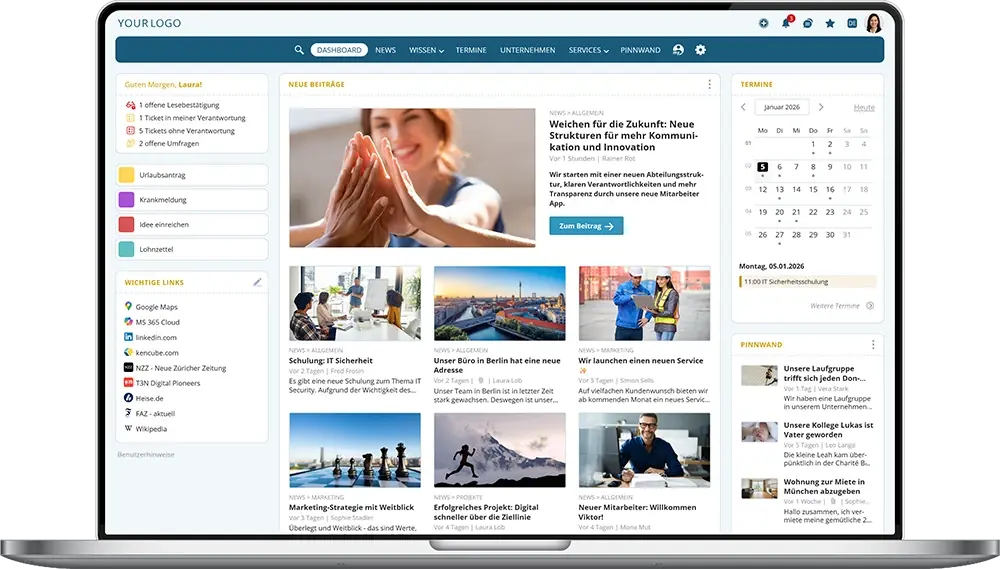
The Social Intranet Software for SMEs & Organisations
Enhance engagement and collaboration through effective internal communication and smart digital services
What are important Key Functions of a Social Intranet Software?
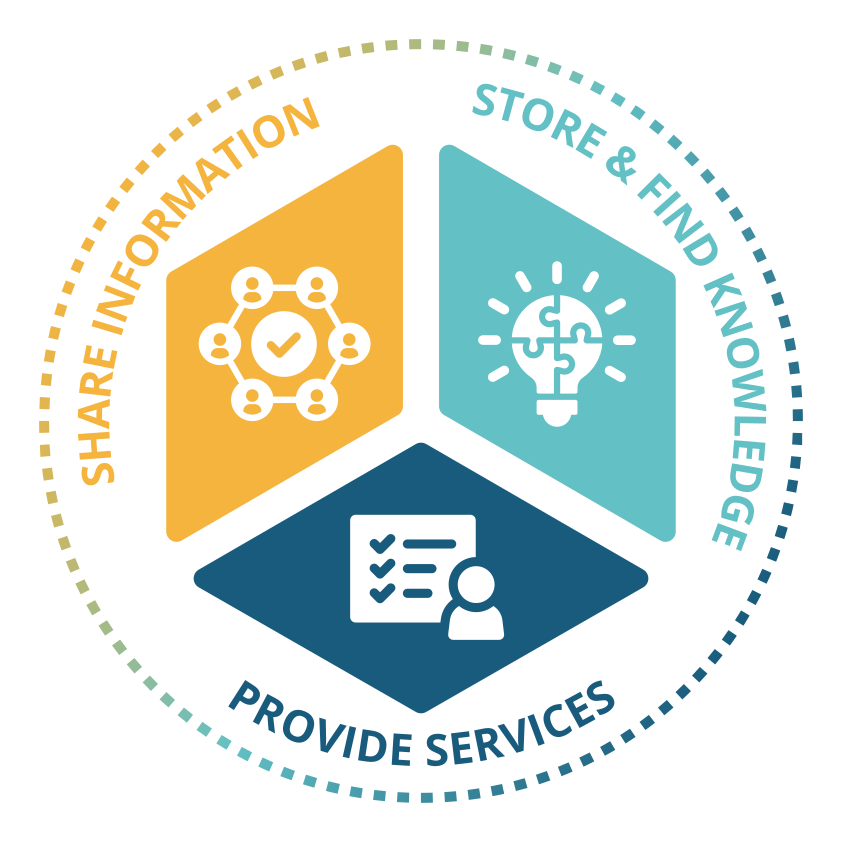
Share information.
- Communicate news, announcements & team updates reliably
- Provide a company calendar & enable appointment bookings
- Use one-to-one & group chats for fast communication
- Encourage feedback and boost engagement with social features
Store & find knowledge.
- Build a centralized knowledge base for expertise & quality management
- Store and provide templates, images & documents in a structured way
- Map the organizational structure and easily find colleagues
- AI integration with powerful search and filter options
Provide services.
- Use digital forms, assign tasks & manage tickets
- Conduct polls & surveys and obtain policy acknowledgements
- Digitize and optimize internal procurement processes
- Deliver personal documents securely via the eBox to employees
- E-learning for onboarding, training & continuing education
- Whistleblower tool for anonymous reporting

Social Intranet Software for SMEs and Large Organizations
An intranet that grows with the company
KenCube is aimed primarily at SMEs and mid-sized companies and is equally in use at corporations and large organizations. Thanks to its modular structure, every company starts with exactly the features it needs right now and expands step by step. Existing systems can be replaced gradually.
Other departments such as HR, IT or quality management add their add-on module as soon as it is needed, for example for forms and tickets, mandatory training or agreements.
Where an intranet pays off in everyday work
Information no longer travels through email distribution lists and follow-up questions. This takes the load off key people. Up-to-date instructions and documented knowledge prevent errors and shorten onboarding, and requests reach the responsible team directly via forms. Well-informed employees feel more involved, which also strengthens their loyalty to the company. Just one hour per month that each person uses more productively exceeds the ongoing license costs more than tenfold.
Benefits at a glance
- Lean start, add-on modules can be added at any time
- Transparent licensing model that grows with demand
- Implementation without a major IT project, with basic setup and training
- Employee app included
- One personal contact from the first conversation through to support
.webp)
Run social intranet software securely in the EU
Internal communication contains confidential information. That is why KenCube operates the social intranet in compliance with the GDPR in ISO 27001 certified data centers in the EU. Maintenance, backups and continuous monitoring are part of the service.
Data protection and permissions
A data processing agreement under Art. 28 GDPR and documented technical and organizational measures are part of the partnership. Read and write permissions are set per area, and selected actions are logged. This makes the data protection impact assessment and coordination with the works council easier.
AI without a detour through third countries
The optional AI Companion works with KenCube's own AI on dedicated hardware in the EU. Your content never leaves KenCube's sphere of control. Alternatively, you can connect Mistral, Anthropic, OpenAI or your own AI server. Each organization decides which route fits best.
Proof for the supply chain
KenCube has been awarded the Cyber Trust Austria/Europe Label in Silver. This supports companies that need to secure their suppliers under NIS2.
What customers say about the KenCube Suite
4.95 out of 5 stars based on 73 reviews on independent platforms.
As of October 2026


News, Announcements & Team Updates
Share information with the social intranet software and keep everyone up to date
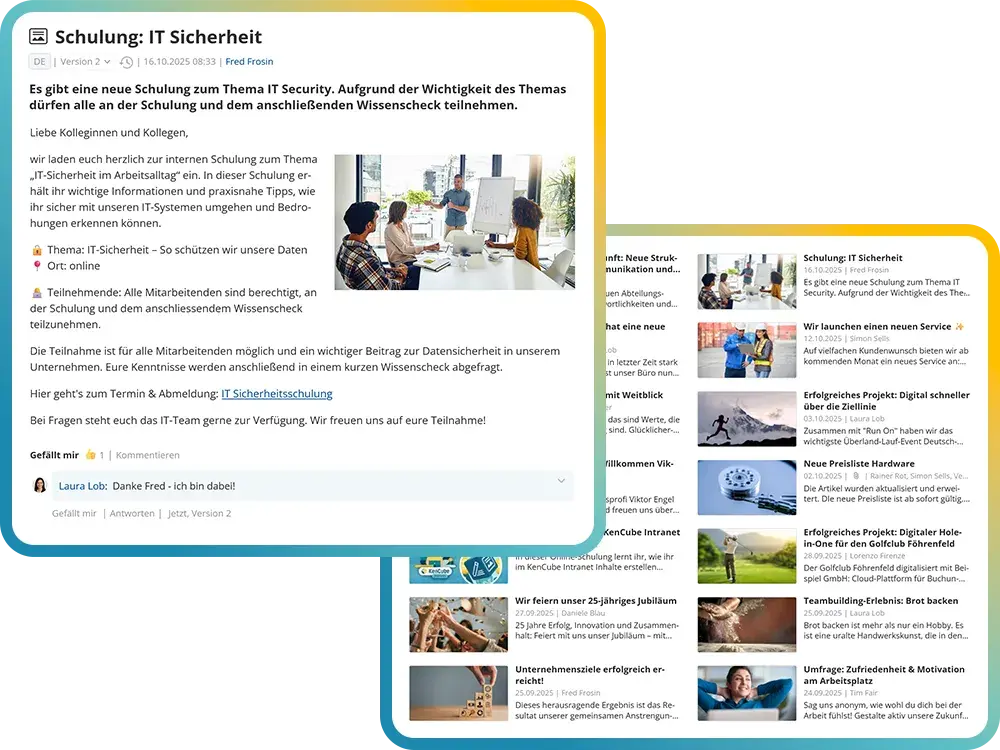
The social intranet software is the central platform for up-to-date company information. Whether executive messages, project announcements, or team updates – everyone stays informed.
Content can be pinned when needed or highlighted as breaking news. Depending on notification settings, employees receive updates via email, push notification, or as a bundled digest email.
Key communication tasks of a social intranet software:
- Publish company-wide news & announcements
- Create a digital “company magazine”
- Share circulars & success stories
- Communicate company strategy, benefits & corporate culture
- Pin content or highlight it as breaking news
- Request and document read receipts
- Use AI-powered editorial tools for content creation
- Send digest emails or push notifications
Company Calendars & Appointment Bookings
Organize appointments and manage bookings directly in the social intranet software
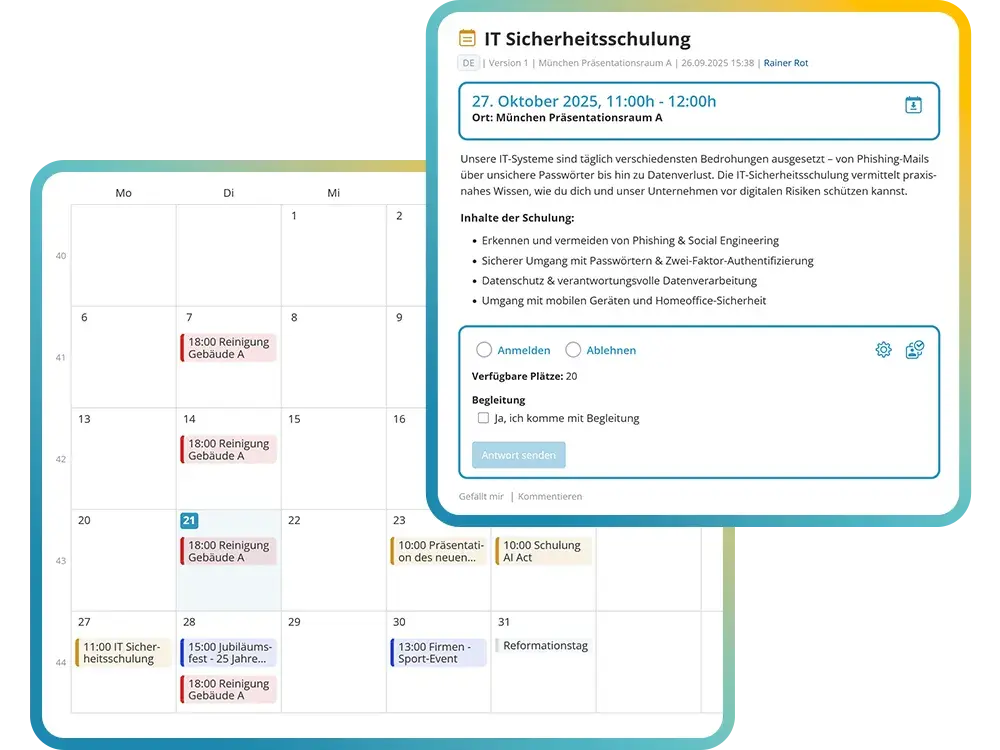
The social intranet offers flexible company calendars for various topics such as training sessions, events, health initiatives, or internal processes. Appointments can be created as single or recurring events and displayed in either calendar or list view.
The integrated booking system makes it easy to manage registrations for seminars, company events, or health appointments. For particularly important dates, read receipts can be requested. Controlled access rights, synchronization with external calendars, and a clear interface ensure smooth organization.
Practical features for company calendars & appointment bookings in the social intranet:
- Create topic-specific company calendars (e.g. training, events, health)
- Create single and recurring appointments
- Integrated registration system for events & seminars
- Clear management of registrations and cancellations
- Synchronization with external calendars (e.g. Outlook, Google)
- Weekly internal email newsletter for upcoming events
One-on-One & Group Chats
GDPR-compliant team communication
The chat is the internal alternative to email, SMS or private messengers. It runs in the browser and in the employee app, including on private devices.
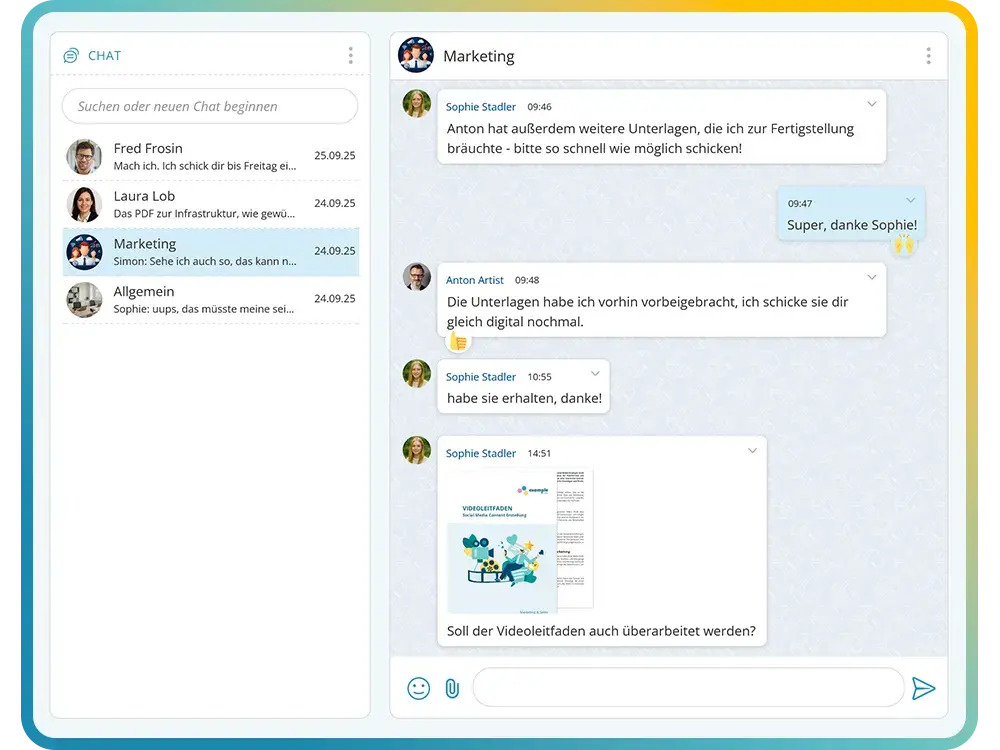
Groups are set up in no time. Besides text messages, images, files, links and emojis can also be sent in the chat. The administration decides who may use the chat.
- One-on-one and group chats
- In the browser and in the employee app, including on private devices (BYOD)
- Send images, attachments and emojis
- Link posts, documents and videos directly
- Grant chat access selectively
Structured Storage of Knowledge & Know-How
Secure company knowledge centrally and find it fast
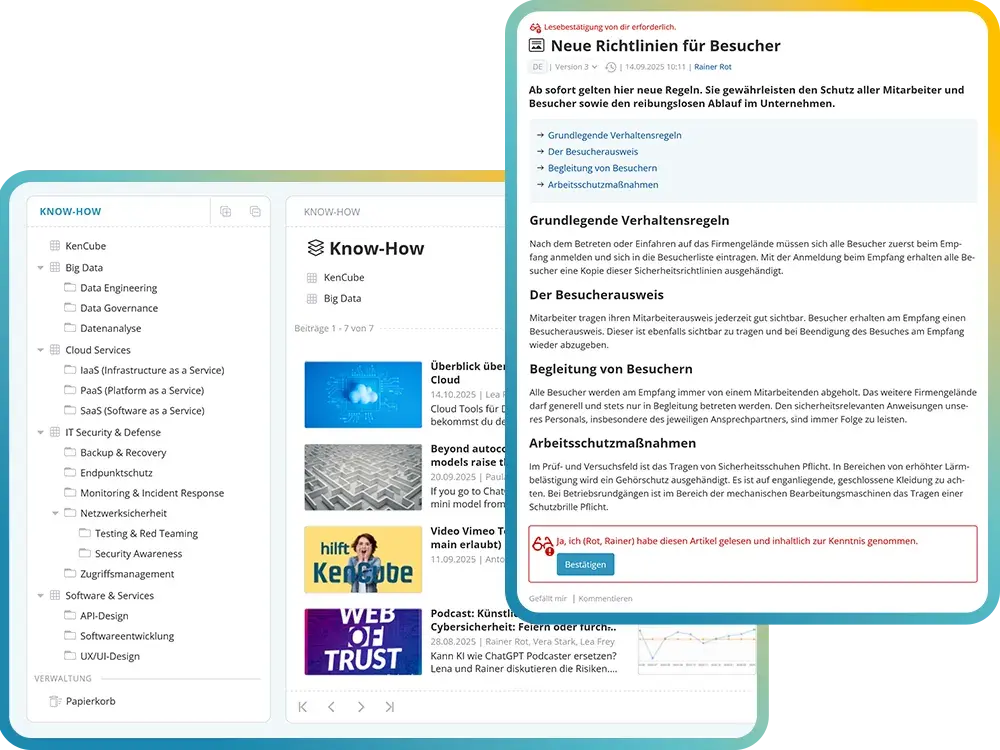
Manuals, instructions and policies are available at any time in the social intranet. Important changes can be acknowledged and documented with read receipts.
This keeps know-how in the company, even when key people leave. New employees find their way around faster thanks to the onboarding materials.
- Manuals, instructions and QM documentation
- Policies with read receipt
- Versioning with version comparison
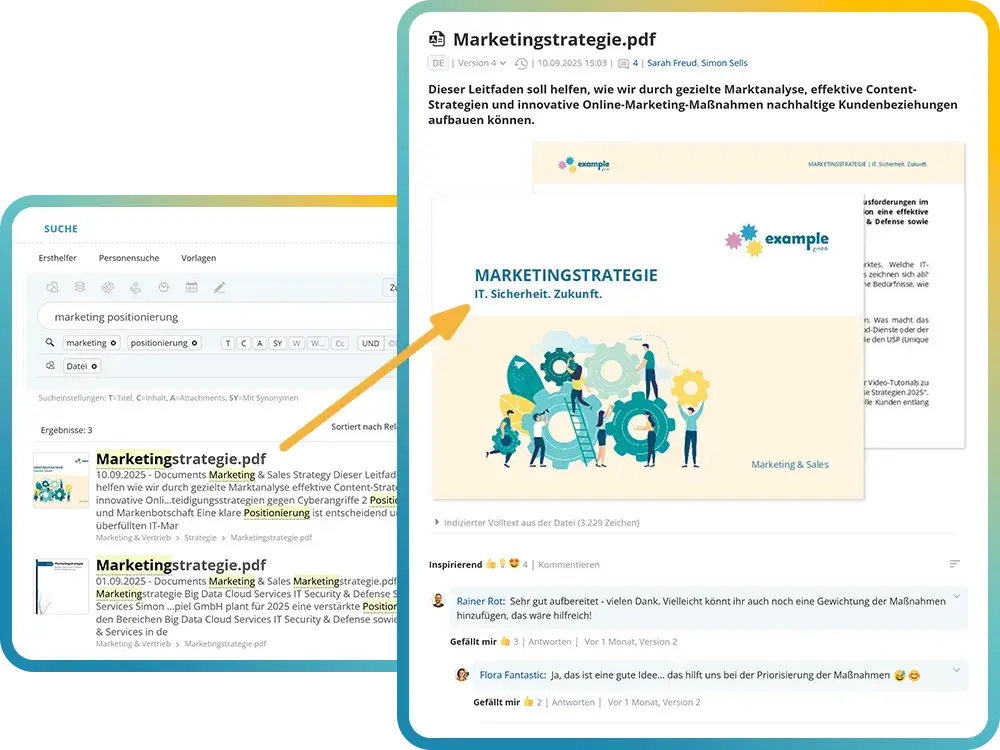
- Tags, glossary and power search to find your way around easily
- Set read and write permissions flexibly per area
Full-Text Indexed Document Storage
Provide and find documents in a targeted way
Word, Excel, PowerPoint and PDF can be displayed directly in the browser and in the app, without downloading and without an Office installation. The full-text search also finds content in scanned PDFs.
Existing document libraries from SharePoint Online can be integrated and stay up to date automatically.
- Display Microsoft Office and PDF files directly
- Full-text search including OCR for scanned PDFs
- Versioning and optional read receipts
- Find content easily with tags, filters and saved search sets
- Synchronization with SharePoint Online
Contacts & Organizational Structure
Map the company structure transparently
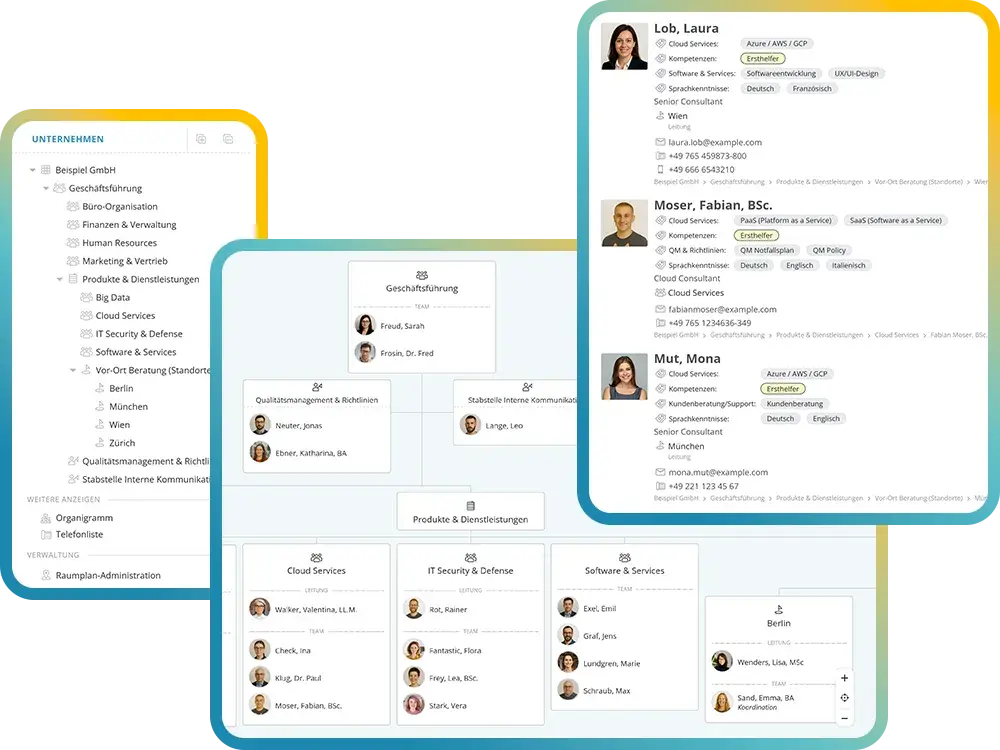
The interactive organizational chart shows divisions, departments and teams with their leads and members. Profile cards bring together role, contact details and skills. Floor plans show where colleagues can be found at other locations.
People and structures can be imported from Microsoft Entra ID or Google Workspace, and login works via single sign-on. Organizational units automatically form groups and control the appropriate permissions.
- Interactive organizational chart with print and export functions
- Profile cards with contact details, role and skills
- Locations and nested floor plans
- Tags for expertise, such as “first aider”
- Synchronization and single sign-on
Digital Forms & Internal Service Requests
Submit requests and manage workflows within the social intranet
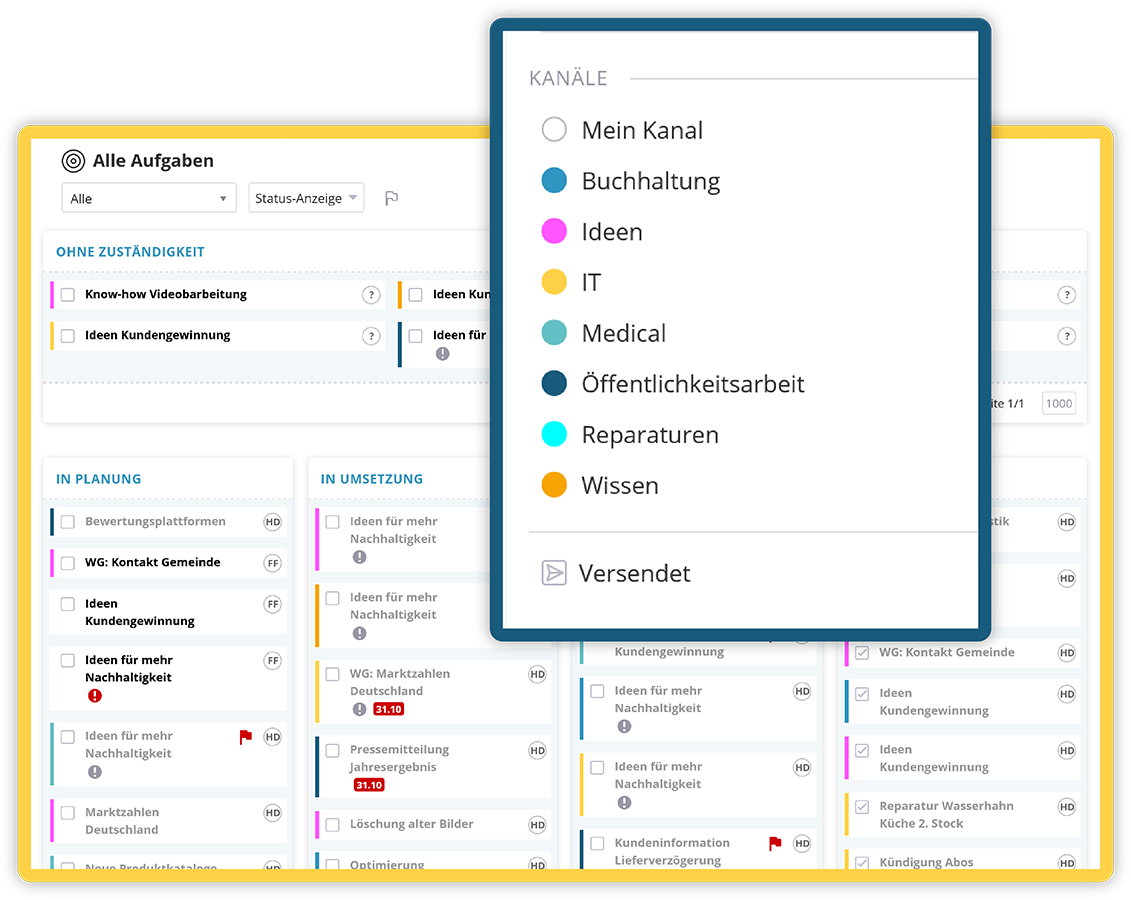
The social intranet enables the easy use of digital forms and internal service requests across all areas of the organization. Employees can send sick leave notifications or vacation requests directly to HR, submit IT helpdesk tickets, or report incidents including photo attachments. Ideas and improvement suggestions can also be captured easily and managed centrally within the social intranet.
Each submitted form automatically generates a ticket that is assigned to the responsible team. Follow-up questions can be asked and answered directly within the ticket, ensuring that processes remain transparent and traceable. Tasks are handled within the responsible teams, based on availability and defined responsibilities.
Key social intranet features for digital forms & internal service requests:
- Send sick leave notifications & vacation requests directly to HR
- Capture ideas & improvement suggestions within the social intranet
- Submit IT helpdesk tickets & incident reports
- Create different ticket channels with customized input forms
- Automatic ticket creation upon form submission
- Assign responsibilities within teams based on availability
- Ask and respond to follow-up questions directly within the ticket
Polls & Surveys
Gather feedback and make opinions visible with the social intranet
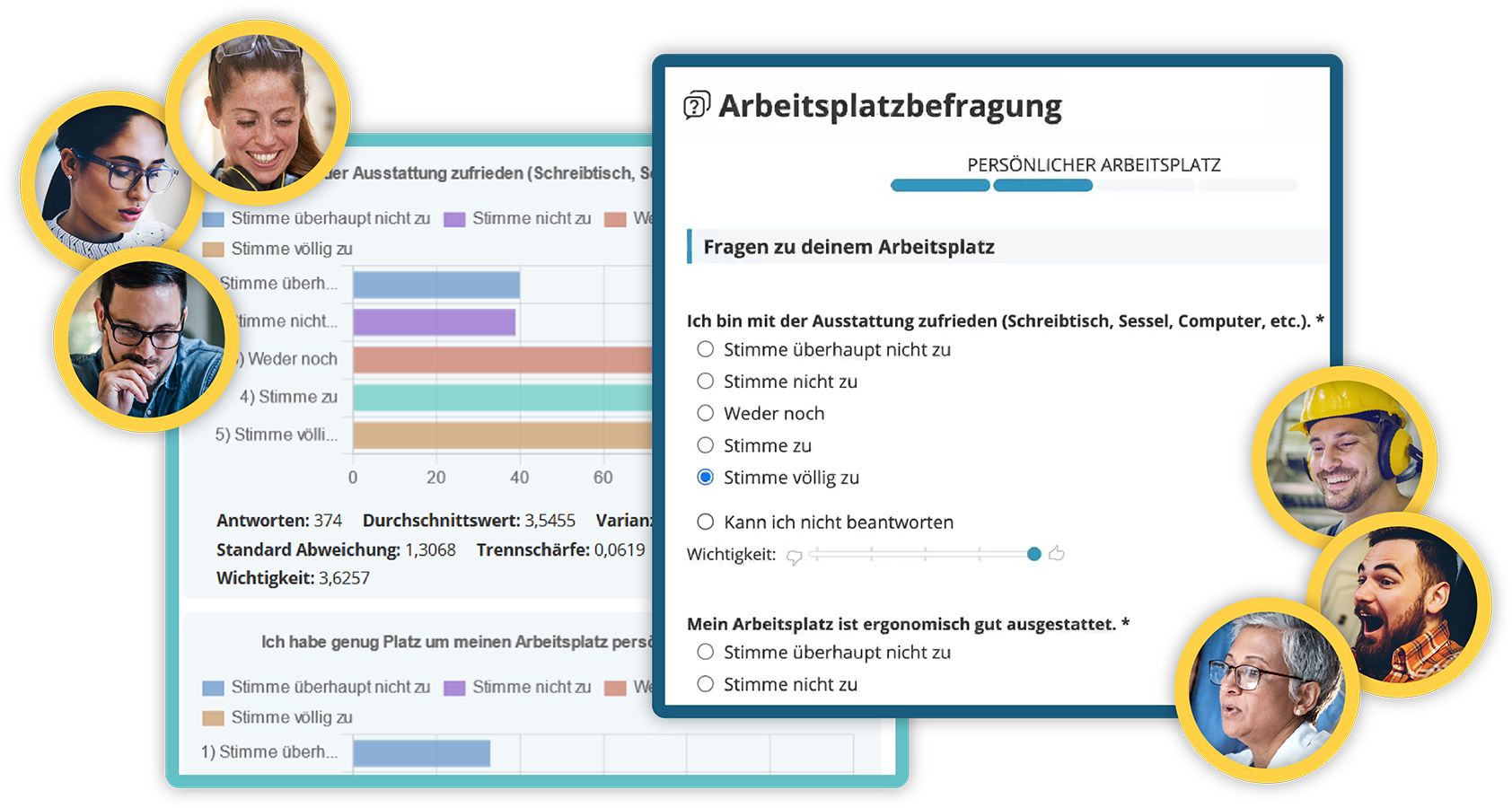
The social intranet provides simple ways to collect feedback and opinions directly from employees. Quick polls are a practical tool to capture sentiment and support decision-making on a broader basis. Polls can be integrated directly into posts and may include multiple question blocks. Participation can be set to anonymous or personalized.
Practical features for surveys & polls in the social intranet:
- Collect employee feedback & opinions
- Enable anonymous or personalized participation
- Configurable participation timeframes
- Capture demographic data
- Rate and prioritize questions by importance
- Filter options, benchmark & portfolio analyses
- Analyze results in full compliance with GDPR
- Export data for external processing
Whistleblower Tool
Provide a legally compliant whistleblowing system within the social intranet
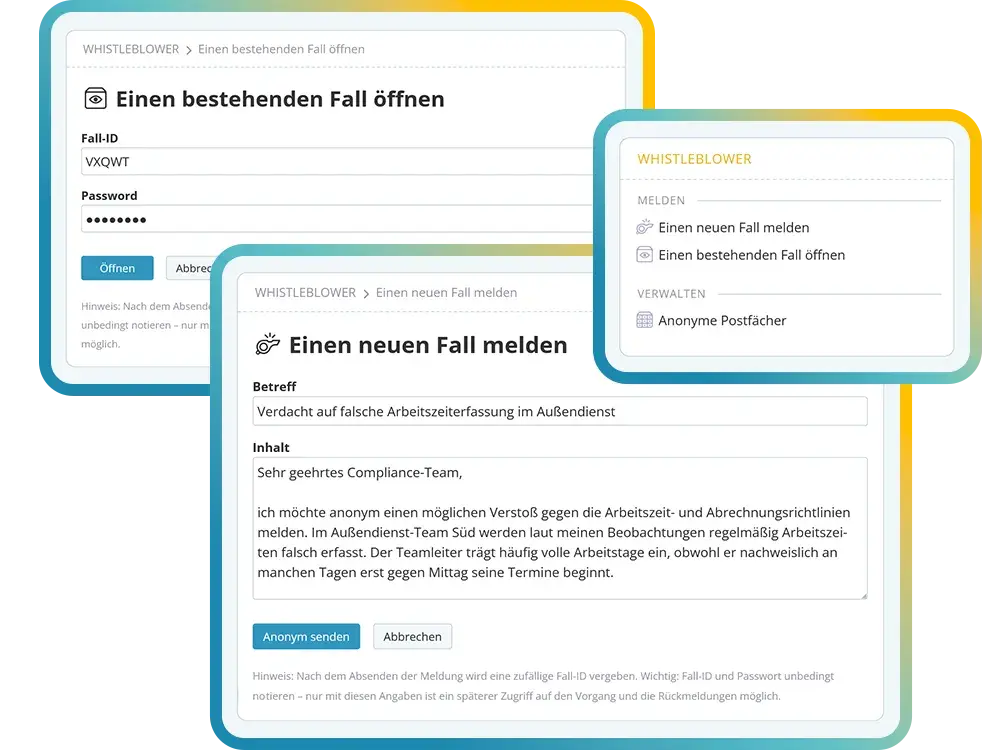
The integrated whistleblower module enables fully GDPR-compliant and anonymous reporting of misconduct and violations within the organization. The system is aligned with the requirements of the EU Whistleblower Directive (2019/1937) and supports organizations in meeting their legal obligations.
Reports are submitted via secure and anonymous mailboxes. Responsible persons or teams are automatically notified upon receipt. The system allows protected two-way communication while preserving anonymity.
A legally compliant workflow guides case handling in accordance with mandated response deadlines and documentation requirements, ensuring transparency, traceability, and regulatory compliance.
- Anonymous and secure reporting channels
- Compliance with the EU Whistleblower Directive (2019/1937)
- Automatic notification of the responsible whistleblower team
- Protected two-way communication with anonymous reporters
- Workflow aligned with statutory response deadlines
- Secure documentation and audit trail
AI Companion: Ask Questions, Get Tasks Done
AI for the social intranet, available as an option
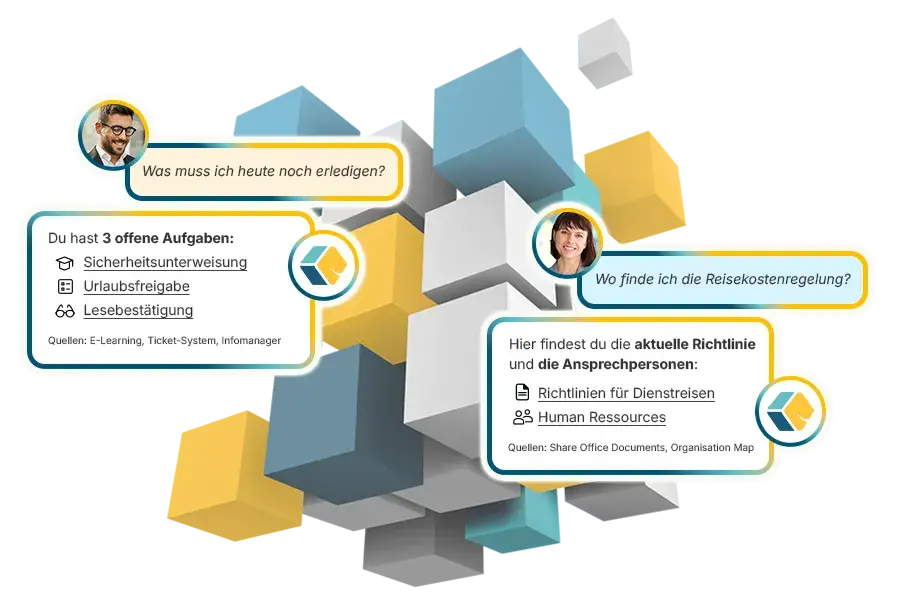
The AI chat answers questions from the approved content of your intranet and names its sources, in the browser as well as in the app. Via the MCP interface it also carries out tasks on request, such as creating a ticket for IT.
The AI only uses content the person is allowed to see anyway. Who can use the AI tools is set per person. The intranet works fully without AI as well.
- AI chat with source references
- Tasks in activated modules via MCP
- Editorial support when writing
- KenCube's own AI, fully EU-sovereign
- Alternatively Mistral, Anthropic, OpenAI or your own AI server
Choosing social intranet software: what matters in a comparison
The key criteria for a future-proof intranet solution
Choosing social intranet software is a decision for many years. Employees use the platform every day, content has to stay migratable, and the vendor should be around for the long term. It also matters how much the standard version already covers and how flexibly the solution adapts to departments, teams and processes.
The right intranet is best built from a modular toolkit. Each company picks the features it needs and activates more later, without a second IT project.
KenCube supports the rollout with basic setup and training and offers personal support. The employee app also brings the intranet to employees without a desk (non-desk workers), for example in manufacturing, retail, care or skilled trades.
Checklist for your comparison
- Can the solution start with a few features and grow later?
- Can departments design content, forms and processes themselves without IT?
- Can a ticket system, e‑learning or AI be added as a module, without a new tool and without a second permission system?
- Is an employee app for non-desk employees included?
- Is hosting in the EU, with a data processing agreement?
- Does data stay in the EU when AI features are used?
- Is there a personal contact for rollout and support?
Explore KenCube
We would be happy to present our KenCube Suite to you in a no-obligation online demo.
If you are interested, we can also provide you with access to a free trial version.
Frequently asked questions about social intranet software
What is social intranet software?
Social intranet software is an internal digital platform that brings together communication, knowledge management and collaboration within a company. It combines classic intranet features such as document storage and news with social features such as comments, reactions and surveys, connecting employees, departments and locations through one central interface.
What can social intranet software do compared to a classic intranet?
A classic intranet provides information. Social intranet software adds comments, reactions, groups and chats, so employees actively shape the content. Through an employee app, it also reaches employees who do not have a fixed PC workstation.
Is social intranet software GDPR-compliant?
Social intranet software can be used in compliance with the GDPR if it runs in EU data centers, a data processing agreement under Art. 28 GDPR is in place and the technical and organizational measures are documented. KenCube operates the platform in ISO 27001 certified data centers in the EU.
What company size is social intranet software suitable for?
In principle, for any size. What matters is a modular structure. KenCube is aimed primarily at SMEs and mid-sized companies and is also used in large corporations. Every company starts with the features it needs and expands step by step.
How does the rollout of social intranet software work?
The rollout is possible without a major IT project. With the basic setup including training, KenCube sets up the platform together with you. Templates for news, documents, forms and surveys are ready to use. How long it takes depends mainly on data migration and interfaces.
Does social intranet software pay off?
Yes. Just one hour per person per month, freed up by finding things faster, fewer follow-up questions and digital processes, exceeds the ongoing KenCube license costs by more than ten times. On top of that come effects that are harder to quantify: fewer errors thanks to up-to-date instructions, relief for key people, faster onboarding of new employees and stronger loyalty to the company. The modular structure also helps. Companies start with the features that deliver immediate value and expand step by step.
Can social intranet software use AI without data leaving the EU?
Yes, with KenCube's own AI. It runs on open-source models on dedicated hardware in the EU, content never leaves KenCube's sphere of control, and no third-party API key is needed. The AI Companion is optional and can be enabled per person or switched off entirely.
What do companies use social intranet software for?
Social intranet software brings internal communication, company knowledge and digital processes together on one platform. The KenCube intranet reaches every employee: in the browser at the workplace and on the go in the employee app, even without a company PC or a company e‑mail address.
Exchange and participation
Comments, reactions, polls and chats get the whole workforce talking. News from management, follow-up questions and feedback all live in the same place.
Social intranet with a modular start
You start with communication, documents and organizational structure. The ticket system, e‑learning, project management or the AI Companion join as modules as soon as you need them. Everything stays on the same platform, with no new logins and no second permission system.
EU‑sovereign operation
KenCube is an owner-managed software company with more than 25 years of experience. The intranet runs in ISO 27001 certified data centers in the EU and supports you in implementing the GDPR.