
Project Management
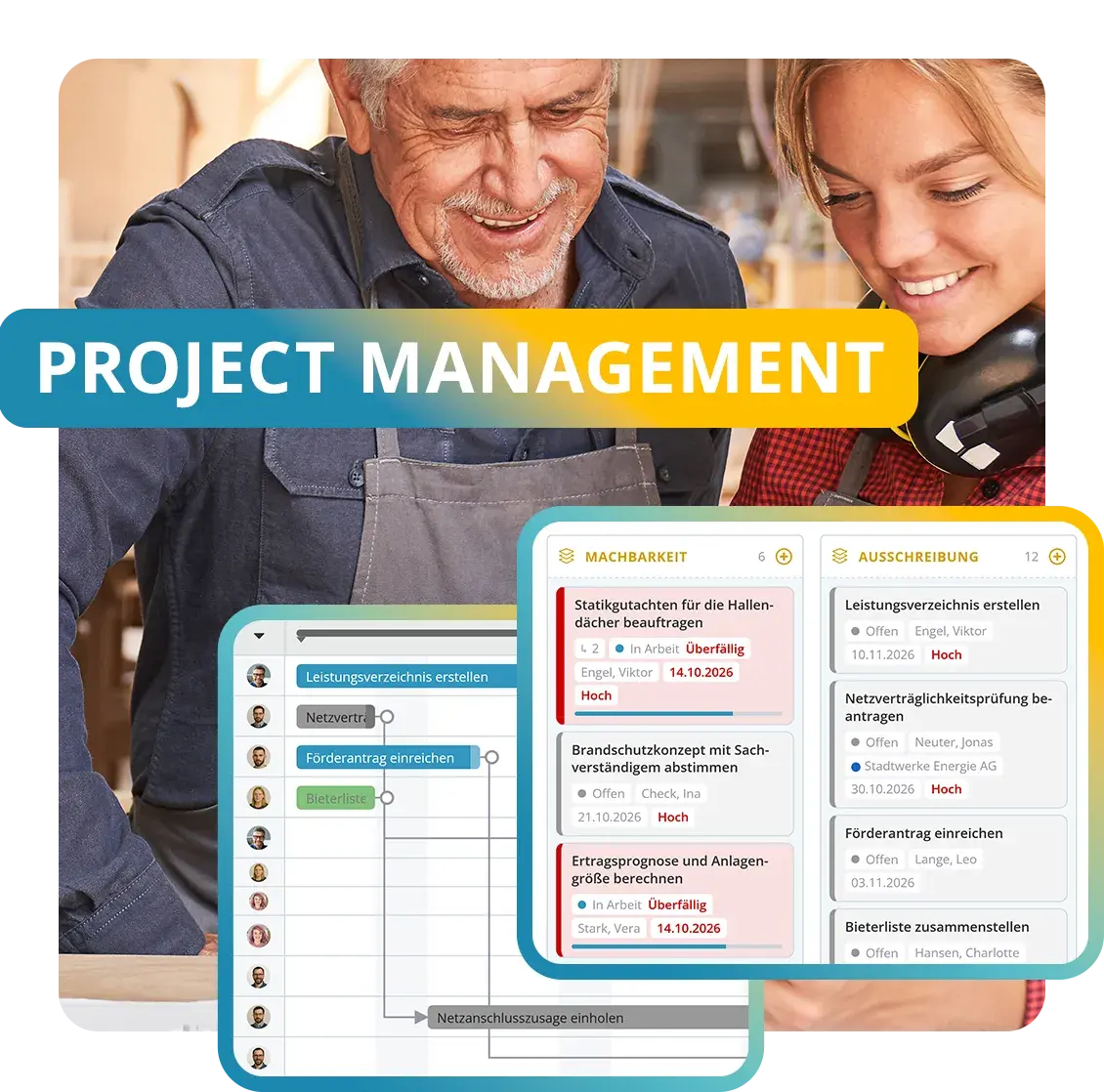
KenCube project management lets you plan and steer initiatives from kickoff to sign-off. Work steps, dates, responsibilities and documents are bundled in one place, organized into portfolios, programs and phases. The view switches as needed between list, Kanban board, timeline (Gantt) and calendar, and status reports with traffic lights show where each project stands.
- GDPR-compliant, EU-sovereign
- Cyber Trust Austria/Europe Label
Features at a glance
- Portfolios, programs, projects and phases
- Tasks, subtasks and milestones
- List, Kanban board, timeline (Gantt) and calendar
- Dependencies with automatic rescheduling
- Status reports with traffic lights
- Templates and import from Excel or MS Project
- Project channels, info pages and file storage
- External stakeholders without system access
The Project Management add-on module can be added to the KenCube Suite at any time.

Organize work and progress
Everyone sees at a glance what is coming up and what is overdue.
Teams work the way that suits them best: as a list, board or calendar.

Plan dates and dependencies
The timeline shows how work steps are connected. If one date shifts, the following ones adjust automatically.
The plan stays up to date without manual rework.

Keep projects in view
Status reports with traffic lights show instantly where a project stands. Discussions, knowledge and documents stay right with the project.
New projects start from a template.












Project management with Gantt, Kanban and status reports
Project Management is the KenCube add-on module for planning and steering projects. Planning, execution and documents come together where the team already works, with the same users and permissions as in the rest of the Digital Workplace. Work happens in the browser and in the KenCube App.
Build projects in a structured way
Portfolios organize the projects of one area, such as construction projects or IT initiatives. Programs group related projects, and phases structure the work within a project. Tasks and subtasks carry responsibility, status, priority, checklists and comments, while milestones mark key dates. The project area can also be set up more than once, for example separately for each department.
Plan dates in the Gantt chart
Dates are planned in the project's working days, and start and end define the duration. Dependencies link tasks to one another. If a task is delayed, its successors move automatically, and every change stays traceable in the history. The timeline (Gantt) shows a single project or all projects of an area on a shared time axis.
Track and report progress
The dashboard shows the logged-in person their own tasks, grouped into “overdue”, “waiting” and “up next”. Project leads also see upcoming milestones and tasks that need attention. Status reports with traffic lights record whether a project is on track, at risk or critical. KenCube sends a reminder when a report is due.
Collaborate in the project team
The project team and project leads have their own roles. The team works through tasks, while the leads plan, schedule and assign responsibility. Project channels enable discussion directly in the project, “Info” captures project knowledge, and file storage keeps all documents together in folders. External stakeholders such as suppliers or public authorities can be assigned to tasks without access to the system.
Launch new projects quickly
New projects are created from included sample templates or from your own templates, which can be created from any existing project. Existing plans can be imported from CSV, Excel or Microsoft Project as phases and tasks. If a ticket in Self-Service with Ticket System turns into project work, a task can be created from it directly.

Showing on the intranet what your own team is working on makes your team's performance visible.
Building block in the add-on module
The Project Management add-on module adds this building block, fully integrated from the start, with the same users and permissions.
Project Management FAQ
What does project management include in a digital workplace?
Project management includes a clear structure of portfolios, programs, projects and phases, tasks with owners, status and checklists, and milestones for key dates. A timeline with dependencies shows how the work steps are connected, and status reports record progress.
In a digital workplace, projects run on the same platform as knowledge, documents, people and communication. Teams work with the same users and permissions as everywhere else, and files and posts can be linked directly to tasks.
How are dates and dependencies planned in a project?
Every task has a start and an end, and its duration is based on the project's working days. Dependencies define which task must be completed before the next one begins.
If a task is delayed, all dependent follow-up tasks are automatically moved back, so no one has to adjust the plan by hand. Every change is documented in the history. The timeline (Gantt) shows phases, tasks and milestones in context, for a single project or for all projects in an area.
Can existing project plans be imported?
Yes. Tasks can be imported from a CSV, Excel or Microsoft Project file. During import, the columns are mapped, a preview shows the result before it is applied, and duplicate protection prevents double entries.
Project templates are available for recurring initiatives. In addition to the sample templates provided, any existing project can be turned into a custom template that already contains the phases and tasks for the next project.
How do the project team, project management and external stakeholders work together?
Through clear roles in each project. Project management plans phases, dates and dependencies and assigns responsibilities. The project team works on tasks, ticks off checklists, comments and uploads files. Project channels also provide space for ongoing exchange.
External stakeholders such as suppliers, service providers or public authorities can be assigned to tasks without needing access to KenCube. This keeps it visible who outside the company is currently responsible for the next step. Questions and decisions stay with the task as comments.
What is the difference between a project task, a ticket and a protocol?
A project task is a planned work step with a duration, dependencies and a place in a project's timeline, and it is part of the add-on module Project Management. A ticket is a request that employees submit and a responsible team handles, such as a damage report or an IT request. Tickets run in the add-on module Self-Service with Ticket System.
A protocol documents a recurring activity or inspection with a schedule, a form and a signature, which is handled by Compliance & Quality Management. All three run on the same platform. If a ticket turns into project work, a task can be created from it directly.
Is project management included in the core system?
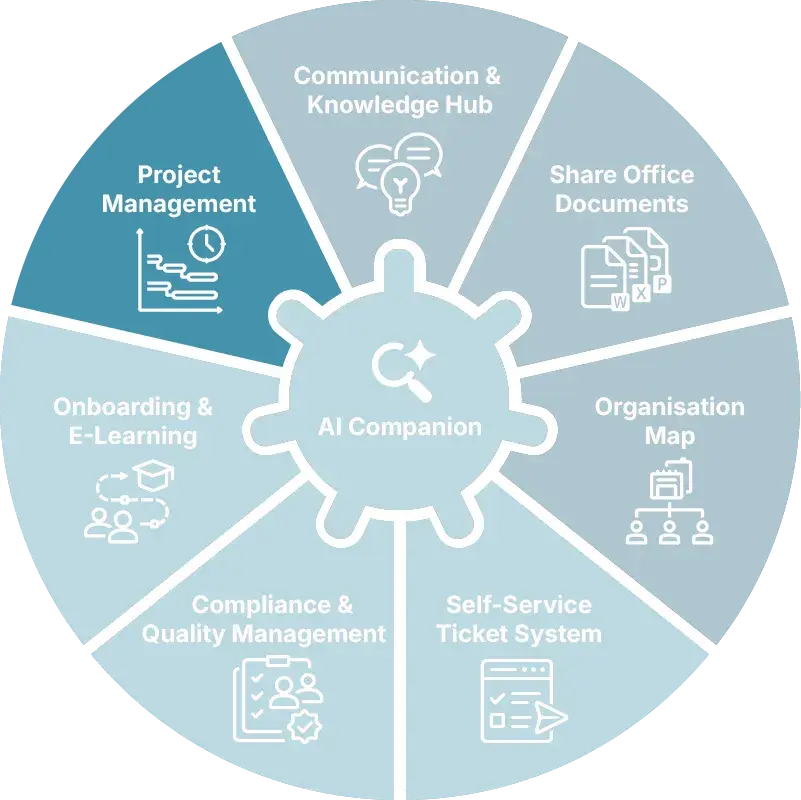
No, Project Management is an add-on module of the KenCube Suite. The module can be added at any time and is integrated immediately, with the same users, permissions and data as the core modules Communication & Knowledge Hub, Share Office Documents and Organization Map. Files, posts and people from the core modules can be linked directly to projects and tasks.
Explore KenCube
We would be happy to present our KenCube Suite to you in a no-obligation online demo.
If you are interested, we can also provide you with access to a free trial version.