Skip to content
KenCube Suite
Answer questions, get tasks done

AI Companion

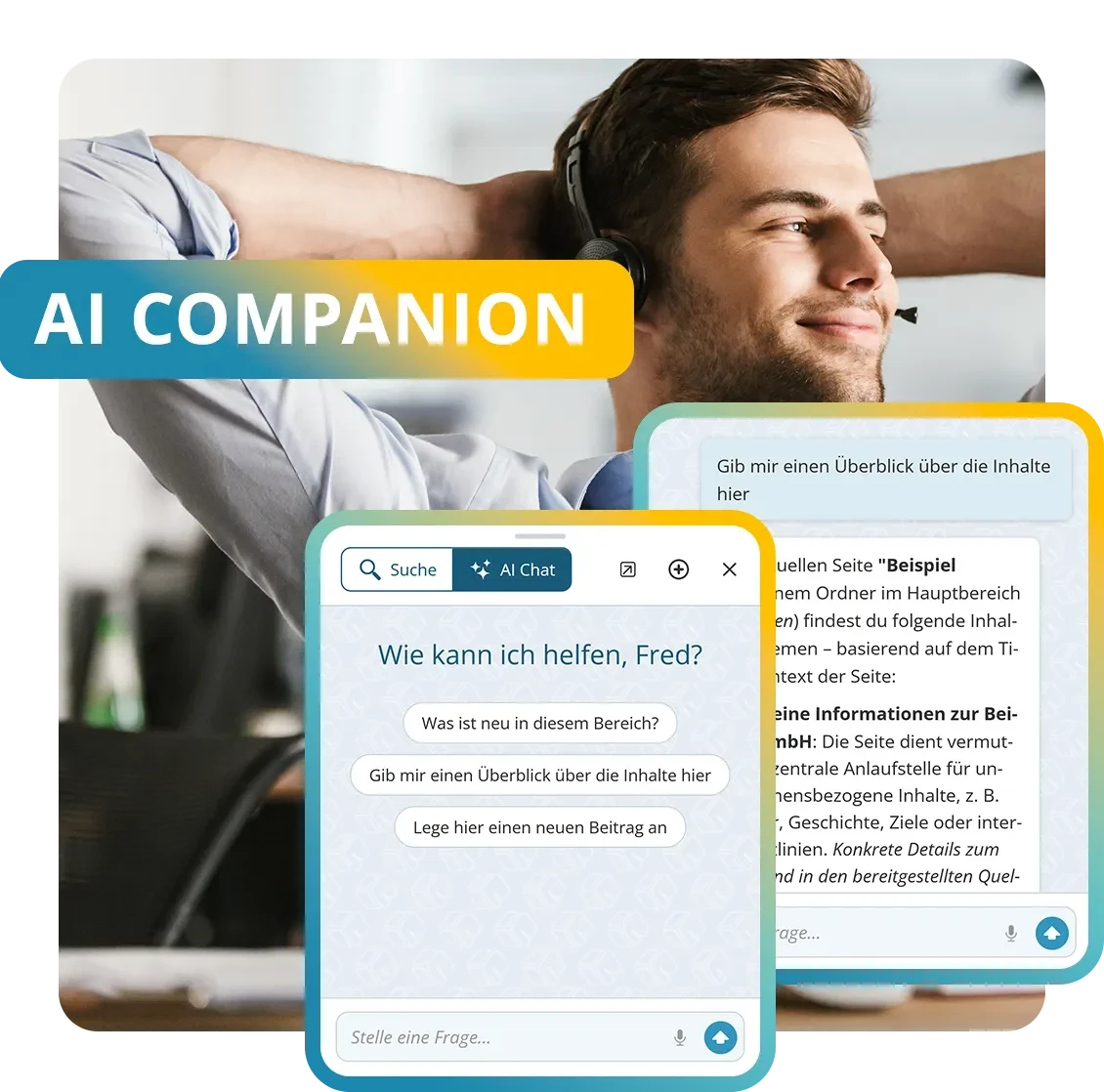
The AI Companion is the optional AI module of the KenCube Suite. It answers questions from company knowledge with source references and carries out tasks in the activated modules on request, always within the permissions of the person using it. You can choose KenCube's own AI, Mistral or other providers, fully EU-sovereign if required.

  • GDPR-compliant, EU-sovereign
  • Cyber Trust Austria/Europe Label
KenCube Digital Workplace · Add-on module
modules-top-ai-companion-de-v01.webp
KenCube-AI-Companion-AC.webp
ADD-ON MODULE AI COMPANION

Features at a glance

  • AI Chat with company knowledge, optionally with web search
  • Complete tasks in activated modules via MCP
  • Connect external AI assistants via MCP
  • AI support for editorial work
  • KenCube's own AI: fully EU-sovereign
  • Hybrid AI: free choice of AI provider
  • The AI only sees what the person is allowed to see
  • Controlled access and logging

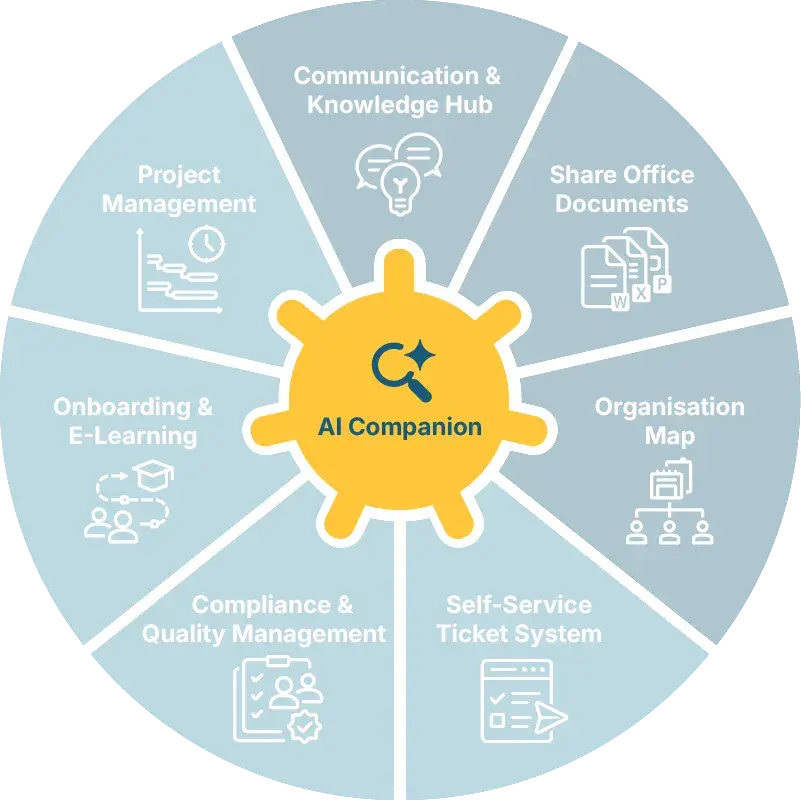
The AI Companion add-on module can be added to the KenCube Suite at any time. It works across all activated modules and can be enabled for individual people.

box-bibliothek.webp

Answers with sources

The AI Chat answers questions in plain language, in the browser and in the app. Every answer names its source, which opens with a single click.

If it finds no suitable basis, it says so openly.

box-man-relax.webp

Control KenCube with AI (MCP)

Create a ticket, register for an event, build a project plan: a short instruction in the chat is all it takes.

Before every action, the AI Companion shows what it will do and waits for confirmation.

box-ai-intranet-eu.webp

Choose an EU-sovereign AI provider

Each organization decides for itself how much control over its data it needs. KenCube's own AI runs entirely in the EU, and Mistral is a European alternative.

Other providers can be selected as well.
DIF
WPH
LWA
NOV
MDC
KHW
THI
Admiral
SWN
COM
LRA
FBS
SBH
ETL
AZK
SAN
SBA
ALP
POE
LEH
DTV
HWK
BLA
VIM
BAR
BMG
BLB
MOL
MON
LTW
WEY
SMZ
REY

AI assistant for the Digital Workplace

The AI Companion is the AI assistant of the KenCube Suite. It answers questions about news, knowledge articles, documents, people, events, tickets and projects, and completes tasks in the activated modules. It works in the browser and in the KenCube App, and also by voice input if desired.

Query company knowledge via chat

Instead of a list of search results, the AI Chat delivers a summarized answer. Every statement is linked to its source, such as a post, a document or a person's profile card. If the AI Chat finds no suitable basis, it says so openly. If desired, the search can be extended to content from the internet, which is clearly marked. An automatic check flags answers that are not sufficiently backed by sources.

Get answers in context

The chat knows which page is currently open. Questions such as “Summarize this post” or “What is the status of this ticket?” refer directly to it. Asking “What's new?” returns an overview of new posts, upcoming events and open to-dos. Conversations are saved and can be continued on other devices.

Complete tasks via the MCP interface

Through the Model Context Protocol (MCP), the AI Companion carries out tasks directly in the activated modules. An IT ticket, a new post, an event registration or a project plan takes just a short instruction in the chat. For multi-step requests, such as a complete project plan, the chat first shows the plan and creates everything together after confirmation. Before every write action, the chat displays a confirmation with all details.

The same MCP interface is also open to external AI assistants such as Claude or ChatGPT. This lets you integrate KenCube into AI tools your organization already uses. The assistants act on behalf of the signed-in person and with that person's permissions.

Control AI use with permissions

The AI only processes content that the person is allowed to see anyway. Administrators decide who may use the AI, for everyone or for specific groups and people. Requests are logged in pseudonymized form. Answering surveys, whistleblowing reports and deleting content, among other things, are deliberately excluded.

Process data with EU sovereignty

KenCube's own AI runs open-source models on dedicated hardware in the EU, without third-party AI services and without a third-party API key. Mistral is available as a European provider, as is your organization's own AI server. Alternatively, Anthropic, OpenAI or Perplexity can be connected using your own API key.

Support editorial teams with AI suggestions

Editorial teams get suggestions in the editor for headlines, teasers, corrections and translations. The AI Companion is an add-on module of the KenCube Suite and can be added at any time and enabled for individual people. If desired, the AI can also be deactivated completely, and KenCube remains fully usable without AI.

Dr. Friederike Redlbacher, Handwerkskammer Hamburg
In times of information overload, being able to deliberately control the flow of information is an important task.
Dr. Friederike Redlbacher, Manager Digital InnovationHandwerkskammer Hamburg

AI Companion FAQ

What is an AI knowledge chat in a digital workplace?

An AI knowledge chat answers questions directly from the platform's content instead of just returning a list of hits. KenCube's AI Chat searches news, knowledge articles, documents, people and events across all activated modules. Every statement is linked to its source. If the chat finds no suitable basis, it says so openly instead of making up an answer.

If internet search is enabled, the chat can add content from the web when needed and labels it as an external source. This keeps it clear at all times what an answer is based on, in the browser as well as in the KenCube app.

Can an AI assistant in a digital workplace also carry out tasks?

Yes. Via the MCP interface (Model Context Protocol), the AI Companion carries out tasks directly in the activated modules. A short instruction in the chat is enough, such as “Create a ticket for IT” or “Sign me up for the safety training”. Before every write action, the chat shows a confirmation with all details and only then carries it out.

Every action runs with the permissions of the person giving the instruction. The relevant module must be activated, for tickets that is Self-Service with Ticket System. External AI assistants such as Claude or ChatGPT can also be connected through the same interface.

Can the AI see all content, and who is allowed to use it?

No. The AI only processes content that the respective person is allowed to see anyway, and the chat never shows anything that person has no access to. The organization decides who may use the AI at all, either everyone or initially only selected groups such as the editorial team.

Requests are logged in pseudonymized form. Certain areas are deliberately excluded, such as answering surveys and whistleblowing reports. The AI Companion can also be deactivated entirely, and the KenCube Suite remains fully usable. This makes it possible to introduce AI step by step and in a controlled way.

Which AI providers are available, and where is the data processed?

The organization decides for itself. KenCube's own AI runs on open-source models on dedicated hardware in the EU. Content does not leave KenCube's sphere of control, and no third-party AI service is involved.

A company's own AI server can also be connected. Mistral is available as a European provider. Alternatively, Anthropic, OpenAI or Perplexity can be used with the organization's own API key. In every case, the platform itself runs in ISO 27001 certified data centers in the EU.

How does AI help the editorial team create content?

In the editor, the AI suggests headlines and teasers based on the existing content and provides corrections and translations. On request, it turns keywords into complete sentences.

All suggestions remain suggestions. The editorial team decides what to adopt, and the usual approval process still applies. This saves time on recurring steps, while tone and content stay in the hands of the editorial team.

Is the AI assistant included in the core system?

No, the AI Companion is an optional add-on module of the KenCube Suite. It can be added at any time and then works across all activated modules, the core modules as well as any add-on modules in use.

The organization decides which people may use the AI. Token consumption of the AI interfaces is not included in the license costs. With external providers, it is billed directly by the provider.

Explore KenCube

We would be happy to present our KenCube Suite to you in a no-obligation online demo.
If you are interested, we can also provide you with access to a free trial version.

Start Free Trial