
Onboarding & E-Learning
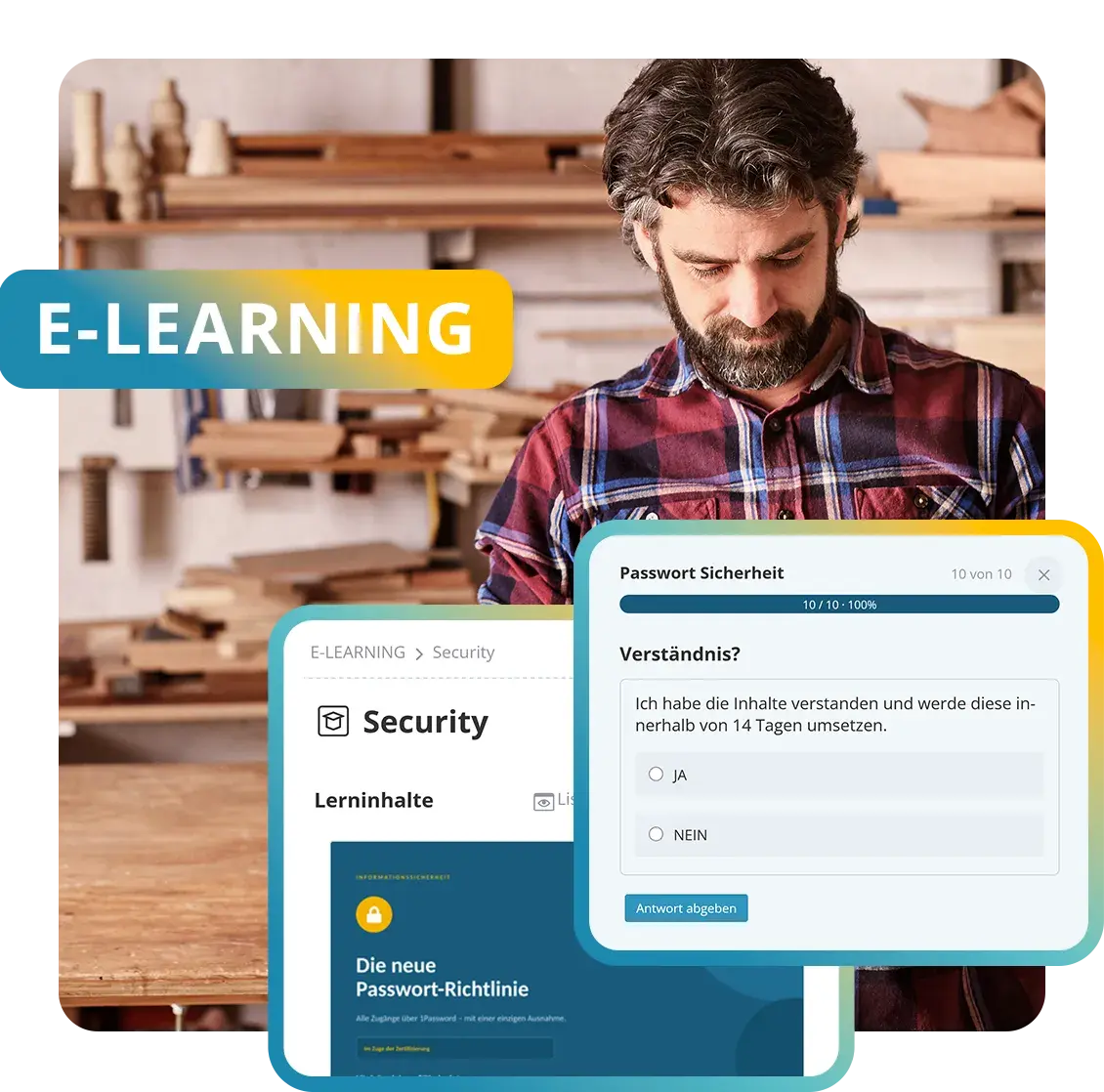
New employees get started with a clearly structured learning path. Groups assign mandatory training and professional development automatically. Courses can be created from PDF and PowerPoint files or your own learning slides and enriched with quiz questions. Deadlines, refreshers, reporting and certificates document learning progress.
- GDPR-compliant, EU-sovereign
- Cyber Trust Austria/Europe Label
Features at a glance
- Learning paths with sequence and prerequisites
- Courses from PDF, PowerPoint, video and quiz
- Automatic assignment via groups
- Mandatory courses with deadlines and reminders
- Recurring training with validity periods
- Certificates with verification link
- Reporting, versions and multilingual courses
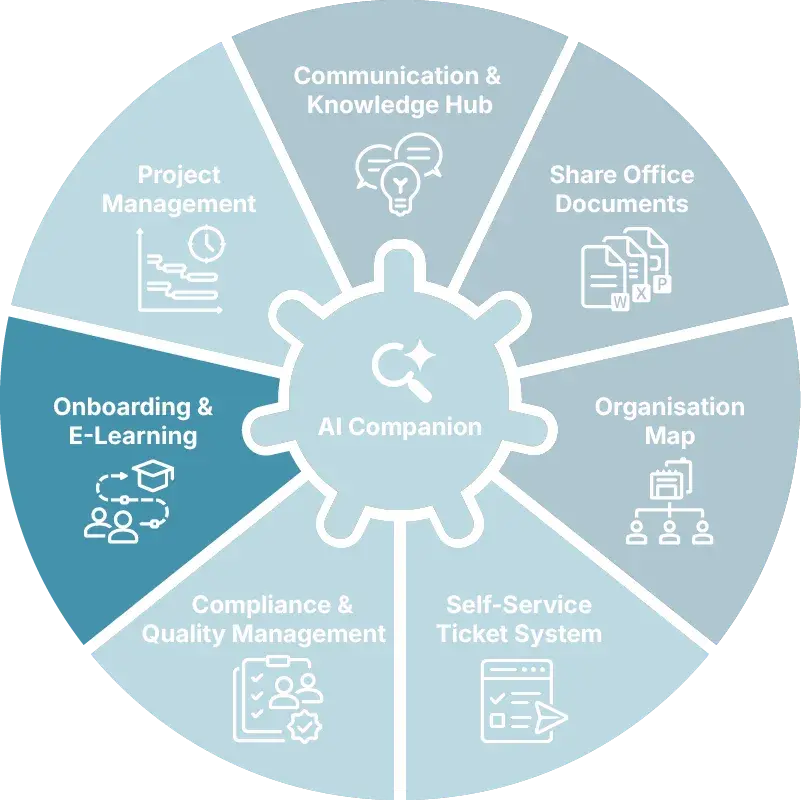
The Onboarding & E-Learning add-on module can be added to the KenCube Suite at any time.

Onboarding from day one
New employees are onboarded step by step with a learning path that is assigned automatically.
A dedicated area brings together everything that matters in the first few weeks.

Document mandatory training
Mandatory training reaches exactly the people who need to complete it. KenCube sends reminders about deadlines and upcoming refreshers.
Every completion is backed by a certificate.

Create and maintain courses with ease
Existing PowerPoint and PDF materials turn into a course in just a few minutes. Videos and quiz questions keep learning varied.
Updates are quick to make, and existing records are preserved.



















Learning management for onboarding and mandatory training
Onboarding & E-Learning is the KenCube add-on module for onboarding, mandatory training and professional development. People learn where they already work: in the browser and in the KenCube App, including in production, logistics or field service. Learning runs in the same system as communication and knowledge.
Onboard new employees in a structured way
Learning paths define the sequence and prerequisites, so the basics come before the deep dives. Anyone who joins a group, such as “New employees” or a department, receives the right learning path automatically. A dedicated area for new employees also brings together contacts, processes and answers to common questions.
Document mandatory training reliably for audits
Dynamic groups assign mandatory courses with deadlines, and KenCube sends timely reminders. Quiz questions with a minimum score check understanding, and retakes can be configured. Recurring courses such as safety briefings become due again once their validity expires. Passed courses generate a certificate with a verification link, optionally confirmed by the course instructor.
Offer professional development to the whole team
Beyond onboarding, courses are also open to existing teams, for example for professional development, product training or refreshing knowledge. Open courses appear on the dashboard and in notifications. People learn in the browser or on the go in the app.
Create courses from existing materials
PDF and PowerPoint files are turned directly into learning slides on import and can be enriched with text, images, videos and quiz questions. Courses can also be multilingual. Revising a course creates a new version, and existing records are preserved.
Track learning progress in reporting
Reporting shows status, score and time spent per person and course. Those responsible see at a glance who has completed a course and who is still missing, and confirm completions when needed.

With 160 employees, it is no longer possible to tell everyone in person what we are working on. But through the intranet I can share news early, so every employee, whether new to the company or with us for years, feels included.
Building block in the add-on module
The Onboarding & E‑Learning add-on module adds this building block, fully integrated from the start, with the same users and permissions.
Onboarding & E-Learning FAQ
How does a digital workplace support the onboarding of new employees?
A digital workplace brings everything new employees need in their first weeks together in one central place. A dedicated area for getting started shows contacts, processes and answers to typical questions.
An onboarding learning path leads in a fixed order from the basics to the safety briefings. It is assigned automatically when someone joins the relevant group. Open courses, progress and certificates earned are visible at all times, in the browser as well as in the KenCube app.
What is a learning path?
A learning path combines several courses in a fixed order. Prerequisites define which course must be completed before the next one begins. Typical examples are onboarding programs or multi-stage safety training.
A course is the smallest learning unit and consists of learning slides with text, images, videos and quiz questions. Learning modules organize the entire offering by topic, for example onboarding, occupational safety or product knowledge. Progress is documented for every person.
How do you turn a PowerPoint presentation into an e-learning course?
Existing PowerPoint and PDF files are imported, and each page becomes a learning slide. Text, image, video and quiz slides can then be added and arranged freely, also in several languages.
If a course is revised later, a new version is created, while existing completions and certificates are retained. This turns existing training materials into a full e‑learning course without a separate authoring tool.
How can mandatory training be assigned and documented digitally?
Mandatory training is set up as courses or learning paths and assigned via dynamic groups, for example to all employees at a location, in a department or in a particular role. Every assignment has a deadline, and KenCube sends reminders in good time. Quiz questions with a minimum score make learning success measurable, and retakes can be configured.
Recurring courses such as annual safety, data protection or hygiene briefings become due again once their validity expires. Reporting shows who has completed a course and who is still missing, and every certificate documents completion for audits.
How can training certificates be made verifiable?
After successful completion, a certificate is generated automatically as a PDF, signed by the course instructor if desired. A verification link makes its authenticity verifiable without a login, including for external parties, for example during audits or supplier assessments.
The certificate is stored in the employee's personal area and remains valid even if a new version of the course is released later. For recurring courses, each run receives its own certificate.
Is e-learning included in the core system?
No, Onboarding & E-Learning is an add-on module of the KenCube Suite. The module can be added at any time and is integrated immediately, with the same users, groups and permissions as the core modules Communication & Knowledge Hub, Share Office Documents and Organization Map. The groups from the Organization Map directly control who receives which learning path.
Explore KenCube
We would be happy to present our KenCube Suite to you in a no-obligation online demo.
If you are interested, we can also provide you with access to a free trial version.