Skip to content
KenCube Suite
Company structure and responsibilities at a glance

Organization Map

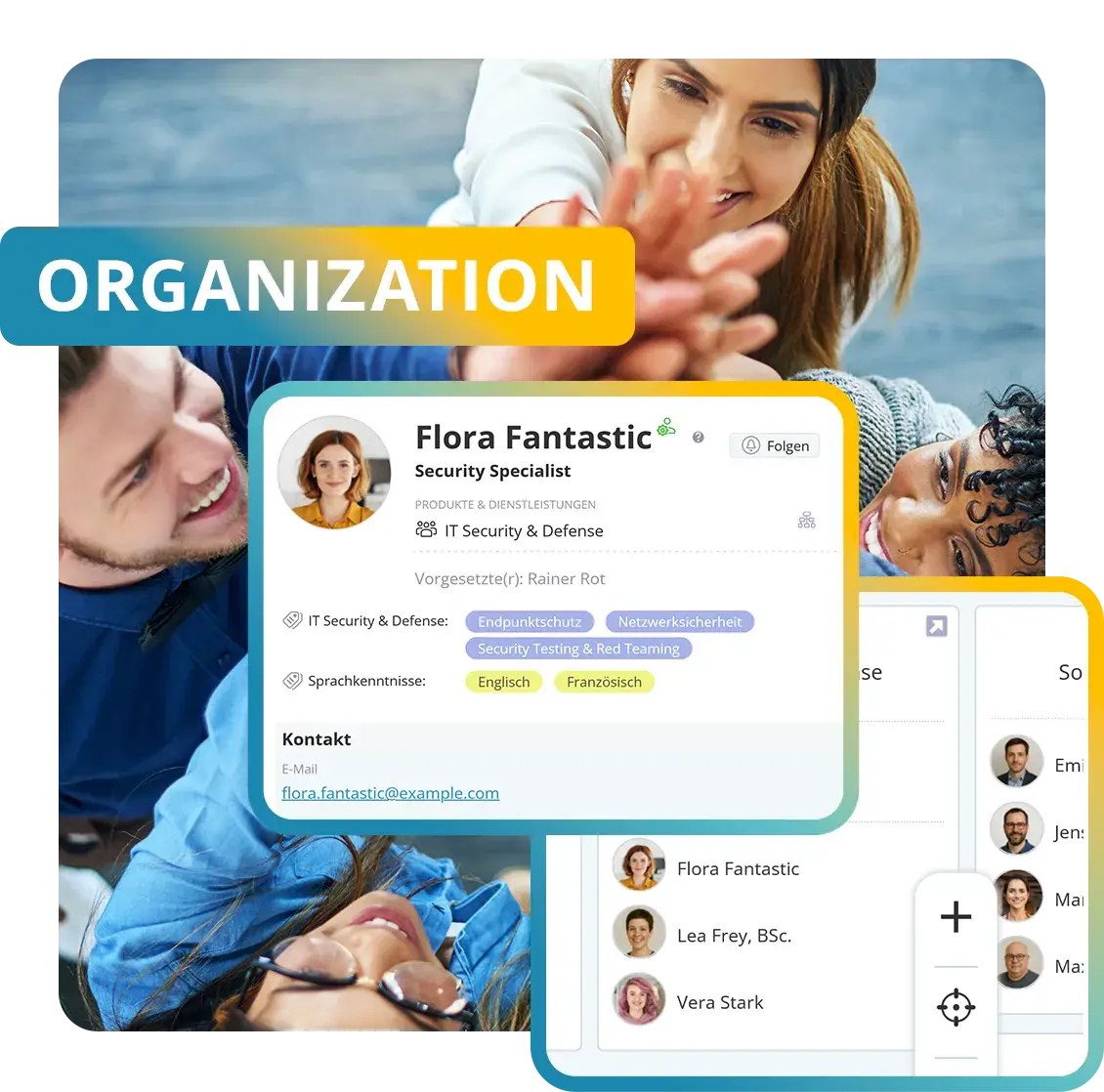
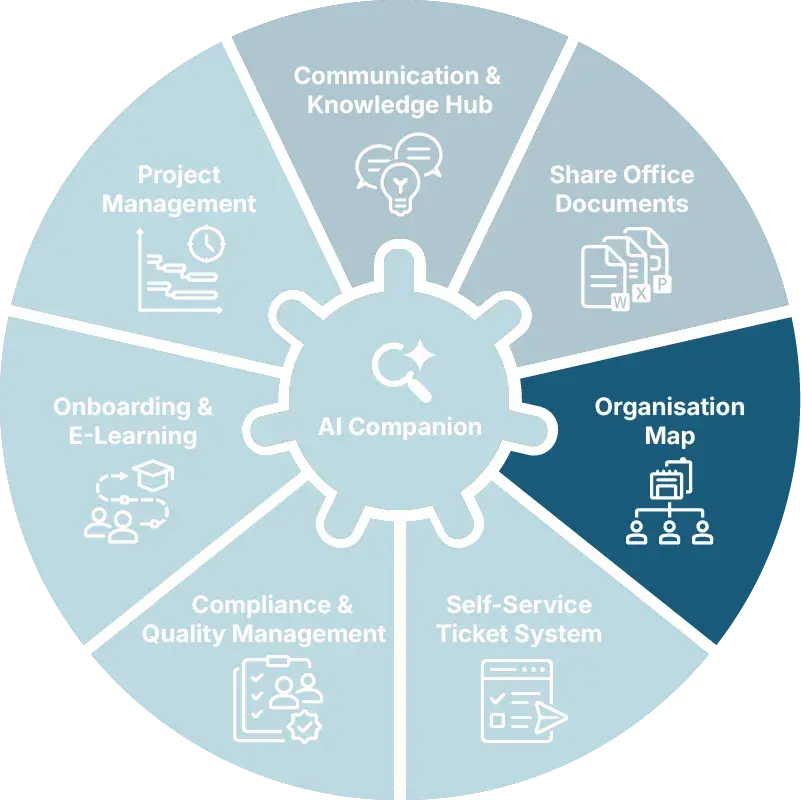
The Organization Map shows how the company is structured and who is responsible for what. Employees find contacts and expertise, understand the organizational structure and find their way around locations and floor plans. This makes collaboration easier and helps new employees from day one.

  • GDPR-compliant, EU-sovereign
  • Cyber Trust Austria/Europe Label
KenCube Digital Workplace · Core module
Modules-Top-OrganizationMap-EN-v01.webp
KenCube-Organisation-Map-AC.webp
CORE MODULE ORGANIZATION MAP

Features at a glance

  • Person cards with role, contact details and expertise
  • Employee and phone directory, always up to date
  • Interactive org chart
  • Locations and nested floor plans
  • Find expertise and first aiders via tags
  • Digital business card via QR‑code or vCard
  • Groups and permissions from organizational units

The Organization Map core module is a fixed part of the KenCube Suite.

box-construction-roof.webp

Find the right contact fast

Person cards show at a glance who is responsible and who knows their way around, with photo, role and contact details.

One click is all it takes to chat, call, send an e‑mail or meet in Microsoft Teams.

box-hands-together.webp

Connect structure and permissions

The org chart shows how the company is structured and who is responsible for what.

Anyone assigned to a department automatically receives the matching permissions. There is no need to maintain permissions twice.

box-large-office-view.webp

Navigate locations and rooms

Interactive floor plans show who sits where and what is in which room.

In an emergency, it is immediately clear who can provide first aid.

DIF
WPH
LWA
NOV
MDC
KHW
THI
Admiral
SWN
COM
LRA
FBS
SBH
ETL
AZK
SAN
SBA
ALP
POE
LEH
DTV
HWK
BLA
VIM
BAR
BMG
BLB
MOL
MON
LTW
WEY
SMZ
REY

Digital employee directory and org chart

The Organization Map is the KenCube core module for people and company structure. It brings person cards, the org chart, locations and floor plans together in one place. New employees find the right contacts from day one, without having to ask around.

Find contacts and expertise

Every person has a person card with photo, role, department and contact details. The employee and phone directory draws on the same cards, so it is always up to date. Power Search finds people by name, department or expertise. Contact starts right from the card, via chat in KenCube or by phone, e‑mail and Microsoft Teams.

Keep personal data up to date

If personal data comes from Active Directory or Entra ID, synchronization keeps person cards and groups up to date automatically. Individual fields such as photo, birthday or biography can optionally be opened up for employees to maintain themselves.

Show responsibilities in the org chart

The interactive org chart maps companies, divisions, departments and teams with their managers and members. The view can be adjusted flexibly. Who is responsible for what becomes visible without having to ask.

Derive permissions from the organization

In KenCube, assignment to an organizational unit also controls permissions. Organizational units create groups. Anyone assigned to a department in the org chart automatically receives its permissions, without them having to be maintained a second time.

Find your way around the building

Interactive floor plans lead through locations, buildings and floors down to individual rooms. One click shows who sits where and what is in which room. Several plans can be linked to each other.

Make first aiders and expertise visible

Tags mark people with special roles or skills, for example first aid, fire safety or languages. Power Search finds these people directly, so help is on hand quickly in an emergency.

Loïc Didelot, Mixvoip SA
You can see who works where, and you can reach out to those people directly. You simply find them. I think that is really the biggest benefit. I honestly have no idea anymore how companies communicate without a platform like this.
Loïc Didelot, Founder and CEOMixvoip SA

Building block in the core module

This building block is part of the Organization Map core module and is included in every KenCube license.

People & Org ChartFind colleagues with role and contact details, understand responsibilities in the org chart and show workplaces on the floor plan→

Organization Map FAQ

What is an Organization Map or a digital employee directory?

Personal profile cards show competencies, roles and various ways to get in touch. The org chart maps locations, departments, teams and management functions. Interactive floor plans help not only new employees but the entire workforce find their bearings within the company. Together, this creates a company-specific map of the entire organizational structure, clear and easy to understand.

How do you get in touch with the right person?

People are given priority in search results and can therefore be found particularly quickly. From the personal profile card, you can get in touch directly, via chat, by clicking the email address, or as an audio or video call through connected tools such as Teams or Google Meet. This means you can go from finding the right person to making contact in just a few clicks, without maintaining separate phone or address lists.

How does an org chart help in everyday work?

A digital org chart makes visible who is responsible for what and whom to contact. It shows the company, divisions, departments and teams with their managers and members and is linked to the personal profile cards. The view can be adjusted flexibly.

Especially during onboarding and in growing organizations, the org chart replaces guesswork with a reliable structure. Because the assignments in the org chart also control groups and permissions, the structure stays up to date.

How can first-aiders or fire safety officers be found quickly in an emergency?

Via freely assignable tags on personal profile cards. Attributes such as first-aider, fire safety officer or specific language skills can be tagged and displayed at the touch of a button, filtered by location or department. Combined with the floor plans, it is instantly visible in an emergency who can help nearby, without the need to maintain separate lists.

How do people find their way around multiple locations?

Interactive floor plans map out floors, buildings and sites and are linked to individuals. From a personal profile card, users can jump straight to the relevant plan, showing where someone sits and how to get there. If desired, the plans also highlight important points such as fire extinguishers or first-aid kits. In distributed organizations, this helps employees, visitors and new colleagues alike.

How does the organizational structure create groups and permissions?

Automatically, as soon as a personal profile card is linked to the user account. The organizational units (company, division, department, team, location) then form groups that control the right permissions across the entire KenCube Suite.

Anyone who belongs to the production department sees its workspace and documents, receives its news and, with the add-on modules, the related mandatory training, agreements or self-services. Permissions therefore do not have to be maintained person by person. If an assignment changes in the Organization Map, the permissions change with it.

Explore KenCube

We would be happy to present our KenCube Suite to you in a no-obligation online demo.
If you are interested, we can also provide you with access to a free trial version.

Start Free Trial