
 DE
DEShare Office Documents
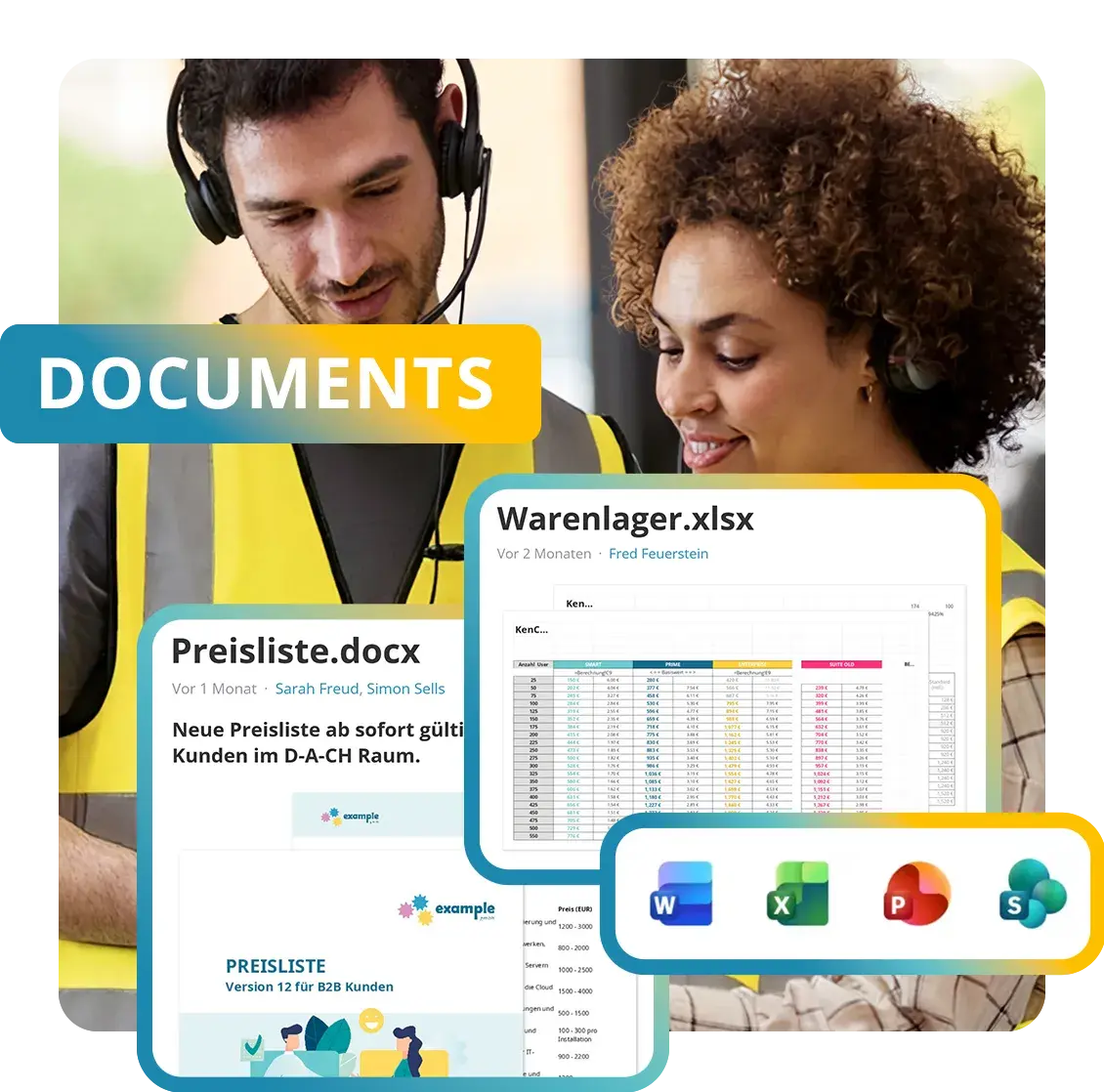
Share Office Documents brings Word, Excel, PowerPoint and PDF files together in one central place. Documents are read directly in the browser or in the KenCube app, without downloading and without an Office license. Full-text search finds every document again quickly. Existing libraries from SharePoint Online can be transferred via the included interface.
- GDPR-compliant, EU-sovereign
- Cyber Trust Austria/Europe Label
Functions at a glance
- Display Word, Excel, PowerPoint and PDF directly
- Full-text search including OCR for scanned PDFs
- Versions, read receipts and optional approval
- Power Search with filters, tags, synonyms and search sets
- Multi-upload for fast initial filling
- SharePoint interface included as standard
The core module Share Office Documents is a fixed part of the KenCube Suite.
Optional add-ons:
- Follow-ups and reviews (Compliance & Quality Management)
- Questions and answers about document content (AI Companion)

Use documents directly
Word, Excel, PowerPoint and PDF open directly in the browser and in the app. No Office license is required.
This way, employees without their own PC also have the latest documents at hand.

Find content again quickly
Search covers the content of every document, not just the file name. Scanned documents are searchable too.
Instead of clicking through folders, a single search term is enough.

Synchronize file storage
Existing documents from SharePoint can be transferred and are kept up to date automatically. The familiar structure is preserved.
Files from network drives also get into KenCube quickly and are searchable right away.



























Central document management for the entire workforce
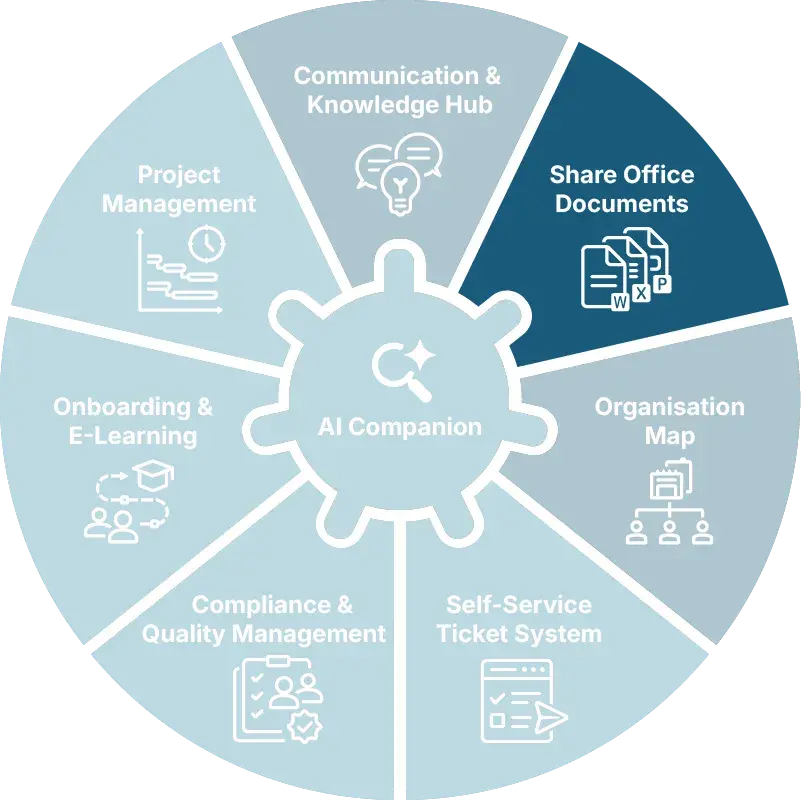
Share Office Documents is the KenCube core module for shared document storage. Word, Excel, PowerPoint and PDF files are kept here in one central place, organized in workspaces and made accessible through permissions. Access is possible in the browser and in the KenCube app, also for employees without a fixed PC workstation.
Read Office files without a license
Documents open directly in the browser, without downloading and without Office installed. PDF, Word and PowerPoint appear in the integrated viewer, Excel with all worksheets. Anyone who needs the original file can download it. Documents shared in the chat open in the same views.
Find documents through full-text search
When a file is uploaded, KenCube reads its entire text and adds it to the search index. A term that only appears on page 14 of a PDF leads straight to the right document. Scanned PDFs become searchable through OCR, and the editorial team can correct the recognized text if needed. Power Search narrows down results by post type, workspace, date or tags. It includes synonyms and finds suitable results even with typos.
Track versions and acknowledgment
Every edit creates a new version, and earlier versions are retained. Read receipts prove who has taken note of a policy. On request, an editorial approval step per workspace reviews changes before publication. Comments and reactions are attached directly to the document.
Connect SharePoint and file servers
The interface to SharePoint Online is included as standard. Document libraries and pages are transferred into a workspace and kept up to date automatically. For files from your own file server, the KenCube Transfer Server is available as an add-on. Files are delivered over an IP-secured connection, also structured in folders, and transferred to KenCube automatically. Files from network drives can also be added to KenCube via multi-upload, with a separate post created for each file.
Extend functions with add-on modules
With the add-on module Compliance & Quality Management, documents receive review and validity dates with reminders. This is the basis for controlled documents in quality management. With the AI Companion, questions can be asked about document content, and the answers cite the documents as their source.

The auditors always ask: 'Where are your documents?' And we say: 'On the intranet.' And then they are always blown away by how neatly and cleanly everything is filed and how clear it all is.
Functional building blocks in the core module
These functional building blocks belong to the core module Share Office Documents and are included in every KenCube license.
 DocumentsStore Word, Excel, PowerPoint and PDF centrally, read them in the browser and in the app without a Microsoft Office license and find them again through full-text search→
 Power SearchFind posts, documents and people across all of KenCube, with filters, synonyms and saved search sets→
Share Office Documents FAQ
What does document management include in a digital workplace?
Document management includes central storage for Office files and PDFs, a clear structure based on workspaces, folders, permissions and tags, and a full-text search that covers the content instead of just file names. Versions, read receipts and preview images complete the picture.
In a digital workplace, documents are also connected to news and knowledge articles, can be read in the browser and in the KenCube app, and are subject to the same permissions as all other content. This turns a file repository into a searchable body of knowledge.
Can Office files be read without an Office license?
Yes. Word, Excel, PowerPoint and PDF files open directly in the browser and in the KenCube app, without downloading, without installed Office software and without an Office license. PDF, Word and PowerPoint files appear in the integrated viewer, Excel files as a table with all sheets.
As a result, work instructions, forms and policies also reach employees in production, logistics, care or field service, without network drives or VPN. Graded permissions determine who sees which document. If needed, a read receipt documents that a new version has been received.
How do you find documents again in a company portal?
With a full-text search that covers the content of every document, not just the file name. Scanned PDFs are captured via OCR. Power Search combines keywords with filters such as area, time period and file type, with tags and custom synonyms, and finds relevant results even when there are typos. Frequent searches can be saved as search sets.
Those who prefer to browse can navigate through workspaces and folders. With the optional AI Companion, the AI Chat answers questions about document content in plain language and cites the documents as sources.
How can existing repositories from SharePoint or a file server be integrated?
Through the SharePoint interface, which is included as standard. Document libraries and pages from SharePoint Online are transferred to workspaces and kept up to date automatically. If a document changes in SharePoint, the synchronization replaces the version on the platform with the new one.
For files from a company's own file server, the KenCube Transfer Server is available as an add-on. Files are placed there via an IP-secured connection, also structured in folders, and transferred to the platform automatically. On the platform, the documents can be found via Power Search and linked in posts, even for employees without SharePoint access.
How do documents stay up to date and audit-proof for quality management and audits?
In the core module, versioning records every state traceably, and read receipts document who has acknowledged which version. When a post refers to a document, the link always points to the current version.
The add-on module Compliance & Quality Management adds reviews and follow-ups. A review cycle can be set for each document, and KenCube reminds the responsible people of upcoming reviews and escalates overdue ones. This brings document control and audit evidence together in one place.
Are documents processed in the EU in compliance with the GDPR, even when AI is used?
Yes. The data is stored in ISO 27001 certified data centers in the EU and processed in compliance with the GDPR, with documented technical and organizational measures. Maintenance, backups and monitoring are part of operations.
The AI functions are optional and only become active once the organization enables them. KenCube's own AI runs on open-source models on its own hardware in the EU, and document content does not leave KenCube's sphere of control. Alternatively, Mistral, a company's own AI server, Anthropic or OpenAI are available. In every case, the AI only processes documents that the person asking is allowed to read anyway.
Explore KenCube
We would be happy to present our KenCube Suite to you in a no-obligation online demo.
If you are interested, we can also provide you with access to a free trial version.