
Skip to content
KenCube Suite
Transparentes Bild ohne Funktion
KenCube Suite | Made & Hosted in Europe

The employee app for SMEs & Organizations

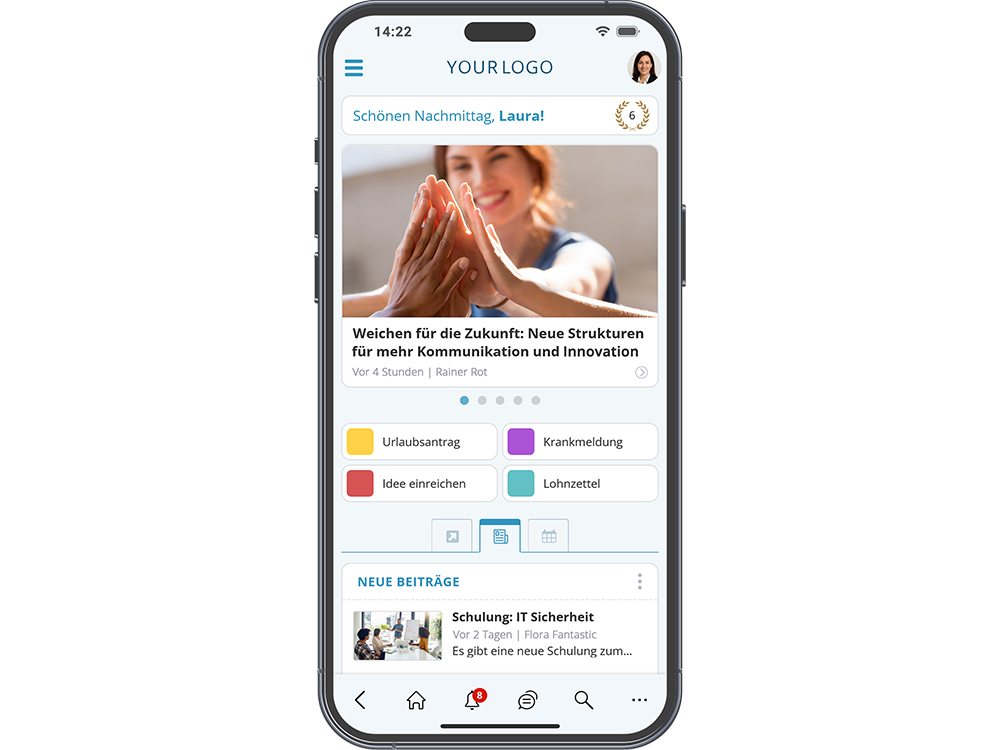
The employee app brings news via push notification, knowledge, documents and forms to the smartphone. It can also be used by employees without a company PC or company email address and on private devices.
Video
Start free trial

What Is an Employee App?

An employee app brings internal communication, knowledge and digital processes to the workforce's smartphones. The KenCube employee app also reaches everyone who rarely or never sits at a PC, for example in production, logistics, retail, care or on construction sites.

Login without a company email address

Access requires neither a company email address nor a company phone. Login works with a KenCube login, single sign-on or both, and can differ by type of access if required. The app runs on iOS and Android, and on private devices if needed.

Employee app and browser: one platform

App and browser share the same content, permissions and accounts. Anything published at the desk is visible on the smartphone at the same moment. Editing and administration are done comfortably on the PC in the Social Intranet Software.

Standard app included, white label optional

The KenCube app is included in the license and immediately available in the app stores. Organizations that want their own app name and logo can get a white-label app for an additional fee.

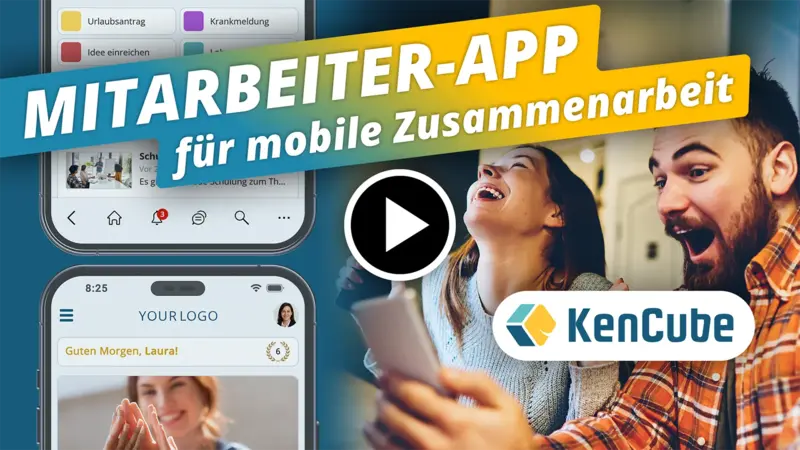
Video: Boost Mobile Collaboration with the Employee App

The Employee App – your mobile hub for communication & collaboration

What are the most important features of an employee app?

The employee app as a mobile hub for everyday work

The employee app brings all essential features together in one application – clear, intuitive and always at hand. Whether in the office, on the road or on-site: employees stay informed, connected and can access company services directly from their smartphone.

Stay informed.

  • Receive news, announcements & team updates
  • Push notifications & breaking news
  • Company calendar & appointment bookings
  • Read receipts for important content

Find knowledge & documents.

  • Access knowledge, guidelines & best practices
  • Find documents quickly with full-text search
  • Open PDFs directly in the employee app
  • Find colleagues & contact persons

Use services & self-services.

  • Submit sick notes, leave requests & forms
  • Chat, surveys & polls
  • Download payslips
  • Sign off on policies & use the whistleblower tool
The Employee App – your mobile hub for communication & collaboration
DIF
WPH
LWA
NOV
MDC
KHW
THI
Admiral
SWN
COM
LRA
FBS
SBH
ETL
AZK
SAN
SBA
ALP
POE
LEH
DTV
HWK
BLA
VIM
BAR
BMG
BLB
MOL
MON
LTW
WEY
SMZ
REY
The employee app enables mobile communication and collaboration

Employee app for non-desk employees

Use on company and personal devices

In manufacturing, retail, care or skilled trades, many people work without their own PC and without a company e‑mail address. The employee app reaches these parts of the workforce directly on their smartphones, on company and personal devices alike. The rollout works without a major IT project, with basic setup and training.

Install from the app store or straight from the browser

The app is available from the Apple App Store or Google Play, and a QR code leads straight to the download. Company devices can also be equipped via mobile device management (MDM). Without an app store, KenCube can also be installed as an app from the browser (progressive web app), likewise with push notifications.

Secure on personal devices

The store app supports biometric login, for example by fingerprint. If a phone is lost, the administration signs the account out on all devices. In the app, each person sees only what they are allowed to see in the browser.

  • iOS and Android, including on personal devices
  • Installation via QR code, MDM or without an app store
  • Biometric login in the store app
  • Sign-out on all devices if a device is lost
  • Rollout with basic setup and training

More about Employee App & Browser

The employee app enables mobile communication and collaboration

Support & onboarding for the employee app

Guidance from day one with the KenCube employee app

From the very beginning, the KenCube team supports companies with the setup of the employee app, guides the rollout and provides valuable tips for optimal use. With proven best-practice examples and over 25 years of experience, companies benefit from real added value right away. The KenCube Service Level Agreement (SLA) ensures reliable support even after go-live – at no extra cost, as it is already included in the ongoing fees.

Your benefits with the KenCube employee app:

  • Personal support from day one
  • Guidance with setup and rollout
  • Hands-on tips & best-practice examples
  • Over 25 years of experience
  • Ongoing support at no extra cost (SLA)
Benefit from over 25 years of intranet expertise
KenCube Employee App: Made & Hosted in Europe (EU)

Data protection & EU hosting for the employee app

What criteria matter for an employee app in the EU?

An employee app that manages internal company content and communication must meet high standards for security and data protection. The KenCube employee app processes all data in compliance with GDPR and hosts it exclusively in ISO 27001-certified data centers within the EU.

Daily backups and continuous system monitoring ensure stable and reliable operations – so the employee app runs smoothly at all times.

Key criteria for operating an employee app in the EU:

  • GDPR-compliant data processing, hosted in ISO 27001-certified EU data centers
  • Sovereign IT operations, independent of US big tech companies
  • Fast availability & intuitive use on iOS and Android
  • Compatible with personal devices (BYOD)
  • Flexible permission system for managing read and write access
  • Data synchronization with existing systems (e.g. Active Directory, Azure)
  • Personal support & training by the KenCube team
KenCube Employee App: Made & Hosted in Europe (EU)

What customers say about the KenCube Suite

4.95 out of 5 stars based on 73 reviews on independent platforms.

As of October 2026

Capterra
★★★★★
4.9 / 5
based on 24 reviews
View reviews on Capterra
Google
★★★★★
5.0 / 5
based on 31 reviews
View reviews on Google
OMR Reviews
★★★★★
4.6 / 5
based on 18 reviews
View reviews on OMR
Share news, announcements, and team updates in the employee app

Receive news & updates via the employee app

Keep your entire workforce informed and aligned with the KenCube employee app

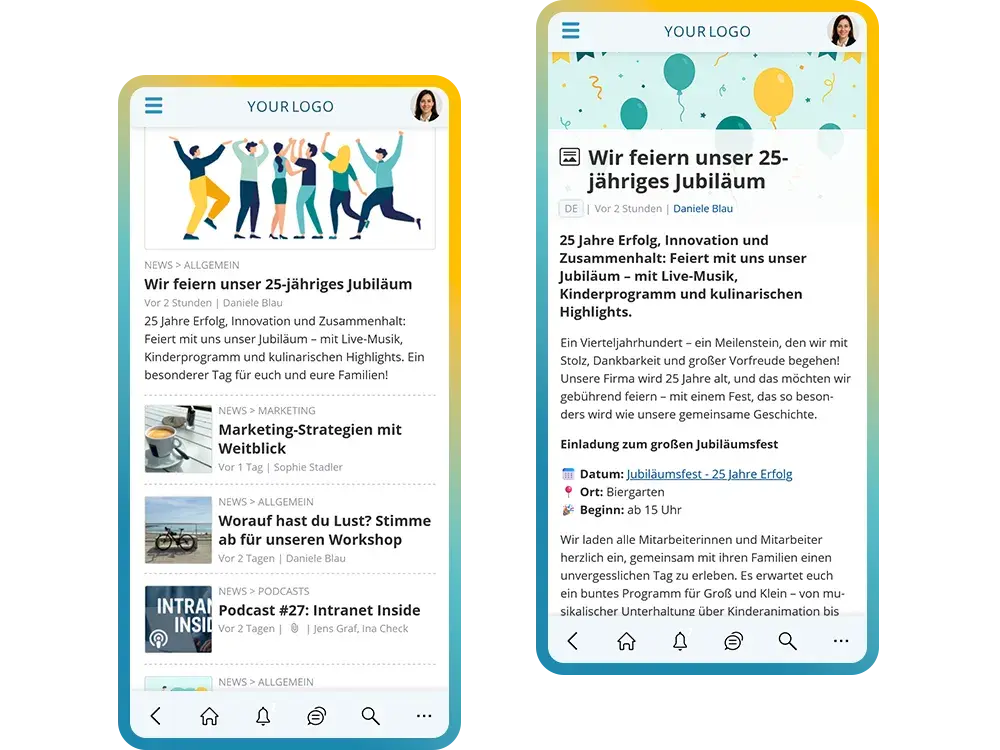
All important news reaches your workforce directly and centrally. Whether messages from executive management and HR, sales achievements, new colleagues, marketing updates, or product and service information – everything is instantly available via the employee app.

Particularly important information can be marked as breaking news in the employee app, automatically triggering a push notification.

Popular news categories in the employee app:

  • Company news & departments
  • Team updates & achievements
  • Product updates, services & price lists
  • Strategy, benefits & company culture
  • Events & recaps
  • Breaking news

See also: Features > News & Knowledge

Share news, announcements, and team updates in the employee app

Access knowledge & know-how in the employee app

Share and access knowledge easily with the KenCube employee app

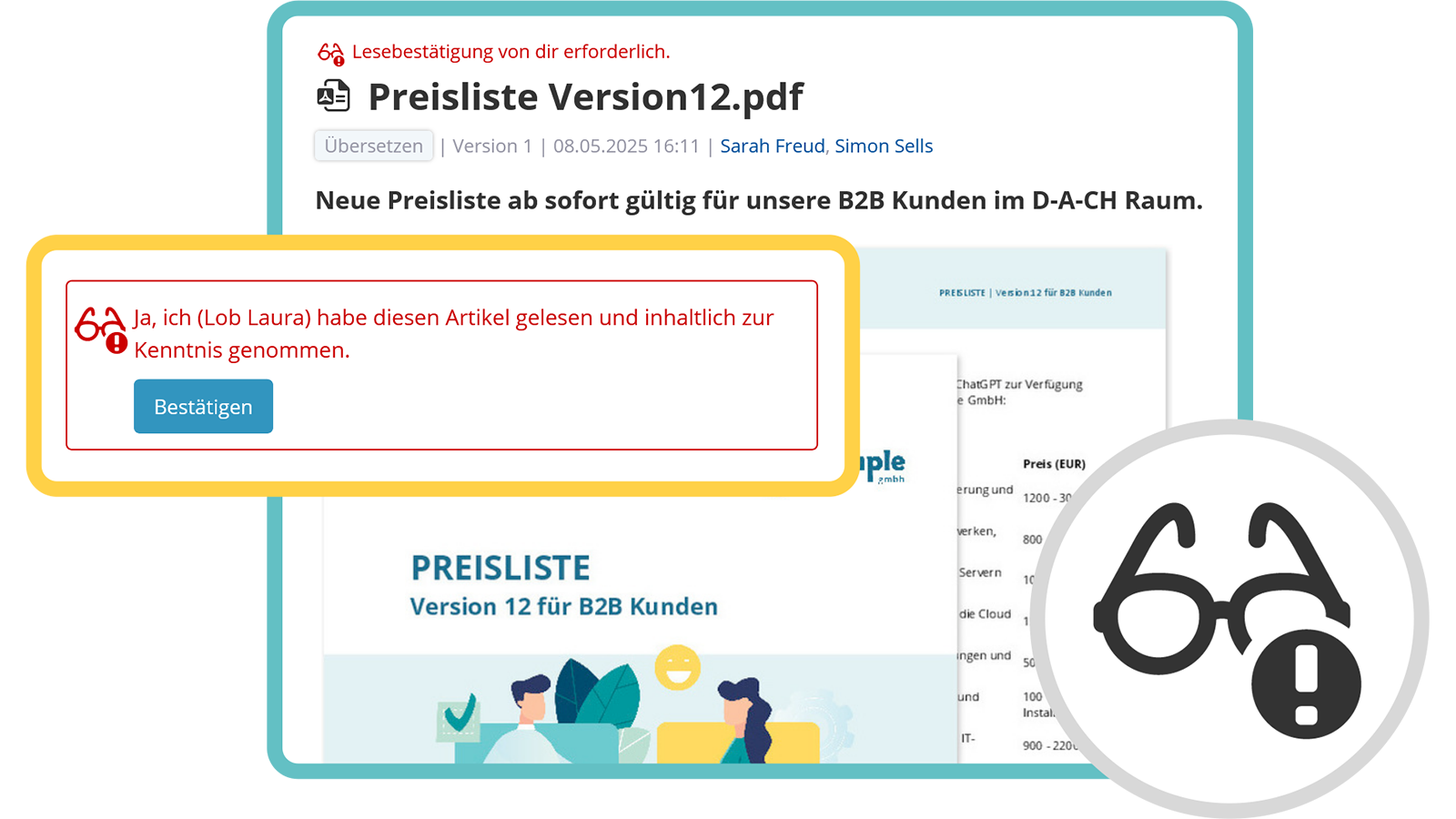
In the employee app, all colleagues have fast access to valuable knowledge and important documents. Whether work instructions, internal processes, guidelines, or best practices – the organization’s collective know-how is centrally available at any time.

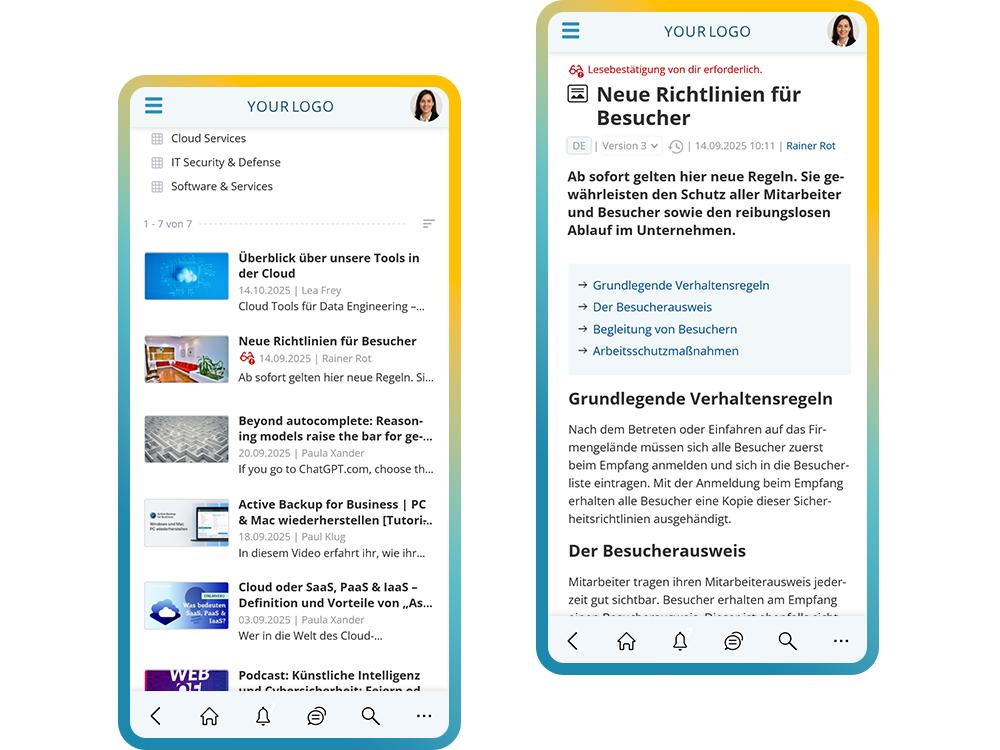
Content can also be equipped with read receipts, clearly documenting who has read specific information and when. This makes the employee app a central, reliable knowledge hub that strengthens knowledge transfer across the organization and simplifies everyday work.

Popular knowledge categories in the employee app:

  • Internal processes & workflows
  • Guidelines & best practices
  • Work instructions & checklists
  • Product and service information
  • Frequently asked questions (FAQ)
Access knowledge and expertise via the employee app
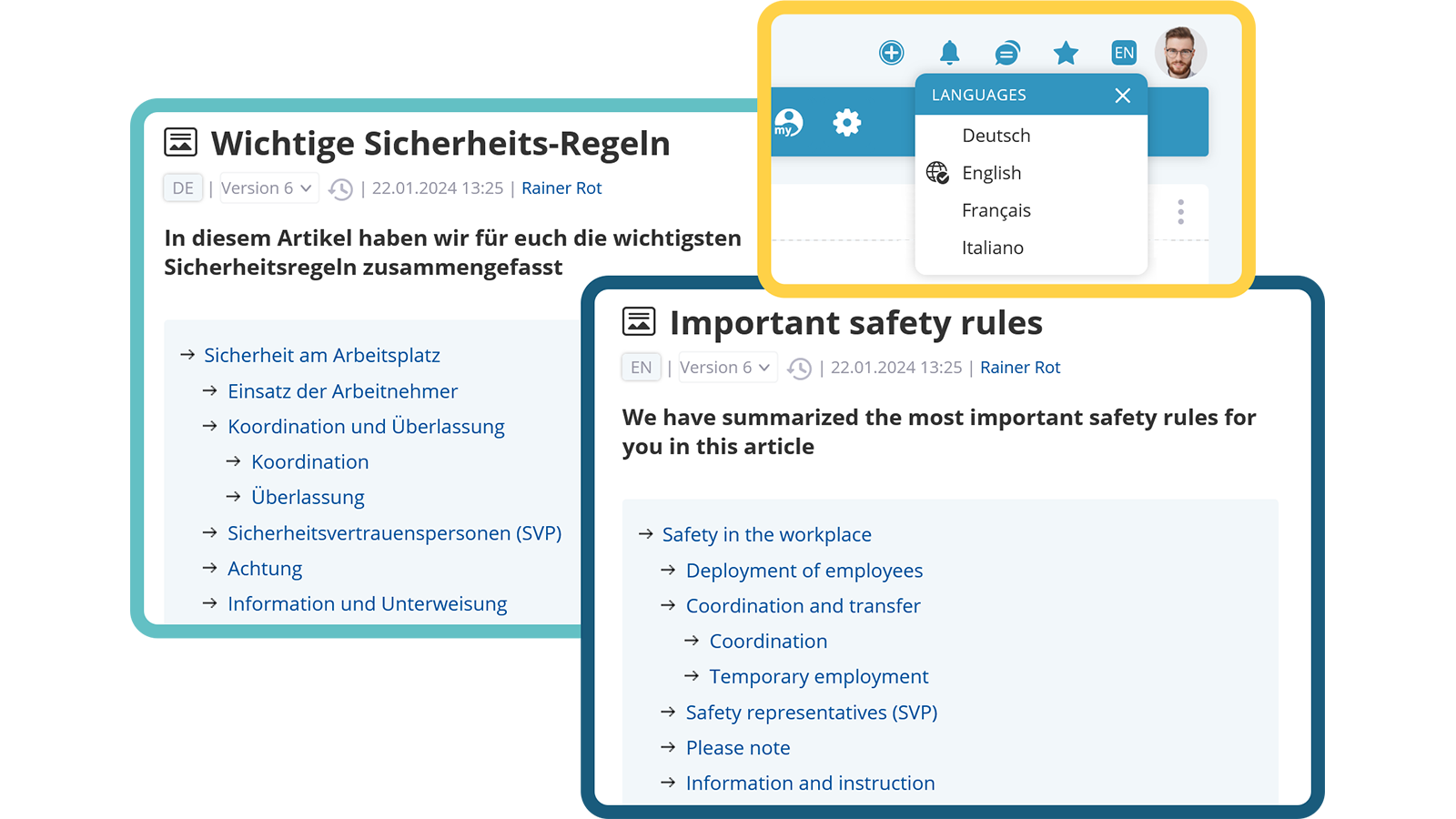
Multilingual version of the intranet

Receive multilingual information via the employee app

Make information available in multiple languages with the KenCube employee app

The employee app supports multilingual content. Posts can either be translated on-the-spot by users or provided in multiple languages by editors. A fallback ensures that content remains visible even when no translation is available. This way, all colleagues – regardless of their native language – can be kept well informed.

Benefits of multilingual support in the employee app:

  • On-the-spot translations at the tap of a button
  • Alternatively: editorially reviewed translations
  • Automatic fallback for missing translations
  • Consistent communication for international teams
  • Greater reach and clarity
Multilingual version of the intranet

Forms, Orders and Tickets

Handle requests directly from the smartphone

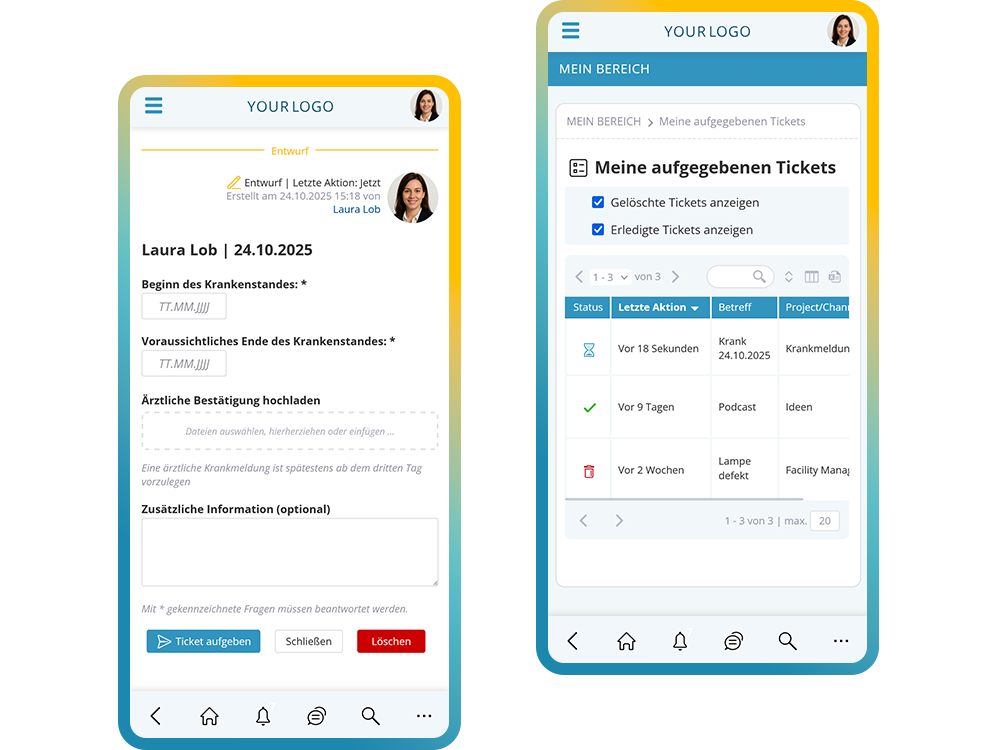
Sick note with a medical certificate, vacation request or damage report with a photo: the right form is filled out quickly in the app. A ticket for the responsible team is created automatically. Employees can see the status under “My tickets”.

Work clothing, protective equipment or office supplies are ordered in the internal shop, with sizes, variants and budgets. The lunch menu can also be ordered through the app if needed. These features belong to the add-on module Self-Service with Ticket System.

  • Custom forms for HR, IT or facility management
  • Photos and attachments directly from the smartphone
  • Status and follow-up questions on the ticket
  • Internal shop with budgets and approvals
  • Meal ordering with menu plan

More about forms and tickets

Use ticket system with form input in the employee app
Find the right contacts with the employee app
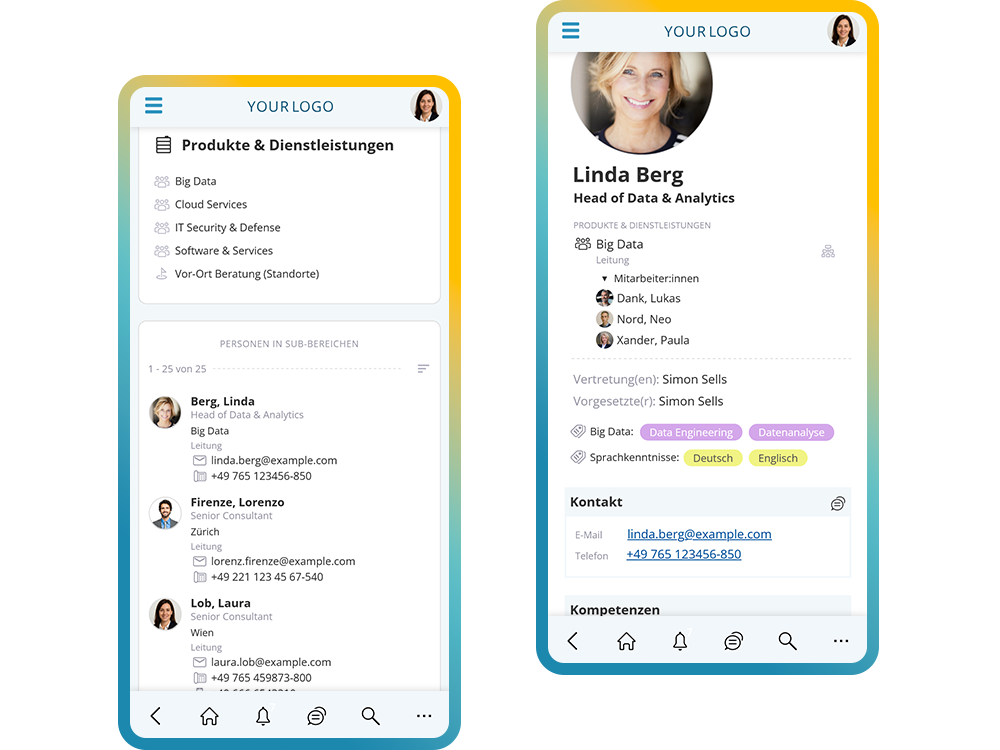
Find the right contact persons with the employee app

Find colleagues & explore the org chart in the employee app

Make your company structure transparent with the KenCube employee app

The employee app makes the entire organizational structure visible – from executive management through departments down to individual locations. A dynamic org chart displays hierarchical levels, responsibilities and team affiliations, and can be printed if needed.

People cards with contact details, roles and qualifications make it easy to find the right expertise within the company. Floor plans, integrated one-to-one and group chats, and a quick search ensure fast orientation and direct communication – all within the employee app.

People profiles can be synchronized with external systems, and login is conveniently handled via Single Sign-on (SSO).

Colleagues & organizational structure features in the employee app:

  • Hierarchical view of the company structure
  • Display of locations, departments & management functions
  • Descriptions of business units and teams
  • Dynamic org chart with print and export function
  • People cards with contact details & responsibilities
  • Tag qualifications and skills for easy discovery
  • Floor plans for on-site orientation
  • Synchronization with external systems (e.g. MS Azure, Google Workspace)
  • Login via Single Sign-on (SSO)
  • Integrated one-to-one and group chat
  • Quick search for people & responsibilities
Find the right contacts with the employee app
Find the right contact persons with the employee app

GDPR-compliant chat via the employee app

Enable secure and GDPR-compliant communication with the KenCube employee app

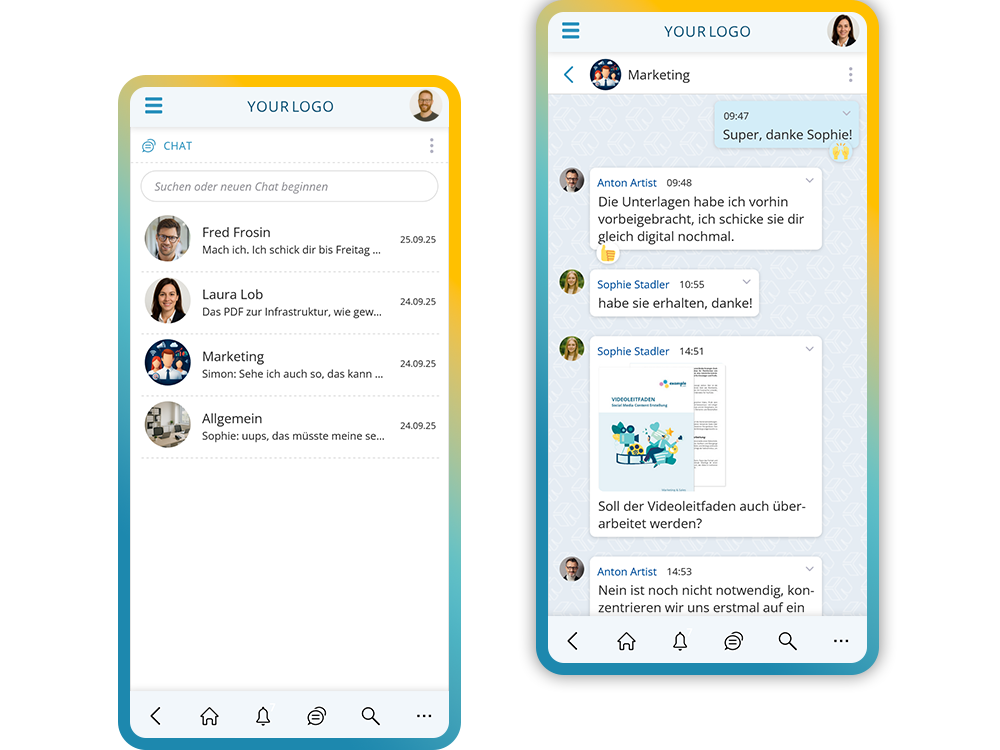
The employee app offers one-to-one and group chats for fast communication within teams or with individual colleagues. All messages are confidential – no admin access to chat content. This ensures secure and protected internal communication.

Benefits of the chat feature in the employee app:

  • Fast one-to-one chats
  • Practical group chats
  • Confidential communication
  • No admin access to chat content
  • GDPR-compliant messaging
Chat in compliance with data protection regulations in your company using the employee app
Chat in compliance with data protection in your company using the employee app
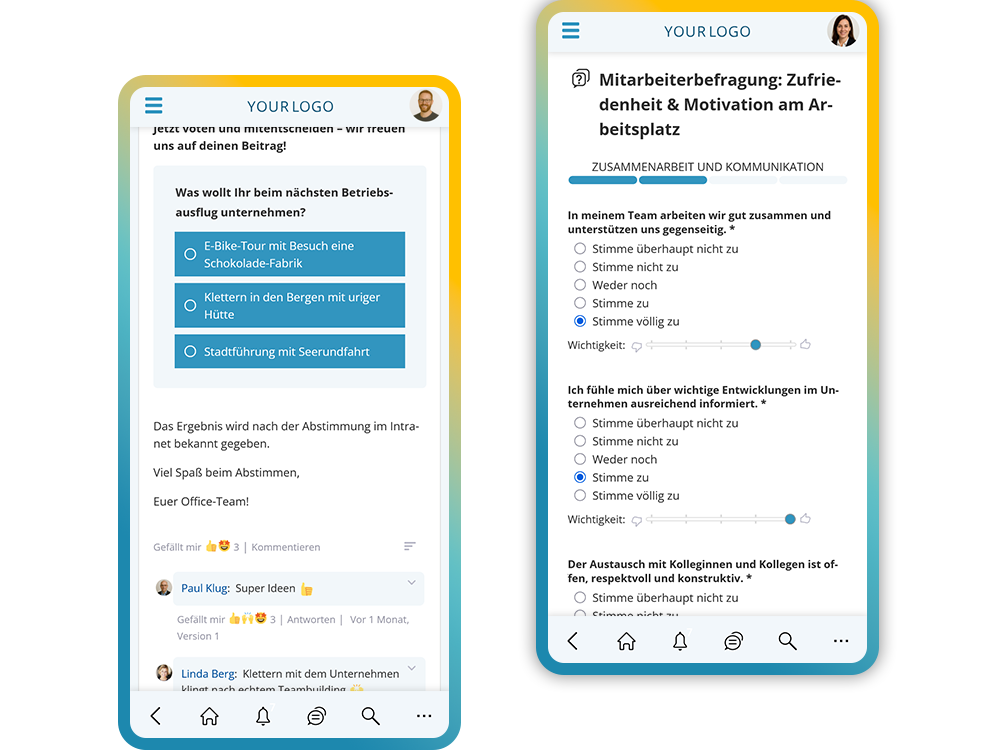
Conduct votes and surveys with the employee app

Participate in surveys & polls in the employee app

Empower data-driven decisions with integrated surveys and polls in the KenCube employee app

The employee app makes it easy to collect feedback from your workforce. Whether quick pulse checks, votes on events, or detailed surveys on internal topics, results are easy to analyze and provide actionable insights.

Use cases for surveys in the employee app:

  • Team pulse surveys
  • Voting on appointments or events
  • Feedback on projects and processes
  • Ideas and improvement suggestions
  • Anonymous opinion surveys
Conduct votes and surveys with the employee app

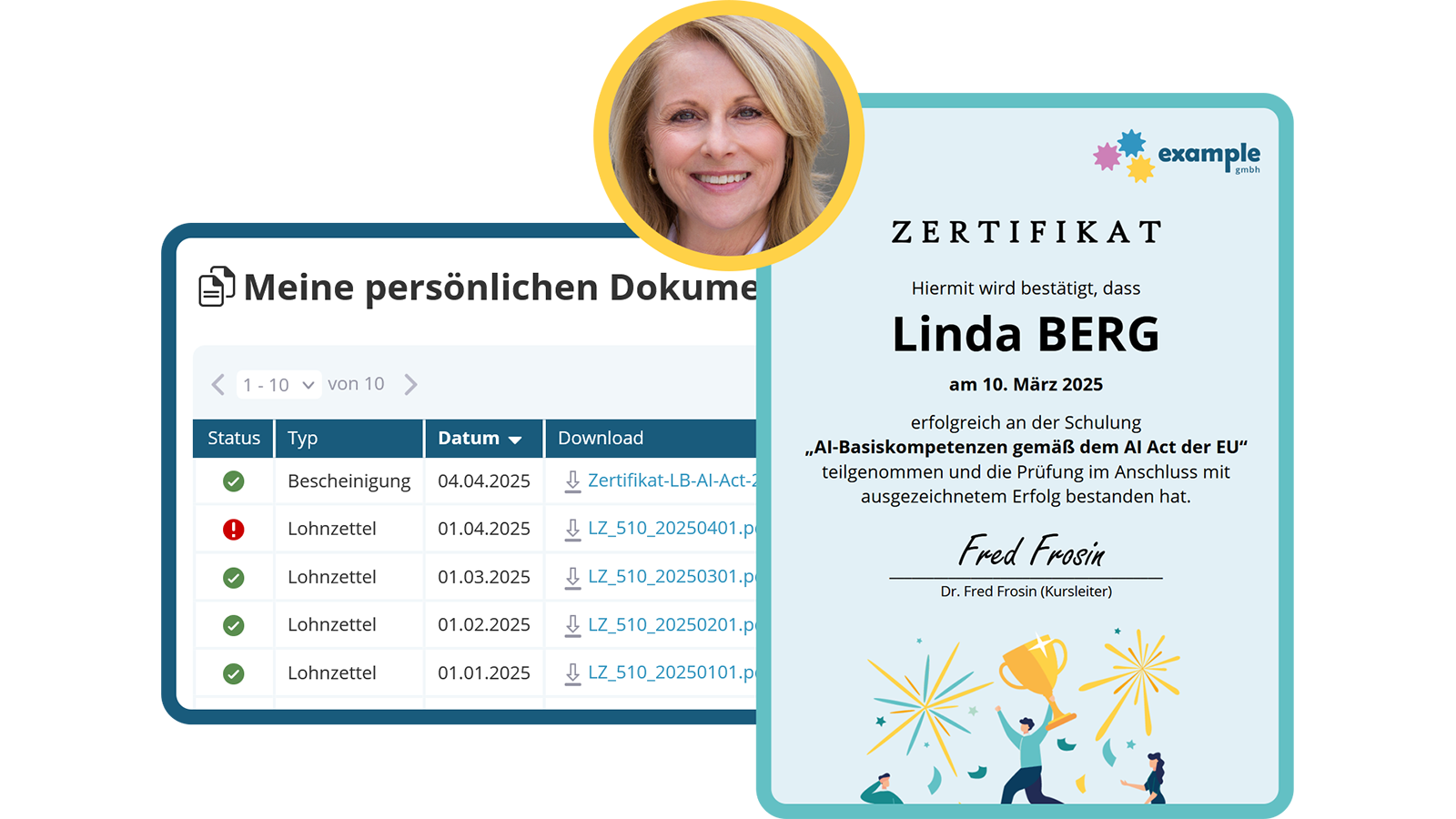
Receive personal documents in the employee app's eBox

Access personal documents securely via the KenCube employee app

The employee app provides a secure eBox (electronic mailbox) for personal documents. Certificates, statements or returned applications can be accessed directly. Payslips are also available for download at any time. Access is additionally protected by a personal PIN, and documents can be uploaded easily via an automated interface.

Typical documents in the employee app's eBox:

  • Payslips
  • Certificates & credentials
  • Statements & confirmations
  • Returned applications
  • Personal documents from HR systems
Receive personal documents via the e-mailbox
Flexible organization and management of appointment registrations

Manage appointments & registrations in the employee app

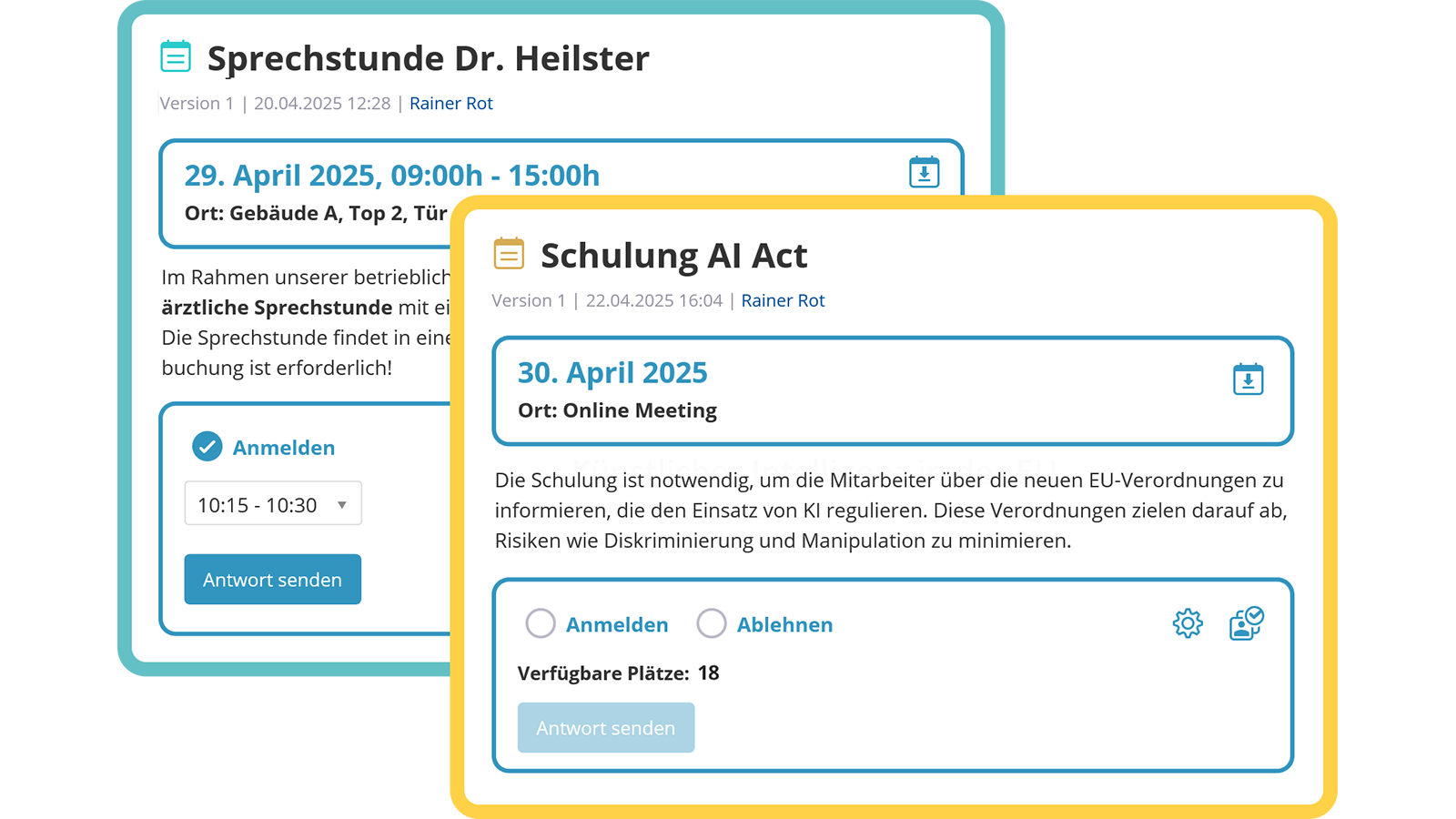
Company calendars and bookings at a glance in the KenCube employee app

The employee app brings different company calendars together in one place, making appointments for seminars, workshops, trade fairs or internal events immediately visible. Organizational schedules such as pick-up or cleaning appointments can also be entered directly. The integrated booking system makes it easy to manage registrations and one-on-one appointments, including an overview of confirmations and cancellations.

Typical use cases for appointments in the employee app:

  • Company calendars for different target groups
  • Seminars, workshops & internal events
  • Trade fairs & external events
  • Facility management appointments
  • One-on-one meetings such as employee reviews
Flexible organization and management of appointment registrations

Digitally confirm agreements in the employee app

Use the KenCube employee app to obtain transparent confirmations

The employee app makes it possible to send policies, instructions or new rules directly to employees and collect their confirmation. Everyone is notified via a task with a notification, optionally also as a push message. The app records exactly who confirmed and when, providing clear documentation. All confirmations can also be exported for external archiving.

Typical use cases for agreements in the employee app:

  • Policies & company rules
  • Work instructions & safety requirements
  • New processes & organizational changes
  • Digital confirmation requirement with proof
  • Export function for external archiving
Have important changes signed off
White label app as an alternative to the KenCube standard app

Branded employee app for greater acceptance & brand proximity

Maximize recognition with a branded employee app

The white-label employee app boosts brand value and ensures clear recognition. Companies can choose a custom app name and use their own logo. A direct installation link in the app stores makes BYOD installation ("Bring Your Own Device") particularly easy for employees. The employee app is available for both iOS and Android and actively supports employer branding.

Benefits of the branded employee app:

  • Freely chosen app name
  • Company's own logo
  • Direct installation link for easy BYOD installation
  • Available for iOS and Android
  • Higher brand value & recognition
White label app as an alternative to the KenCube standard app

AI Companion in the Employee App

Ask questions and get tasks done, right on your smartphone

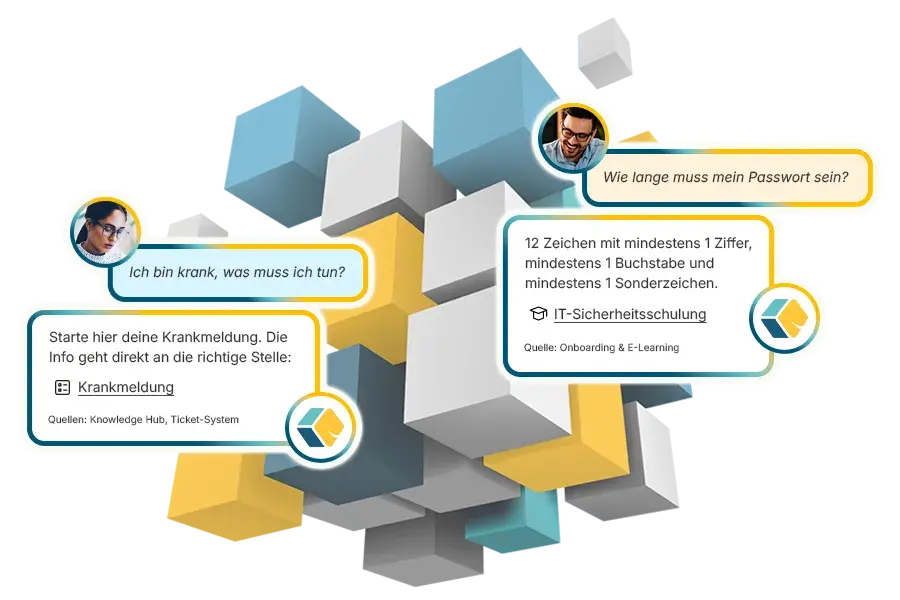
“I'm sick, what do I need to do?” The AI Companion answers in the app with the right steps and links directly to the sick leave form. Ask “How long does my password have to be?” and it answers from the IT security training, each time with a source reference.

Via the MCP interface, the AI Companion also carries out tasks on request, such as creating a ticket for IT. It only uses content the person is allowed to see anyway. The AI Companion is an optional add-on module, and KenCube works fully without AI.

  • AI chat with source references
  • Open tasks at a glance
  • Tasks in activated modules via MCP
  • KenCube's own AI, fully EU-sovereign
  • Alternatively Mistral, Anthropic, OpenAI or your own AI server

More about the AI Companion

Illustration: chat bubbles show the AI Companion answering questions about sick leave and password length with source references
Ask KenCube: answers with sources
DIF
WPH
LWA
NOV
MDC
KHW
THI
Admiral
SWN
COM
LRA
FBS
SBH
ETL
AZK
SAN
SBA
ALP
POE
LEH
DTV
HWK
BLA
VIM
BAR
BMG
BLB
MOL
MON
LTW
WEY
SMZ
REY

Choosing an employee app: checklist for your comparison

What matters in an app for the entire workforce

An employee app only gets used if it reaches everyone and takes work off their hands day to day. That is why access without a company account, reliable push notifications and self-services that go beyond plain news are so important. It also matters whether the app and browser access the same platform or whether two separate systems have to be maintained.

The KenCube employee app is the mobile access point to the Social Intranet Software. Editing and administration happen in the browser, while reading, reporting and confirming happen on the smartphone.

Checklist

  • Does login work without a company e‑mail address?
  • Does the app run on personal devices, even without an app store?
  • Can each person decide which push notifications they receive?
  • Are there self-services such as sick notes, payslips or orders?
  • Do the app and browser use the same content, permissions and accounts?
  • Can content be offered in multiple languages?
  • Is hosting in the EU, with a data processing agreement?
  • Is a standard app included, with white label as an option?

Explore KenCube

We would be happy to present our KenCube Suite to you in a no-obligation online demo.
If you are interested, we can also provide you with access to a free trial version.

Start Free Trial

Frequently asked questions about the employee app

Can an employee app reach employees without a company e‑mail address or company phone?

Yes. The KenCube employee app is designed especially for employees who have no company e‑mail address, no PC workstation and no company phone, for example in manufacturing, logistics, retail or care. Login works with a KenCube login, via single sign-on or both, and can differ by access channel if you wish. The app runs on iOS and Android, including on personal devices, and can also be installed straight from the browser without an app store. Each person decides which push notifications they receive. If a device is lost, the administration signs the account out on all devices.

Can documents be opened in an employee app without an Office license?

Yes. In the KenCube employee app, Word, Excel, PowerPoint and PDF files open directly on the smartphone, without a download, without installed Office and without an Office license. Full-text search covers not only titles but also the content of the files, scanned PDFs included. This way, employees in manufacturing, the warehouse or the field find work instructions, manuals and policies even if they do not know the file name. Updated documents can be given a read receipt.

Can you ask questions in an employee app and get answers from company knowledge?

Yes, with the optional AI Companion. In the AI Chat of the employee app, employees ask questions in their own words, such as “I'm sick, what do I need to do?”, and receive answers from the content of the employee portal, with sources and links. The AI Companion is permission-aware: it only uses content the person is allowed to see anyway. With KenCube's own AI, content never leaves KenCube's sphere of control. Alternatively, you can connect Mistral, Anthropic, OpenAI or your own AI server.

How does an employee app differ from a messenger app?

An employee app combines chat with news, knowledge, documents and self-services in one place. A messenger is mainly intended for messages between people. The KenCube employee app adds push messages from corporate communications, plus forms for sick notes or leave requests, the eBox for payslips and read receipts. The organization manages accounts and permissions centrally. When an account is deactivated as someone leaves, access to all content ends.

Is an employee app GDPR-compliant?

An employee app can be operated in compliance with the GDPR if it runs in data centers in the EU, a data processing agreement under Art. 28 GDPR is in place and the technical and organizational measures are documented. KenCube operates the employee app in ISO 27001 certified data centers in the EU. Permissions apply equally in the app and the browser. This makes the data protection impact assessment and coordination with the works council easier.

How does the rollout of an employee app work?

The rollout works without a major IT project. With the basic setup including training, KenCube sets up the platform together with your organization and shares tips for rolling out the app. How long it takes depends mainly on data migration and interfaces. Employees install the app from the app stores, via QR code or straight from the browser without an app store. If you like, you can start with the free trial version first.

What is the difference between a standard app and a white-label app?

The standard app appears as the KenCube app in the app stores and is included in the license. The white-label app has its own app name and the company logo as the app icon and is set up for an additional fee. Both access the same platform. The white-label app already knows the address of your own employee portal, so nobody has to enter a link after installation. This makes the rollout much easier, especially for employees without their own PC or laptop. The app also appears as its own brand within the company.