DE
DE30 Ideas & Suggestions for Your Digital Workplace
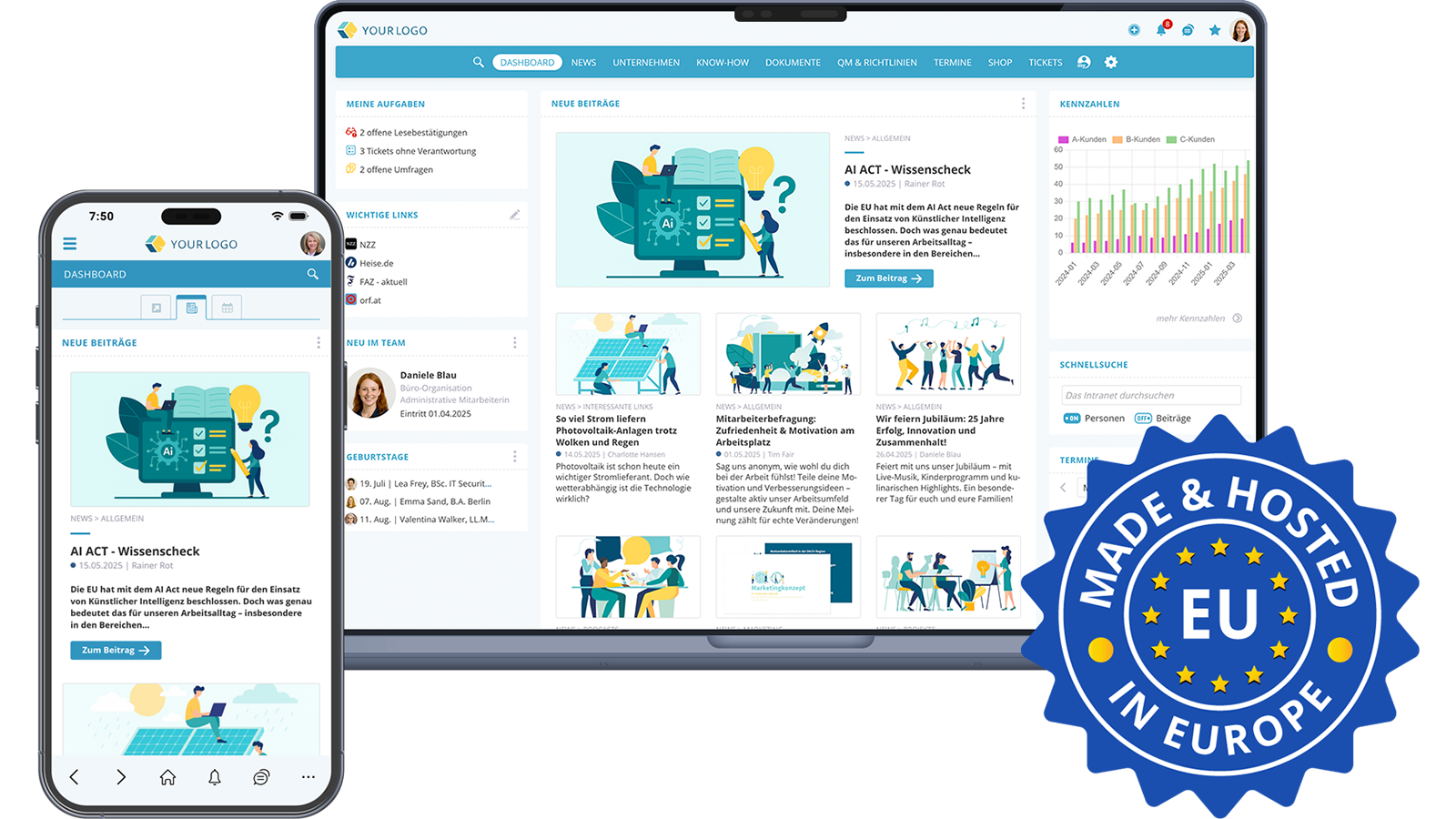
Almost unlimited possibilities with KenCube
The KenCube Suite digital workplace is designed to make everyday work easier and more enjoyable for your employees. It is simple and intuitive to use, much like a social media platform. The following ideas show how you can make your digital workplace valuable, interesting and engaging. The suite lets editors create very attractive content with little effort. Thanks to simple navigation, both writing posts and reading them are fun. Your digital workplace informs and entertains, often both at the same time.
Choose the modules that fit your organization and your needs, and get started!
KENCUBE DIGITAL WORKSPACE | 7 Modules + 1 AI Companion
Today, KenCube is much more than a news platform. As a digital workplace, the KenCube Suite brings communication, knowledge, documents, requests, obligations, learning and projects together in one place, for all employees, whether they work at a desk or not. KenCube is used in the browser at the desktop workstation and on the go in the KenCube app. Both access points use the same platform, and all activated modules and features are available everywhere.
The suite has a modular structure and grows with your needs. You start with three core modules. Four add-on modules and the optional AI Companion can be added at any time. They are integrated immediately, with the same users, permissions and data. This way, your digital workplace grows step by step with your requirements.
Core modules: the foundation
- Communication & Knowledge Hub: Share information, provide knowledge and reliably reach all employees.
- Share Office Documents: Use documents centrally, view them directly and find them again quickly.
- Organization Map: Find contacts, understand responsibilities and explore locations.
Add-on modules: added as needed
- Self-Service with Ticket System: Handle requests and orders on your own. The workflows start automatically.
- Compliance & Quality Management: Obligations and quality as a natural part of daily work.
- Onboarding & E-Learning: From the first working day to audit-proof training records.
- Project Management: Plan projects, track tasks and keep documents in one place.
Optional: The AI Companion: Answers questions and completes tasks in the activated modules.
Every KenCube installation is built on the Platform Foundation with user and permission management, multilingual support, administration, GDPR-compliant EU hosting and personal support. In the following chapters, you will find concrete use cases for each module and, above all, the benefits they bring to your colleagues in their daily work.
COMMUNICATION & KNOWLEDGE HUB | Reach, Inform and Involve Everyone
The heart of every social intranet: In the core module Communication & Knowledge Hub, news, company knowledge, events and dialog come together on one central platform. KenCube informs all employees, including those without a desktop workstation or their own company email address. It always provides the latest information and is everyone's first stop each morning to stay up to date on what is happening in the company.
1. An Overview of Important News and Priorities
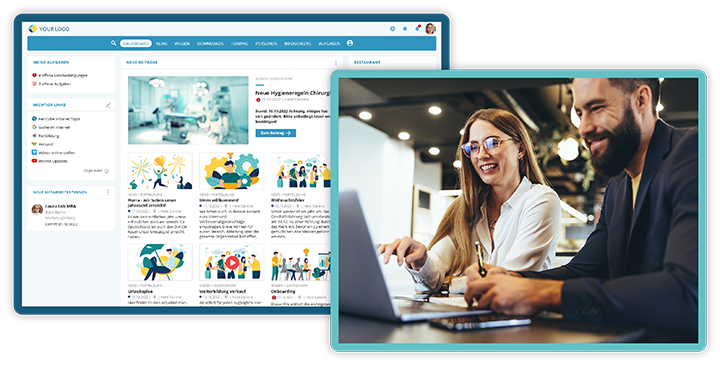
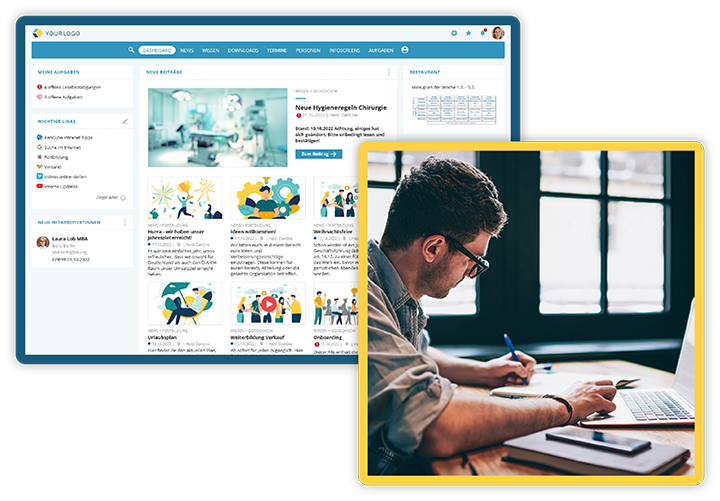
A look at the news feed every morning is all it takes to bring every employee up to date. Current news in the form of text, video and images can be shared and accessed in no time. The dashboard clearly shows which news and priorities there are.
Especially practical: The personal greeting on the dashboard shows each person at a glance what is waiting for them, such as open read receipts, tickets they are responsible for or surveys they have not yet answered. Nothing gets lost, and nobody has to click through different systems.
Thanks to editorial approval, the editorial team keeps control over what is published. This keeps content reliable and quality high.
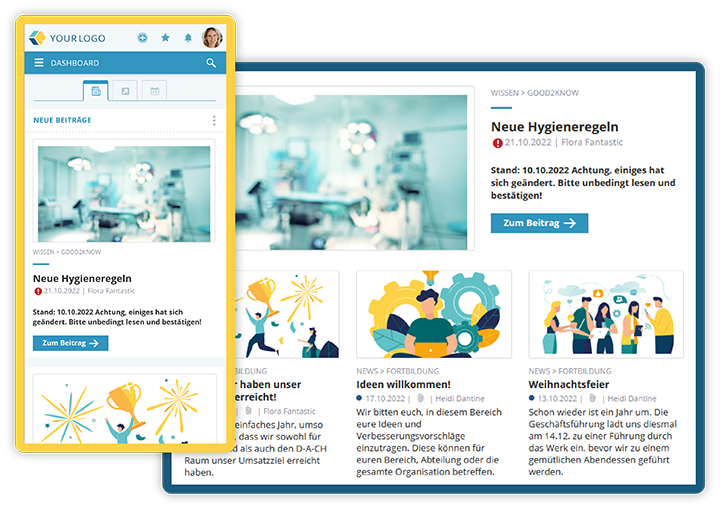
Keep track of all news and important information everywhere
Always Informed with Newsletters or Digest Emails
Are you out of the office for a few days or unable to check KenCube for other reasons? That is not a problem, because you can receive digital newsletters and personalized digest emails about what is going on directly from KenCube. This feature can replace internal newsletters and employee magazines.
The digital version has decisive advantages: It is always up to date. Updates and corrections are easy to make. The company also reduces the flood of paper and saves costs and time. At the same time, employees are informed and motivated every day.
Cultivate Leadership Communication: Share Goals and Recognition
Management can share video messages with goals and recognition for the workforce, or provide a forum where employees can ask questions. KenCube connects groups and people within the company and builds a bridge to the management level. This creates closeness and trust, even across locations and hierarchy levels.
2. One Central, Trusted Source of News
Where do employees get their information about the company? Notice boards in the break room or gossip at the coffee machine are no longer an option, especially when field teams, remote work or several locations are involved. Active official communication can explain what is happening in the company, answer questions and clear up misunderstandings. An up-to-date, interesting intranet is the most important and most trusted source of company news for all employees.
Branches abroad and employees whose native or everyday language differs from the company language benefit from the integrated translation feature. Guesswork and risky, time-consuming self-translations are a thing of the past. Thanks to an interface to DeepL, the award-winning, GDPR-compliant and ISO-certified translation platform, all articles in KenCube can be translated with one click. The AI-powered translations are of the highest quality.
News from a trusted source, translated into the preferred language with one click
3. Motivate Employees
Communicate Goals, Successes & Benefits
As the saying goes: If you don't know where you are going, you won't find the way. Communicating goals, priorities and interim results clearly helps to achieve them.
Awards for outstanding employees and their achievements are also very popular. An article published in KenCube is a sign of appreciation and can inspire the rest of the workforce as well. This way, your digital workplace supports and motivates employees as they work on specific initiatives.
Do good and talk about it! That also applies to internal communication. Are there bonuses for reaching goals or for recruiting new colleagues? KenCube is the ideal place to remind employees of their benefits, whether bonuses, offers or other promotions.
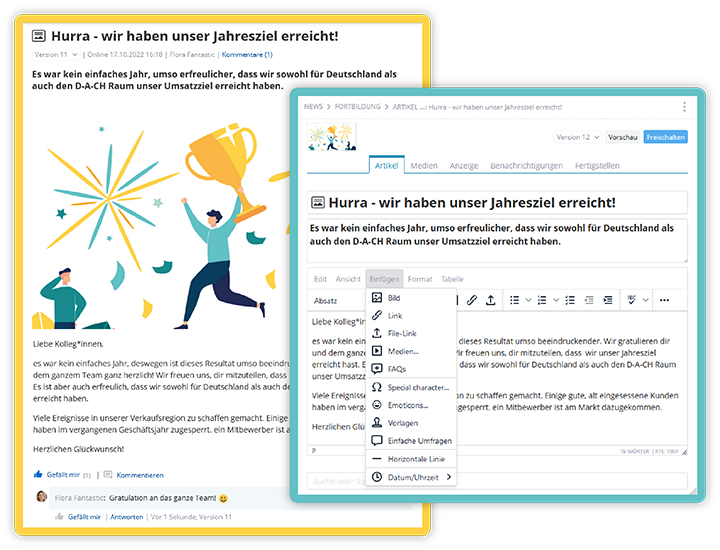
The ideal place to communicate goals, celebrate successes and show recognition
Involve Employees
Pure top-down communication is a thing of the past. With KenCube, employees are involved and heard. Comments, reactions and polls create dialog right where the content is: Employees can comment on posts, react to them, ask questions, take part in polls and contribute ideas. Depending on permission settings, they can also post their own articles in certain areas, for example on the digital bulletin board.
Involving and appreciating the workforce increases productivity and loyalty. At the same time, management learns early on what is on employees' minds.
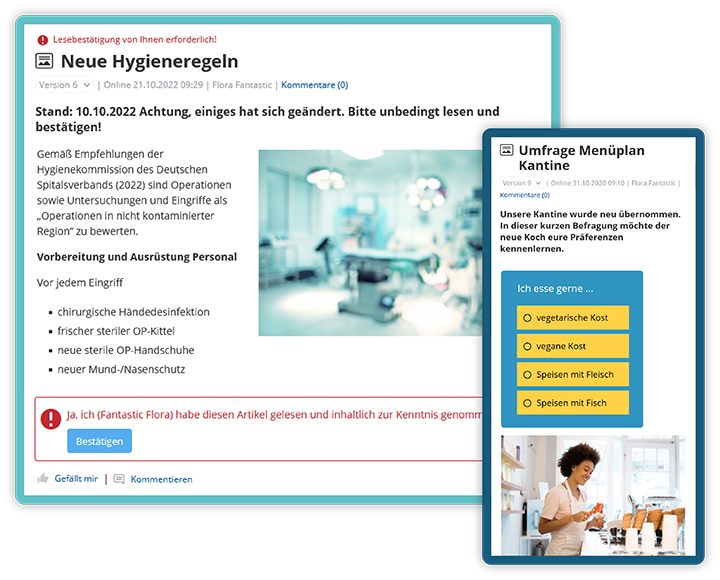
Confirm reading, fill in surveys, like and comment:
just a few of the ways KenCube involves employees
The Digital Bulletin Board
Your digital workplace can even become a paradise for bargain hunters. In just a few clicks, you can set up a virtual pinboard where all employees can sell, give away or find items, look for an apartment or recruit members for the running group. This strengthens team spirit and makes KenCube a place employees enjoy visiting.
4. Fast and Secure Exchange in the Chat
A quick question to a colleague in the warehouse, a vote in the project team or a message to the whole shift? With the GDPR-compliant one-to-one and group chats in KenCube, you can do this without detouring through private messenger services. Conversations stay where they belong: on your protected company platform.
For employees, this means fast answers, less email ping-pong and a communication channel that works equally well on the desktop and in the app. For the company, it means no shadow IT and no company information in private chat groups.
5. Everyone Informed Everywhere with the App
Every user can automatically use KenCube in the app on a smartphone or tablet as well. This way, news, knowledge, documents and self-service reach the entire workforce, including employees without a fixed PC workstation or their own company email address, for example in production, care, retail, logistics or field service. All activated modules are available in the browser and in the app.
KenCube is BYOD-ready (BYOD: Bring Your Own Device). This means that, if the company allows it, private smartphones or tablets can be used as well. Biometric authentication can also be used to verify users. This ensures that only authorized people can access the KenCube app.
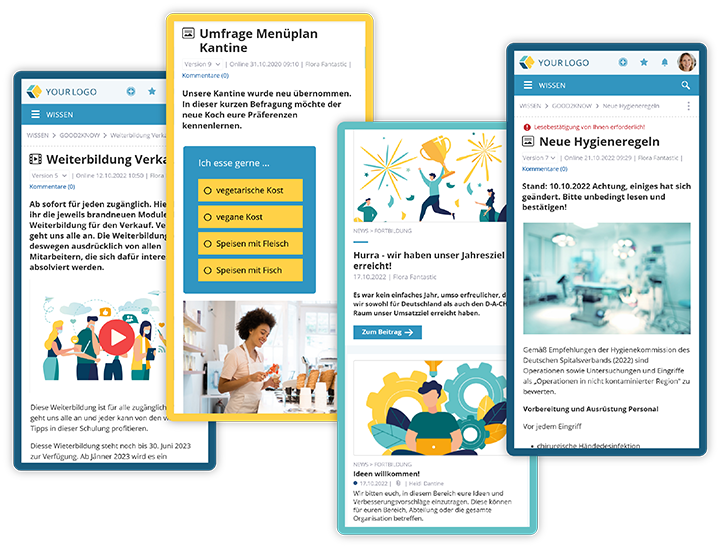
All current information always at hand
6. Crisis Communication Made Easy
In a crisis, good information is crucial. With the optional add-on for crisis and emergency communication, the workforce can be warned and protected quickly through KenCube. Communication takes place in real time, either as a push notification to the mobile phone, as "Breaking News" or optionally with a read receipt. Everyone is informed in time, even before work starts if necessary.
Reliably Informed with Read Receipts, Push Notifications and Pop-ups
With KenCube, employee complaints like "I didn't know that!" or "Nobody told me!" are a thing of the past. Important information can be highlighted in a targeted way: via push notification to the smartphone, as a pop-up when KenCube is opened, by email or with an optional read receipt. This way, the entire workforce is reliably informed.
Those responsible can see at any time who has already confirmed a message. They can follow up with specific people instead of writing to everyone again. This creates commitment and saves time.
7. Regular Reminders with Info Screens
Is there a new product, a summer party or a reward for recruiting new colleagues? This information is even more effective when employees are reminded of it regularly. With the optional Info-Screens add-on, important information for staff, patients or guests can easily be created in KenCube and shown on screens in a loop. This is not only informative but often entertaining as well.
While waiting customers see product highlights on the monitors in the reception area, employees learn about current benefits on an info screen in the production hall. Thanks to multiple channels, different screens can be loaded with different content in just a few clicks, with no additional software and no duplicate content maintenance.
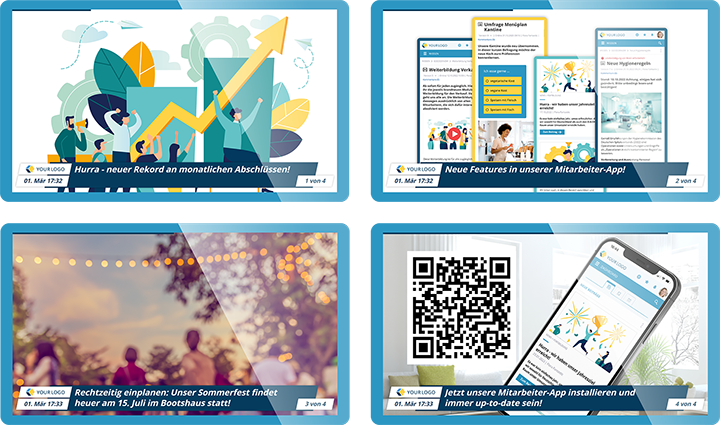
Different info screens in different locations inform, remind, inspire or entertain
8. Access to Knowledge & Know-how
Tired of searching for all the information you need for work again and again? Make your digital workplace the first stop for questions and your central knowledge archive! From product information and relevant studies to internal processes and policies, KenCube equips employees with all the knowledge and know-how they need for their work. This way, expertise is never lost again when key people leave.
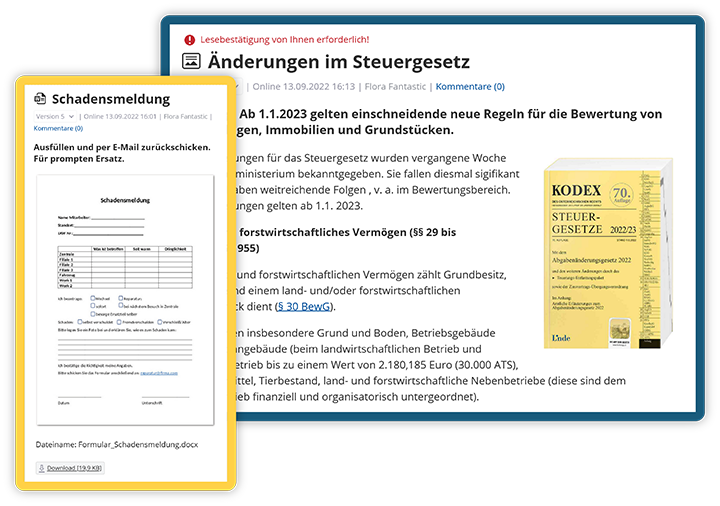
Relevant know-how and important forms are centrally accessible
Company knowledge, policies and specialist information are clearly organized in so-called workspaces. These can be used by everyone across departments or, if needed, made accessible only to individual departments, teams or people. Tags and a glossary ensure that content is not only stored but also understood in the right context. A glossary of company-specific terms and abbreviations is especially valuable for new colleagues.
With the powerful Power Search, users find what they are looking for in KenCube quickly and easily. Thanks to full-text indexing, the search also covers attached files. Optional filters allow searching by topic, time, author and tags.
FAQs: Useful Answers to Common Questions
Asking around again for every question and sending endless emails back and forth? In KenCube, you can easily set up your own FAQ pages. There, recurring questions on specific topics can be answered once and for all. Everyone finds their way around right away, and departments such as HR or IT are noticeably relieved.
9. Organize Events Successfully
Events, trade fairs, seminars, training courses and other appointments can be announced in advance and added straight to your own calendar. Announcing events in good time and making them highly visible increases attendance and makes them more successful. A look at the calendar gives all employees an overview of upcoming dates. After all, emails and their updates can be overlooked, and the notice board in the break room is not accessible to everyone.
You can also create several calendars for different topics (e.g. for training, meetings, projects and much more). Thanks to the sophisticated permission system in KenCube, calendars and events can be addressed to everyone or targeted at specific departments, people or groups.
Registration and Booking with One Click, Optionally with Limited Places or Time Slots
Are you organizing a first aid course with a limited number of participants? If desired, colleagues can register for events directly in the calendar entry, optionally with a limited number of places. This way, those responsible keep track of attendance. It is also much easier to keep track of changes than in long email threads.
The company doctor will soon be in the office and is offering a series of 15-minute consultation slots during a certain period? With the integrated booking system, the editorial team creates appointments with staggered booking options in just a few clicks. Employees choose their preferred slot themselves, without any phone or email coordination.
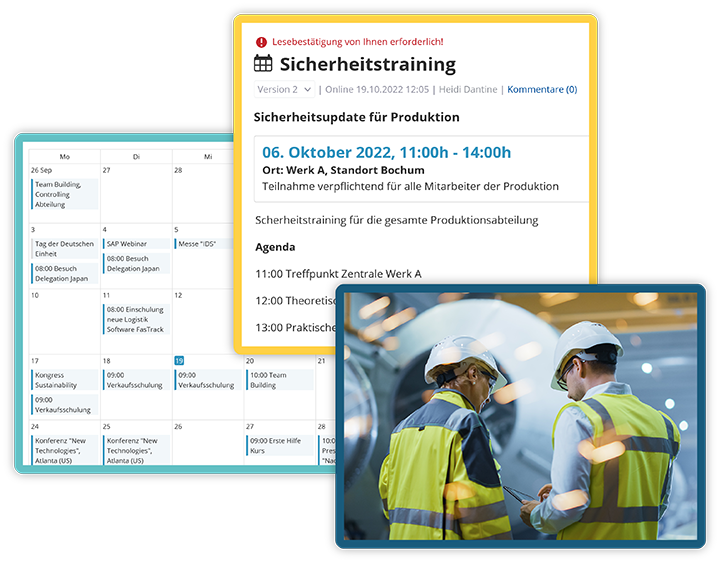
Timely one-click registration for appointments makes them more successful
10. Feedback Through Statistics
Statistics are available automatically at the push of a button and provide interesting insights into how employees use the content and what interests them. This allows the editorial team to adjust content easily when needed and to keep improving the digital workplace.
SHARE OFFICE DOCUMENTS | Use Documents Centrally and Find Them Quickly
We all know the situation: The file you need is somewhere on a network drive, in a colleague's inbox or in three different versions on the desktop. With the core module Share Office Documents, you provide Office and PDF files centrally. They can be read directly in the browser and in the app, are always the current version and can be found in seconds.
11. Read Documents Directly, Without Download or Office License
Word, Excel, PowerPoint and PDF files open directly in the browser and in the app in KenCube. No prior download, installed Office program or expensive Office license is needed. This is a big win especially for employees in production, warehousing, care or field service: They access the same documents on their smartphone or tablet as their colleagues in the office.
Automatically generated preview images and optional short descriptions make orientation easier. You can see at a glance whether it is the right document.
12. Find Content Again in Seconds
Instead of searching folder by folder, a single search term is enough: KenCube fully indexes titles, content, metadata and attachments. Thanks to OCR text recognition, even scanned PDFs become searchable, such as older contracts, inspection reports or delivery notes.
Power Search combines keywords with filters, tags and synonyms and even tolerates typos. If you often need certain search combinations, simply save them as a search set. This saves valuable minutes every day, and spares your nerves.
13. Always the Right Version, Secure and Traceable
Thanks to versioning, everyone automatically works with the current version, while earlier versions remain available and traceable. Permissions define who may see which document. For important documents such as policies or work instructions, read receipts let you know who has already read the document.
If you also want documents to be reviewed at regular intervals, combine the module with Compliance & Quality Management. Follow-up reminders and reviews then automatically remind those responsible of upcoming checks.
14. Communicate Duty Rosters
Whether it is a duty roster in a hospital or a shift schedule in a production plant, the current version is always available in KenCube. If the schedule is an Excel file, it is displayed directly in the browser or in the app, without any Office software on the smartphone. This means that employees without a desktop workstation also have access to the current schedules at all times. When a schedule changes, everyone sees the new version immediately. No more guessing which version is currently valid.
15. Integrate Existing SharePoint Content
Your company already works with SharePoint Online? Then you don't have to start from scratch. Existing document libraries and pages from SharePoint Online can be brought into KenCube workspaces and kept up to date automatically. Existing content becomes accessible in KenCube and appears in the right information context, without you having to rebuild your existing filing structure.
ORGANIZATION MAP | Find Colleagues, Experts and Locations
A company's employees are often its most important resource. The core module Organization Map shows how your company is structured and who is responsible for what. Employees find contacts and expertise with one click, understand the organizational structure and find their way around locations and floor plans. This makes collaboration easier and helps new colleagues from day one.
16. Find Colleagues and Experts Within the Company
For a project, you are looking for someone in the company with basic knowledge of emergency medicine or theoretical physics? The powerful search function shows you in no time which people in the company have the knowledge you need. Person cards bring together photo, role, department, skills and business contact details, and the employee and phone directory is always up to date.
You can contact the right people right away, which ensures successful collaboration and efficient use of resources. Hidden know-how within your own company becomes visible and usable.
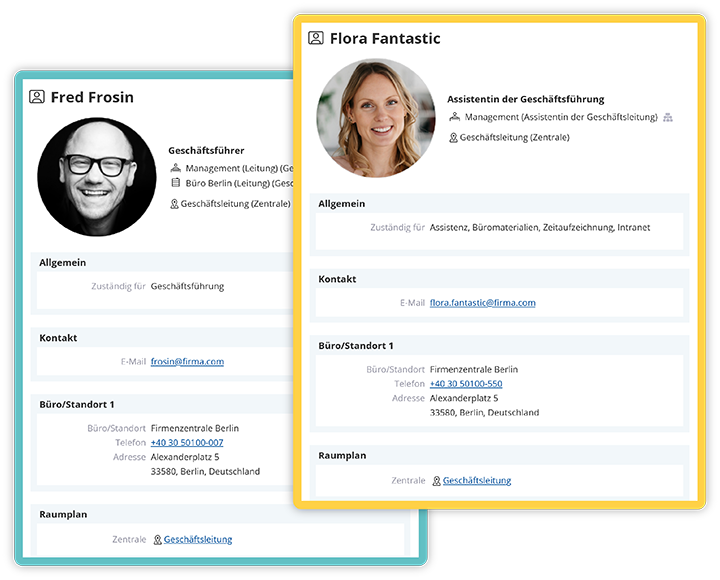
Get to know colleagues and their skills
Your Digital Business Card, Always with You
At a trade fair, at a customer meeting or while networking: Employees can easily share their own person card on the go as a digital business card via QR code or vCard. The other person scans the code and has all business contact details on their smartphone right away. Forgotten or outdated paper business cards are a thing of the past, and the contact details are always current because they come directly from KenCube.
17. More Insight with Interactive Org Charts
The interactive org chart shows the company, divisions, departments and teams with their managers and members, available with one click. Not only new employees gain interesting insights into the organization and, where applicable, into other locations.
Administration benefits as well: When a person card is linked to the user account, organizational units automatically form groups and control the appropriate permissions. Groups and permissions stay in line with the actual organizational structure without tedious manual maintenance.
18. Find Your Way Quickly with Office and Floor Plans
Running late for a meeting with a colleague at another location? A quick look at KenCube, perhaps even in the app on your way there, quickly tells you exactly where you are expected. Interactive plans guide you from the site through buildings and floors to the room, and one click shows people, descriptions or further plans. You no longer waste time searching and arrive on time and stress-free.
In an emergency, every second counts: Tags such as "first aider" or "fire warden" immediately show who nearby can help.
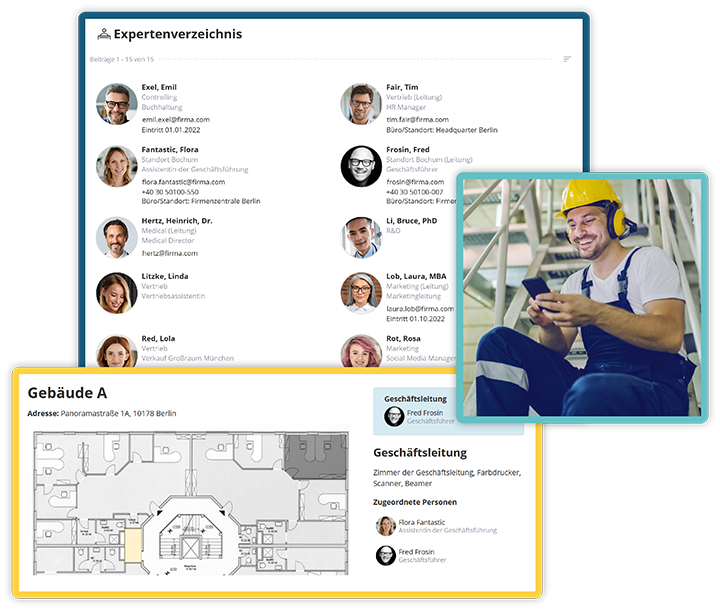
Floor plans make it easy to find colleagues at other locations
SELF-SERVICE WITH TICKET SYSTEM | Handle Requests and Orders Yourself
Vacation request, damage report, new work shoes or the latest pay slip: Many requests in everyday work always follow the same pattern, yet they still take time when handled by email, on paper or by phone. With the add-on module Self-Service with Ticket System, employees handle such requests themselves. Applications, reports and questions start via suitable forms and are automatically forwarded as a ticket to the responsible team. Each person only sees the services that are enabled for them. Never overlook a task or a good idea again!
19. Forms at Hand: Requests Done in a Few Clicks
KenCube makes it quick and easy to find all forms, such as damage reports, sick notes and vacation requests. All forms are kept in their latest version in one central, clearly organized place and can be filled in and submitted at any time, on the PC as well as in the app.
The decisive advantage: A completed form does not disappear into an inbox. It automatically creates a ticket and notifies the responsible team. For frequent cases such as damage reports or sick notes, dedicated buttons can be shown directly on the dashboard. The additional option to add instructions makes administration easier.
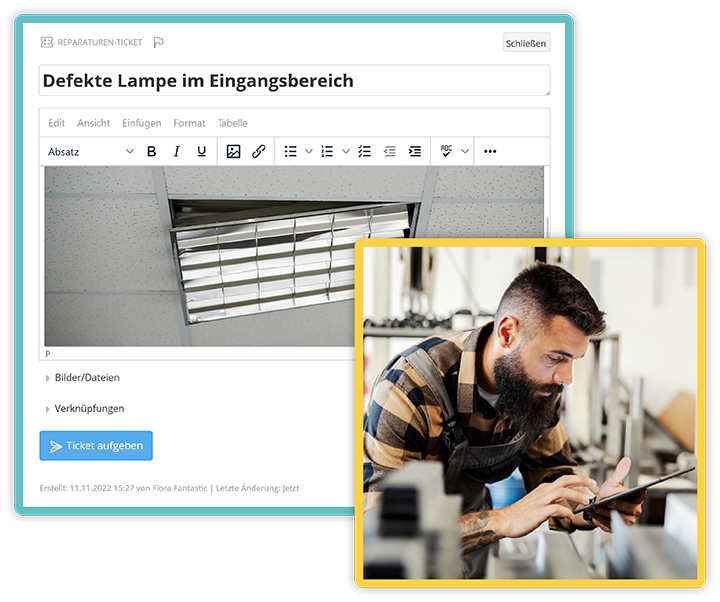
Access forms such as vacation requests, damage reports and sick notes from anywhere
Track Requests as Tickets and Handle Them Smoothly
With the simple yet practical ticket system in KenCube, requests are recorded, prioritized, tracked and completed. Every ticket has a clear status and a clear owner. Questions and answers stay with the ticket. Long email threads and lost information are a thing of the past.
Employees submit their requests via the browser, the app or a Quick Ticket. They do not need their own access to the ticket system: They can see the current status at any time under "My Tickets". The teams handling the tickets always keep track of open requests and responsibilities in the ticket dashboard, as a board or a table. Dedicated ticket channels for IT, facility management, HR or purchasing ensure that every request goes straight to the right place.
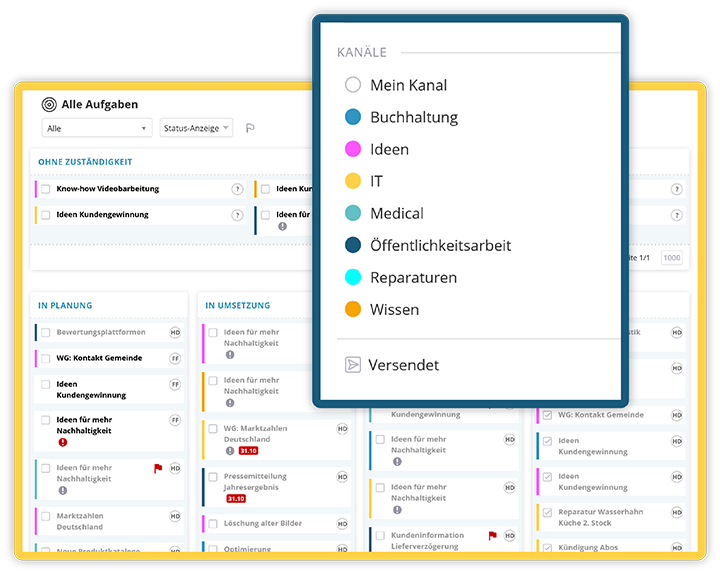
Submit ideas and complete tasks successfully with the transparent internal ticket system
Collect Valuable Ideas and Drive Improvements
Someone has a good idea for optimizing a process or for a new service? In KenCube, anyone in the organization can submit ideas and suggestions for improvement via a dedicated form. Every idea automatically becomes a ticket and goes to those responsible. Ideas that are judged to be good can be implemented quickly. Involving employees from all locations and departments creates appreciation and motivation. Good ideas are no longer lost.
Particularly valuable ideas can also be awarded, and employees can be rewarded for their submissions. This in turn motivates employees to think up and submit further improvements.
20. Provide Work Materials in the Internal Shop
Thanks to KenCube, every employee knows which brochures are available and where to order workwear when needed. In the internal shop, employees order workwear, office supplies or promotional items as easily as in an online store, from clearly organized catalogs with sizes and variants.
Budgets, quotas and approvals control ordering options individually and ensure responsible consumption. Those responsible no longer have to deal with order slips, follow-up questions and collective emails.
21. A Popular Menu Item: The Cafeteria Menu
When stomachs start to growl, everyone is in KenCube. Whether it is the cafeteria menu or an order from the snack bar around the corner, food is a popular topic on every intranet.
Of course, you can simply upload the menu. But KenCube can do more than that: All employees can order food from various restaurants or the cafeteria with one click. The person responsible for handling the food orders can download all orders with a single click and forward them to the suppliers. Hundreds of individual orders on slips of paper, by email or by phone are a thing of the past.
This saves time, and employees enjoy a varied, rich choice of food. In-house cafeterias can be integrated into the system. Ordering in advance makes it easier to calculate the right purchase quantities.
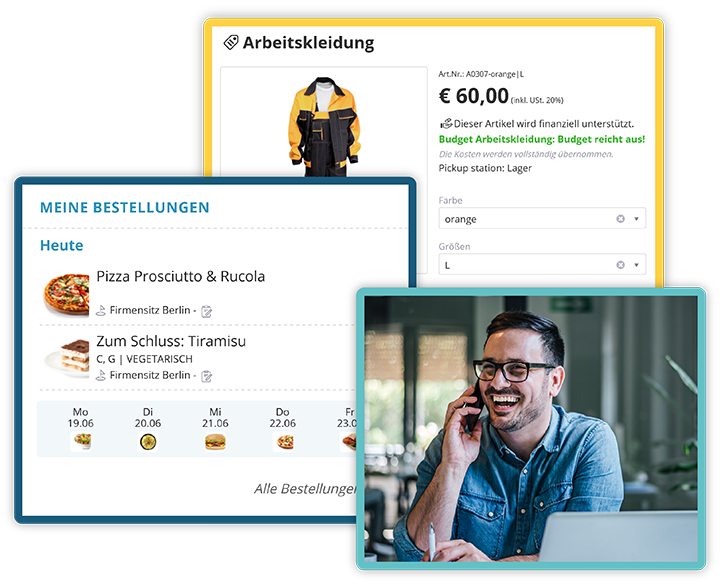
Integrated ordering systems for food and procurement
22. Deliver Pay Slips and Other Sensitive Documents Securely with the eBox
Printing, enveloping and distributing pay slips, certificates or contracts? That costs time, paper and postage. With the eBox, personal documents go directly into the digital mailbox of the respective person in the KenCube digital workplace. Documents are assigned automatically via the personnel number or another matching code.
Data protection is consistently ensured: Only the recipient can open the document. Not even the administrators can see it there. Employees always have their documents at hand, on the PC as well as on the smartphone, even if they don't have a company email address.
COMPLIANCE & QUALITY MANAGEMENT | Manage Obligations and Quality Reliably
Policies, inspection duties, records: Compliance and quality management often involve a lot of paper, Excel lists and reminder emails. The add-on module Compliance & Quality Management makes obligations and quality a natural part of daily work. Agreements are delivered to the right people and confirmed, reviews remind you of upcoming content checks, and recurring records are handled via protocols. Surveys and the confidential whistleblowing system capture feedback and reports in a traceable way.
23. Employee Handbook and Quality Manual Always Up to Date and at Hand
This makes quality management easy: Thanks to KenCube, everyone always has the latest version of the quality management manual (QM manual) or the company handbook with them. It is the first stop for internal questions and at the same time conveys the company culture and values.
To keep the handbook up to date, the module adds reviews with freely definable review cycles. KenCube automatically reminds those responsible of upcoming checks and escalates overdue reviews. Documents and posts remain versioned and are released in a controlled way. This also makes preparing for audits and certifications much easier.
24. Deliver Safety Regulations and Policies Bindingly
Employees have access to current safety regulations around the clock and, if the company allows it, also via the app on their own smartphone. Whether safety regulation, data protection policy or IT usage policy: With agreements, policies are delivered specifically to the people concerned.
Depending on your needs, KenCube obtains optional or mandatory consent. This gives you proof at any time of who has received and confirmed which rule, without signature lists and without paper filing.
25. Document Recurring Inspections Completely
Whether it is the daily temperature check in the kitchen, the regular inspection of fire extinguishers or the safety walk-through in production: With protocols in KenCube, recurring activities and inspections are documented at a set interval, with forms, photos and signature, directly on site in the app. If desired, a second person checks the submission.
The protocol dashboard shows what is done, what is open and what is due. All protocols are archived and can be exported as PDF, ideal for audits, authorities or customers. Paper chaos and lost checklists are a thing of the past.
26. Gain Valuable Insights with Surveys
With the survey feature in KenCube, managers can get valuable feedback on employee satisfaction, engagement and ideas. There are (almost) no limits to what you can ask: Open or closed questions are possible, as are single or multiple choice answers, anonymous or personalized participation and many other settings.
Creating surveys is simple and intuitive. In no time, a survey is online for everyone or for specific groups. The results can be analyzed directly in KenCube with filters, groups and charts and provide helpful insights into your organization. If needed, they can also help improve the content of your digital workplace.
Surveys can help optimize processes, increase employee motivation and reduce staff turnover.
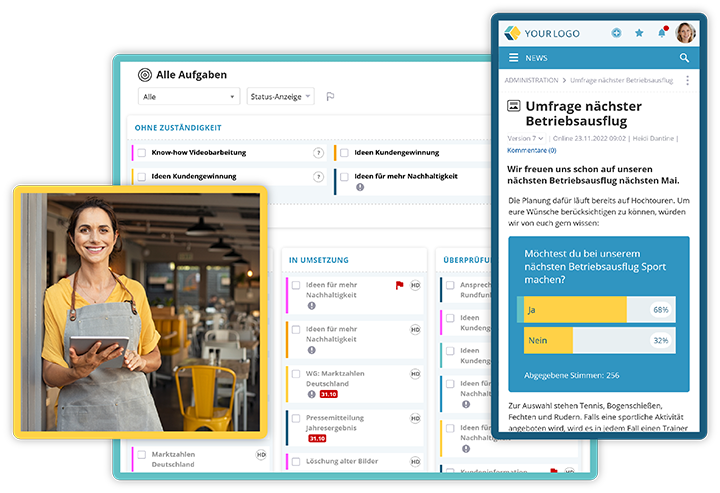
Survey results provide useful feedback
27. Whistleblowing System (Whistleblower Tool)
The EU Whistleblowing Directive and the national whistleblower protection laws, such as the German Whistleblower Protection Act (HinSchG), require companies with 50 or more employees to provide an internal reporting channel. This gives employees the opportunity to report unlawful acts or abuse of law, such as corruption, fraud, misconduct or negligence, under the protection of confidentiality.
With KenCube, you don't need to buy and install a separate whistleblower tool. The whistleblowing system receives reports confidentially and, if desired, anonymously. The confidential feedback channel allows follow-up questions in both directions, even for anonymous reports. The feature is available in the browser and in the employee app.
ONBOARDING & E-LEARNING | Manage Onboarding and Training
A good start often decides whether new employees stay for the long term. Regular training keeps knowledge up to date and covers mandatory training requirements. With the add-on module Onboarding & E-Learning, you handle both directly in KenCube, from the first working day to audit-proof training records. No separate learning platform is needed.
28. Onboarding from Day One
All videos, documents, instructions, contact lists and important forms for an optimal induction are available centrally in one place. Whether product training, sick leave form or travel expense report, new hires can work through everything systematically.
When new employees join their group, they automatically receive the right learning path. A set order and prerequisites guide them step by step through their onboarding. For the existing workforce, this means enormous relief and time savings, because the same questions don't have to be answered over and over again. Updating the documents is done in no time.
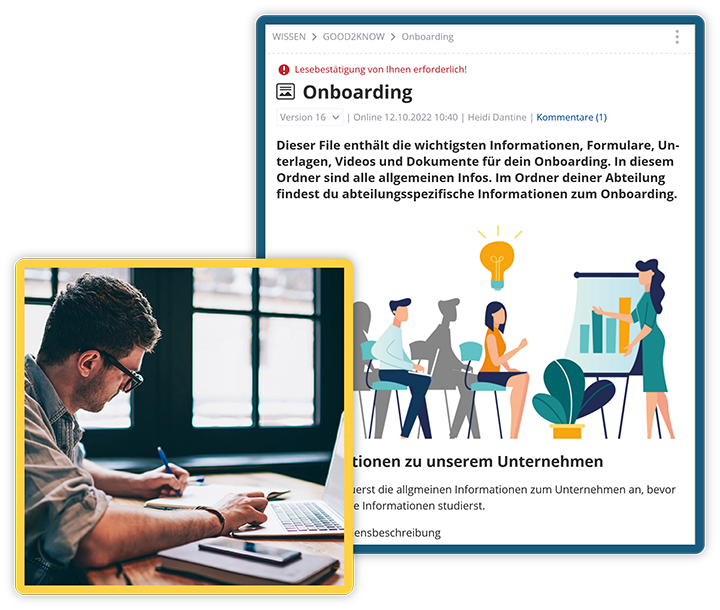
A well-structured onboarding area takes the load off the existing workforce
29. Audit-Proof Records for Training and Mandatory Courses
A training and continuing education area in KenCube also proves very practical. Here, training materials and videos are available digitally to employees. Employees can take sales seminars or compliance courses just as easily as internal product training.
Dynamic groups assign courses in a targeted way, such as the annual safety briefing, hygiene training or data protection training. Deadlines, reminders, quiz questions and minimum scores control completion, and recurring courses automatically become due again. Certificates with a verification link document completion. Reporting takes just one click, ideal when training records are requested during an audit.
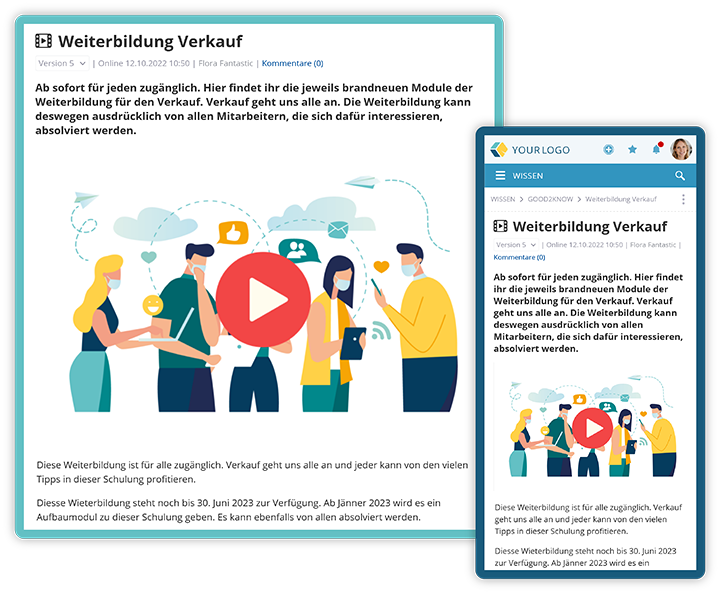
Training can easily be made available to employees
PROJECT MANAGEMENT | Plan and Track Projects in a Structured Way
Projects rarely fail for lack of ideas. They often fail because of unclear responsibilities, scattered documents and missed deadlines. With the add-on module Project Management, you bring work steps, dates, dependencies, owners, progress and documents together in one place, directly in KenCube, with no additional tool and with the same users and permissions.
30. Keep Track of Tasks, Prioritize Them and Complete Them Smoothly
Tasks and subtasks bring together responsibility, status, checklists, comments and history. Everyone on the team knows who is working on what and what needs to be done next. To-do lists are worked through systematically, tasks are assigned and work instructions are documented in a traceable way.
Each team works in the view that suits it best: list, Kanban board, schedule or calendar. The dashboard shows at a glance what is open, in progress, overdue or due next. Filters for status, waiting tasks and your own tasks help you focus on what matters.
Plan Dates and Dependencies in the Schedule
Start and end dates determine the duration of a task in the project's working days. When there are delays, dependencies automatically push successor tasks back and document every change in the history. This saves tedious manual rescheduling and makes the impact of delays visible immediately.
The schedule shows phases, tasks, subtasks and milestones clearly on a timeline in a Gantt chart. Project managers and teams can spot bottlenecks and critical deadlines early.
Connect Project Structure, Roles and Documents
Portfolios and programs bundle several projects, phases structure the work, and milestones mark important deadlines. The project team and project management automatically receive the right permissions.
External partners can be assigned as actors, even without their own system access. Files and linked KenCube content remain available directly in the project. No more searching for the current project folder.
AI COMPANION | Ask KenCube!
Where can I find the travel expense policy? What do I still have to do today? Instead of laboriously piecing content together, employees simply ask the AI Companion. News, knowledge, documents and processes become connected company knowledge that is available at any time. The AI Companion is an optional module and works across all activated modules. The KenCube Suite can also be used without any restrictions without AI features.
Answers Instead of Searching: The AI Chat with Your Company Knowledge
The AI Chat answers questions based on your organization's approved content, with source references and direct links, in the browser as well as in the app. If someone asks about the travel expense policy, for example, the AI Companion provides the current policy along with the responsible contacts. If needed, the chat can also be extended with information from the web.
The benefit: less time spent searching, fewer questions to colleagues and specialist departments, and faster onboarding of new employees. Thanks to the source references, every answer is traceable and verifiable. The editorial team benefits as well: Editorial AI support helps create posts faster.
Get Tasks Done on Request
The AI Companion does not just answer questions, it also lends a hand. Asked "What do I still have to do today?", it lists, for example, an open safety briefing, a pending vacation approval and a read receipt, brought together from the different modules.
Via the MCP interface, the AI Companion also carries out tasks in the activated modules on instruction. One example: "Create a ticket for IT." This also requires the Self-Service with Ticket System module to be activated. The responsible person reviews the draft with the same permissions as for manual work, so control always stays with people.
AI That Respects Company Rules: EU-Sovereign and Controllable
When it comes to AI in the company, questions about data protection and control are justified. KenCube answers them clearly: The AI is permission-aware, which means it only processes content that the respective person is allowed to see anyway. Who can use the AI tools can be controlled per user. The AI Companion can also remain completely deactivated. Approvals are controlled and logged.
With KenCube's own AI, open-source models run on dedicated KenCube hardware in the EU. Content does not leave KenCube's sphere of control, no third-party AI service is involved and no third-party API key is required. Fully EU-sovereign. If you prefer to use a specific provider, you can alternatively connect Mistral, Anthropic or OpenAI with your own API key.
FREQUENTLY ASKED QUESTIONS | Social Intranet and Employee App
What is a digital workplace?
A digital workplace is a central platform that brings together everything employees need for their daily work: communication, company knowledge, documents, requests, obligations, training and projects. Instead of switching between many systems, emails and file storage locations, all information and services are in one place, in the browser at the workstation as well as on the go in the app.
This way, the digital workplace also reaches employees without a PC or a company email address. The KenCube Suite is a modular, GDPR-compliant digital workplace with an optional AI Companion that answers questions and can complete tasks.
Which modules does the KenCube Suite include?
The three core modules Communication & Knowledge Hub, Share Office Documents and Organization Map form the foundation. They are complemented by the add-on modules Self-Service with Ticket System, Compliance & Quality Management, Onboarding & E-Learning and Project Management, as well as the optional AI Companion. Info-Screens and crisis and emergency communication are available as add-ons.
Can employees without a PC workstation or company email address use KenCube?
Yes. KenCube is used in the browser and in the KenCube app. This means that news, knowledge, documents and self-service also reach employees in production, care, retail or field service. If the company allows it, the app also works on private smartphones (BYOD).
Is KenCube GDPR-compliant?
Yes. KenCube is hosted in compliance with the GDPR in ISO 27001-certified data centers within the EU and has been awarded the Cyber Trust Austria/Europe Label in silver. KenCube is an Austrian, owner-managed company with more than 25 years of experience in software development.
Do you have to use the AI features?
No. The AI Companion is optional, can be activated per user and can also be completely deactivated. The KenCube Suite can be used without any restrictions without AI features.
Can you start small and expand later?
Yes. Not every organization needs everything right away. KenCube starts with the core modules and grows module by module. Every module you add is integrated immediately, with the same users, permissions and data.
But this overview is never complete, because even as you read this, we are working on several new features that we continuously integrate into the KenCube Suite at our customers' request.
Do you have any questions? Would you like to get to know KenCube better and perhaps even try it for free? Then schedule a no-obligation demo appointment on our website.
Download: KenCube - Ideas and Use Cases for Your Social Intranet.pdf (German)

Heidi is responsible for marketing at KenCube. When she's not creating new marketing materials, she enjoys engaging with customers and prospects, using KenCube to find solutions to their internal communication and collaboration challenges.
 Practical selection of features