DE
DEThe Benefits of an Intranet & Employee App
An intranet with an employee app solves this problem. The platform ensures that employees who do not work at headquarters or do not have a desktop workstation are also involved in what is happening in the company. With an intranet solution, employees are always well informed, and the matching employee app makes it possible to bring all employees on board regardless of location.
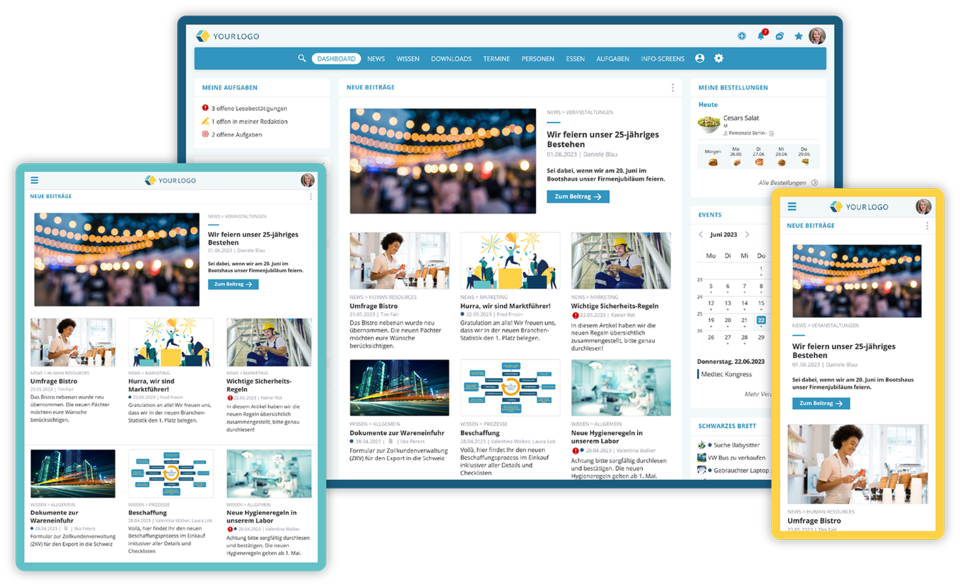 Employee app for smartphone/tablet or via desktop browser
Modern intranet solutions, also called “social intranets”, are ideal for reaching employees and providing them with relevant information and knowledge. They are the ideal vehicle for sharing company goals, results, policies, benefits, training and much more. An intranet platform with an employee app improves communication, motivation and collaboration among employees within a company and conveys the corporate culture at the same time. An intranet also creates the perfect opportunity to involve the entire workforce and show appreciation. The platform also connects employees with each other. This is very beneficial, especially when there are several locations or when employees are not always on site, as is the case for field staff or people working from home.
Employee App for Employees Without a PC
Good intranet systems can also be accessed via an employee app. With a modern, high-quality app for the intranet, users have access to the information and functions available in a company's social intranet. This means that all important company information, functions and communication channels of the intranet are also available to employees in the app. In most cases, they can also manage tasks, download documents and use the various calendar functions. With the employee app, all employees therefore have every option for communication and collaboration, regardless of their location and department. When the intranet is available via an employee app, a company and its employees enjoy a wide range of benefits that significantly improve information, communication, knowledge management, employee retention and efficiency.
It is important that the intranet and the employee app have a user interface that is as simple and user-friendly as possible. Often the app and the browser version of the intranet have the same functions and the same menu navigation. This ensures that mobile users can also take full advantage of the intranet. Employees who switch between the browser and the app also benefit, because they immediately find their way around in both. Real employee apps are optimized for mobile use on smartphones or tablets. This makes the app a comprehensive tool that makes everyday work considerably easier.
Employee App vs. Intranet via Browser on a Mobile Device
Of course, an intranet can also be accessed on the go via the browser on a smartphone. Employees do not necessarily need an app to use the intranet. But a good employee app offers additional benefits that are not available when using the intranet in the browser.
One of the most important benefits of the employee app is reachability in urgent cases. For example, the app can send push notifications to employees for important, urgent news. This way, employees can be informed about important events in real time at any time, for example in the case of safety warnings. This is particularly useful for employees without a work email address and without company devices. This feature is not available if the app is not used.
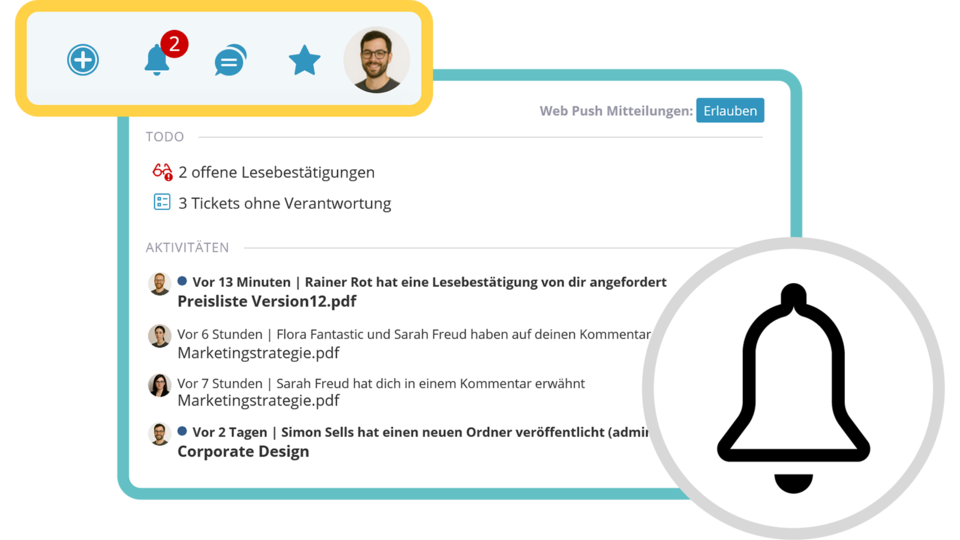 Keep track of all notifications in one central place
Good employee apps are usually BYOD-ready (BYOD: Bring Your Own Device). They can also be installed on private smartphones or tablets if the company allows it. Using the app requires neither a (work) email address nor a company phone or tablet. A solid app offers biometric authentication, which ensures that no unauthorized persons can access internal data. Logging in to the app is therefore secure and user-friendly.
Navigation in a high-quality app is also optimized for mobile use on smartphones or tablets. When using the app on the go, users usually find their way around faster and more easily than when using the intranet in a mobile browser.
It may make sense to clearly communicate these benefits to non-desk employees in order to increase acceptance and use of the employee app.
Practical Features of the Employee App
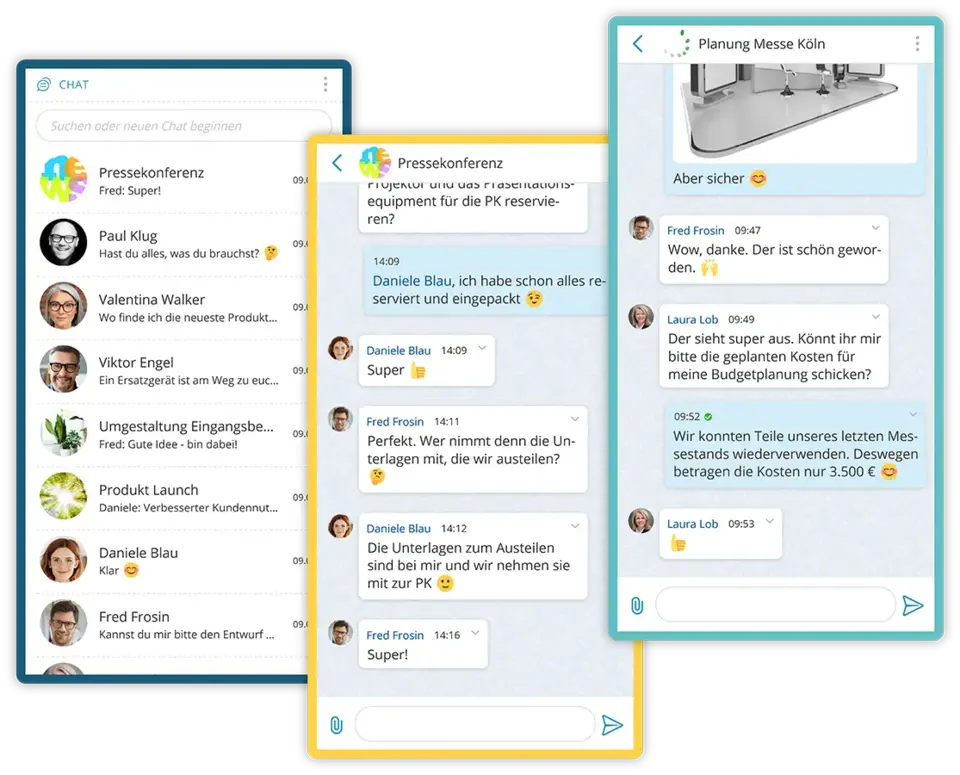
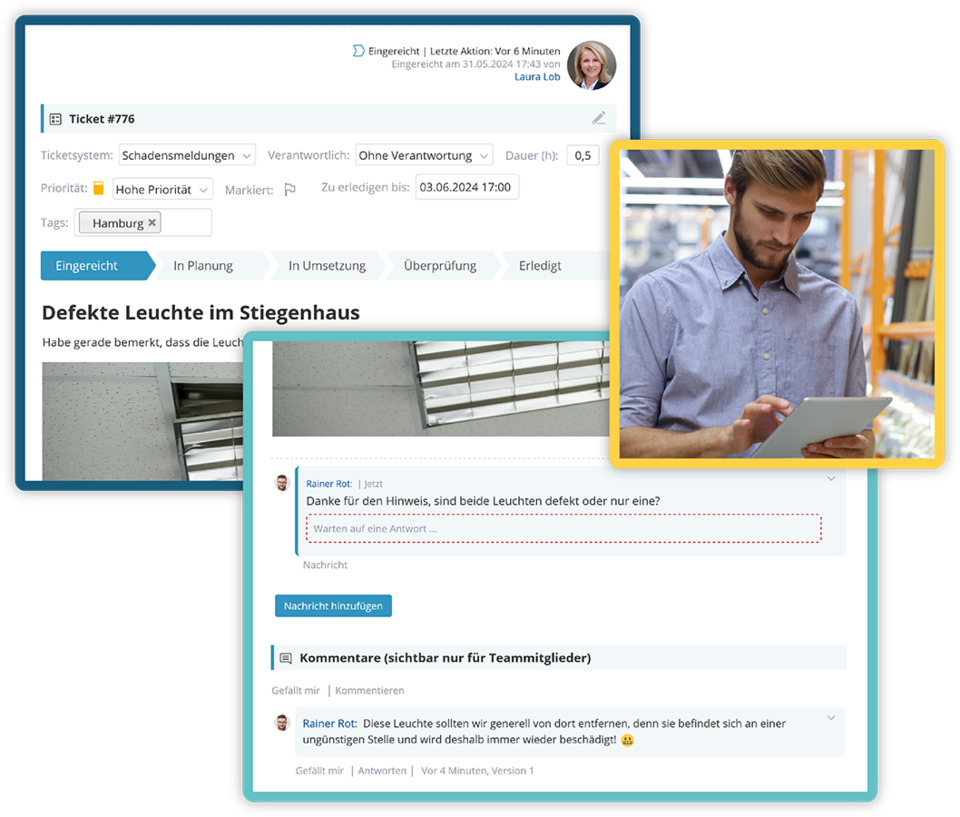
Using the employee app is also practical because users stay logged in to the app and do not have to log in again every time. Another advantage of the app is that colleagues can be reached easily via chat or phone directly from the app with just a tap on the touchscreen. Employees can also take photos of damage, merchandising or similar with their phone and send them straight to the office in the app.
Another plus of a good, modern employee app is the digital business card. App users can easily share their digital business card with business partners via QR code on their smartphone at events, trade fairs and conferences.
Overcoming Hurdles When Introducing an Employee App
Introducing an employee app usually presents organizations with somewhat different challenges than introducing an intranet. An intranet is normally installed on the desktop computer at the workplace. It is available to employees with a PC effortlessly, as a matter of course and without hurdles. It often even opens automatically every morning when the browser starts.
The employee app is different. Employees often have to install it on their private smartphones or tablets. The effort and the hurdles involved in installing an app on your (own) mobile phone or tablet are considerably greater.
For employees who are not very tech-savvy, the hurdles may start with downloading and installing the app. They extend to concerns about security and data protection. Employees may be afraid of being flooded with work messages outside their working hours. Here the company must set clear rules that messages are only published after hours in very important and urgent cases or only to protect employees. It is then important that the company actually follows these rules.
Some employees are also worried about being “monitored” through the app. They suspect that the app tracks usage times and similar data in a detailed, personalized way and passes it on to the employer. European, GDPR-compliant employee apps do not do this. It is up to the company to communicate these details to its employees clearly, understandably and proactively.
This raises a question for many companies: how do I get employees to install the employee app on their private smartphones in the first place? There is a whole range of possible measures that help implement an employee app successfully:
1. Setting Up a Point of Contact for the Employee App
A Point of Contact Removes Technical Hurdles
As a first step, it can make sense to choose one person or a small team in the company as the point of contact for questions about the intranet and the employee app. The people in this role are technically skilled. They help less tech-savvy colleagues install the app, log in and set everything up correctly. This is also an opportunity to answer open questions and address any concerns. This point of contact also provides education. It can explain both the functions and the benefits of the employee app.
Removing Mental Hurdles: Explaining Data Protection
Some people have data protection concerns about apps. They may be afraid of being monitored if they download the app to their private smartphone. However, high-quality, reputable apps from the EU meet high security requirements and are subject to strict data protection rules. The point of contact can explain data protection and address concerns and fears. It can also help colleagues choose the right notification settings so they receive important messages.
Defining, Communicating and Following Rules
It helps to set a few rules for the employee app, communicate them and follow them. In their free time, employees generally do not want to be bombarded with company news from their employer on their private phones. Urgent messages for their protection and safety can be an exception. That is why it is advisable to define times during which no messages are published in the intranet, or only in urgent cases. This way, companies avoid annoying their employees with company news in their free time. This increases acceptance of the solution and the willingness to install the employee app on private devices.
2. Needs Analysis and Objectives for the Employee App
Before an organization introduces an intranet or an employee app, it can carry out a needs analysis. This is best done with a questionnaire, either digital or on paper, depending on how employees can be reached. Ideally, the questionnaire should be distributed to all employees, especially those without a desktop computer or work email address. After all, these are the employees who benefit most from an employee app. It is an excellent way to identify employees' specific needs and challenges. Employees can state which information and functions they need and want.
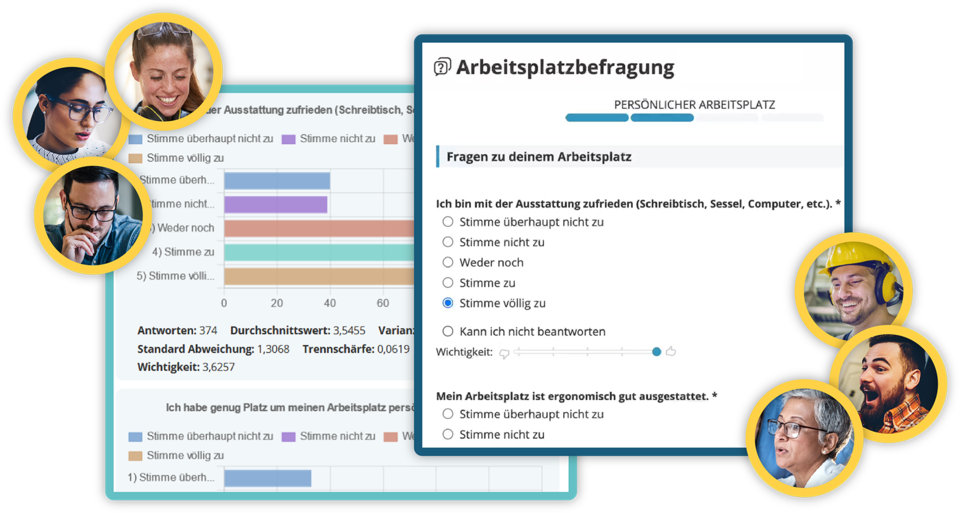 Run and evaluate internal surveys directly within the social intranet software
Asking employees about their needs is an important step toward them. It builds trust and signals that the company is willing to take employees and their needs seriously and listen to them. Surveying employees' needs is a form of respect and appreciation.
Based on this, the next step is to set clear goals for what the company wants to achieve by introducing these tools. These can be, for example, better communication, higher employee satisfaction or more efficient processes. Employee feedback can be incorporated here. It can be very interesting for the company to learn what information, knowledge and communication needs its employees have.
Asking about needs is also a good way to indirectly promote the intranet, the employee app and their functions.
3. Choosing the Right Intranet Platform
There are numerous intranet and employee app solutions on the market. It is important to choose a platform that is user-friendly and meets the company's specific requirements. Real employee apps have the advantage of being optimized for different mobile devices (smartphones, tablets) and intuitive to use.
An employee app has the advantage that push notifications from the intranet can also be sent to smart devices. This is especially important for employees who have neither a company email address nor a desktop workstation. But all employees benefit from being able to access the intranet via an app whenever they are not sitting at their computer.
4. A Good Introduction to the Employee App Is Essential
Successfully introducing an intranet and employee app requires thorough employee training. This can take place via video, webinar or live presentation. Ideally, the training is then available as a recording so it can be watched again at any time. This way, all employees learn how to use the intranet and employee app. It is also important to highlight not only the functions but also the advantages and benefits of the tools for employees. The better employees understand how the intranet and employee app help them in their daily work, the more they will use them.
5. Good Onboarding for the Employee App Matters
There is also a whole range of practical measures to inform employees about the employee app and bring them on board. In addition to the information event (see point 4), postcards or flyers are a good way to inform people about the employee app. They should include the QR code for downloading the app, possibly the personal login details and a short explanation of everything the app offers.
In manufacturing companies where many employees work at machines and do not necessarily have a desktop workstation, display stands can be a good way to inform them. It is also practical to show the QR code for downloading the app here. This way, all employees can download the app easily. The same applies to info screens in the entrance area, the production hall or the break rooms. All important information and benefits of the app, including the QR code for the download, can run in a loop on the screens.
A self-made video can also work wonders for acceptance. You can present the different departments and the content they provide for their colleagues in the employee app.
Prize draws and seasonal incentives, such as an Advent calendar before Christmas or an “Easter Egg Hunt” at Easter, bring fun into everyday work and actively involve employees.
Surveys and polls are a good way to make the employee app appealing to employees. Employees generally like being asked for their opinion or assessment. They appreciate the opportunity to contribute and be heard. The intranet with employee app is a democratic tool for this in which everyone can take part.
High-quality intranet and employee app solutions often also offer simple ordering systems. These range from lunch ordering to ordering office supplies, promotional materials or workwear via the employee app. This can also be a good way to bring employees on board.
6. Relevant and Interesting Content
Make sure that the intranet and the employee app offer relevant and useful content. This can include company news, training materials, useful background knowledge, documents, important dates and much more. Ideally, the employee app also offers other functions such as chat, areas for specific departments, a project management tool and survey options. These promote exchange and smooth collaboration.
7. Exclusive Content
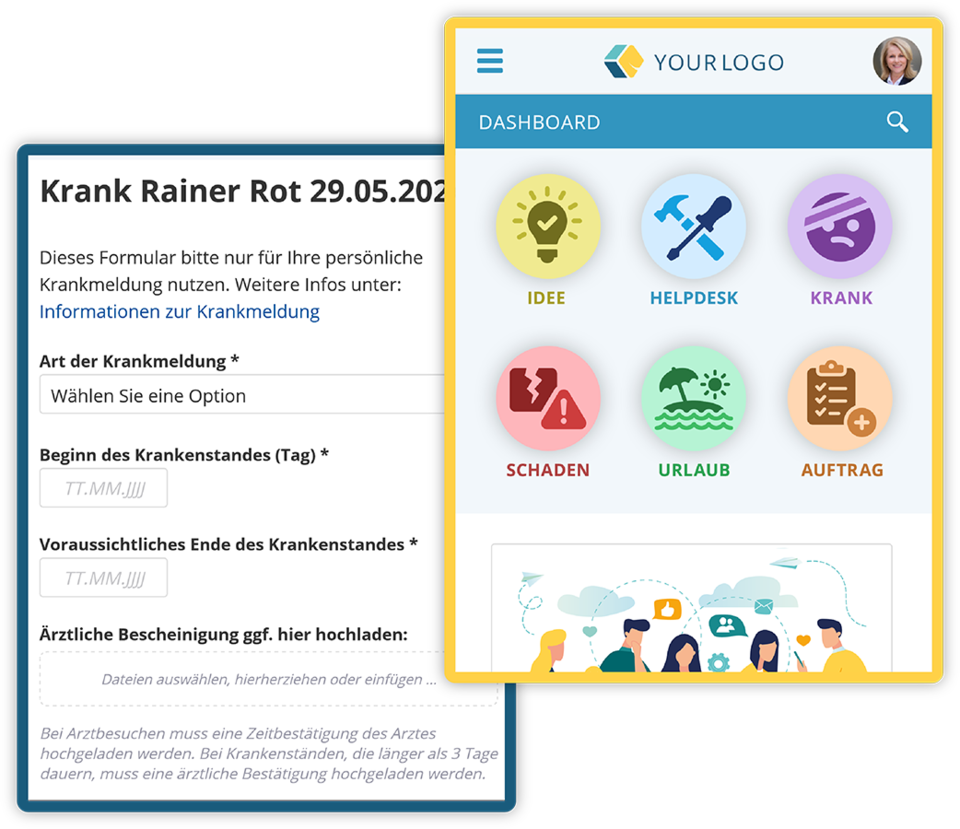
To increase use of the intranet via the employee app, it helps to make certain important information and documents, such as the vacation request or sick note form, available only in the intranet or the employee app. Incentives available in the company, such as bonuses or vouchers, can also be presented in the intranet. This motivates employees to check the intranet or the employee app.
8. Feedback and Continuous Improvement
It makes sense to collect feedback from employees regularly to find out how satisfied they are with the intranet and the employee app. Good intranet solutions offer simple survey options. This feedback can be used to continuously improve the internal network and adapt content to employees' needs.

Heidi is responsible for marketing at KenCube. When she's not creating new marketing materials, she enjoys engaging with customers and prospects, using KenCube to find solutions to their internal communication and collaboration challenges.
 Practical selection of features