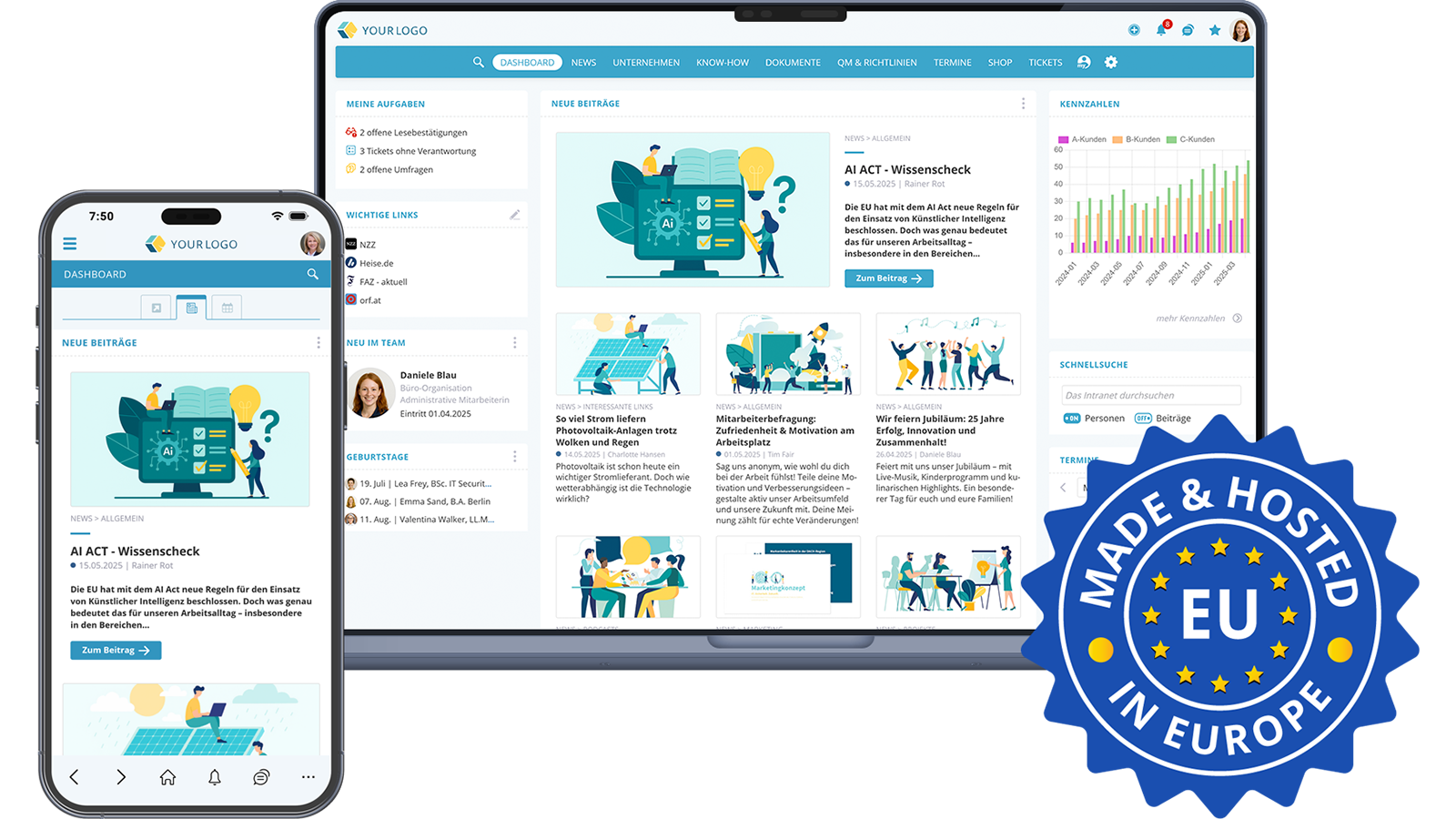
 DE
A typical working day shows why this distinction matters. The work instruction sits on a network drive, while the latest version is hidden in an email attachment. The time-off request form is in the HR portal, the follow-up question runs through chat and the proof of the annual safety briefing is kept in an Excel list. Each application works on its own. The time is lost in between.
1. What is a digital workplace? Definition
A digital workplace brings together all the information, tools and processes employees need for their daily work on one shared platform. It is available in the browser on a PC and through an employee app on a smartphone, so it also reaches frontline employees without a desk of their own.
What matters is the link between information and action. Anyone who reads a new policy confirms it in the same step. Anyone with a question about travel expenses finds the answer and the right form side by side. Anyone who wants to get to know a new team sees responsibilities and contact details in the org chart.
A digital workplace is therefore the shared place for communication, knowledge, requests, obligations and learning. The platform adapts to the way the company works.
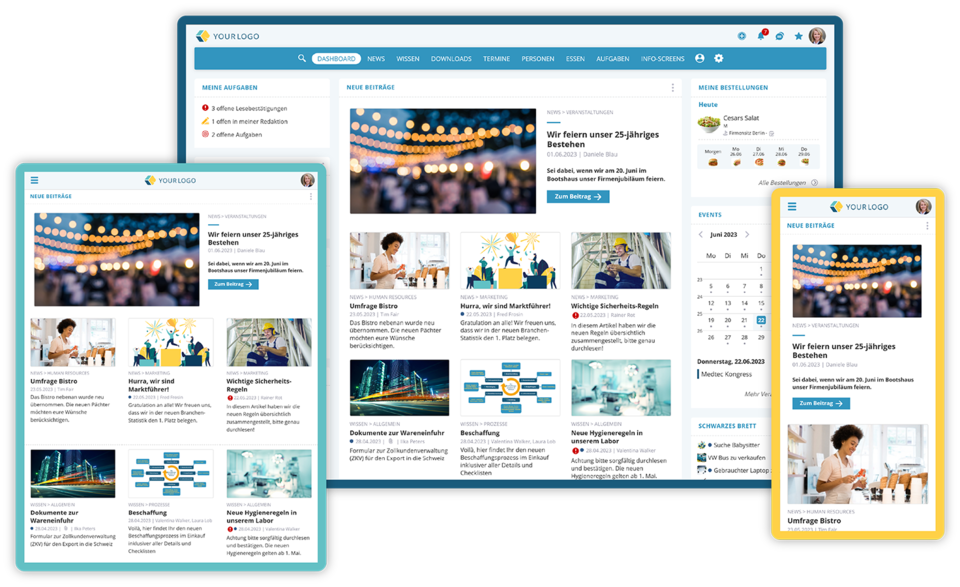 Employee app for smartphone/tablet or via desktop browser
2. Digital workplace vs. intranet: the difference
The key difference: an intranet informs, while a digital workplace informs and lets people get their work done directly. The intranet remains in place and is part of the digital workplace.
What an intranet does
A classic intranet is a company’s internal website. It distributes news, provides documents and knowledge and helps people find the right contacts. A social intranet adds comments, reactions and chat, so communication runs in both directions. Learn more in the article What is a social intranet?
For internal communication, this is a big step forward. But as soon as information turns into a task, the intranet often reaches its limit. The request then goes by email, the training runs in a separate learning system and the project in yet another tool.
What a digital workplace adds
A digital workplace closes this gap. In addition to news, knowledge and an employee directory, it includes:
- Self-service: submit requests, reports and orders through forms that go straight to the responsible team.
- Obligations and quality: send out agreements for confirmation, review documents regularly and run surveys.
- Onboarding and learning: learning paths for new employees, mandatory training with certificates.
- Projects: manage tasks, schedules and documents together.
- AI assistance: answer questions from company knowledge and complete tasks on the platform.
All areas use the same accounts, permissions and content. One login is enough, and the search finds documents, people and knowledge articles in a single pass.
Intranet and digital workplace compared
| Feature | Intranet | Digital workplace |
|---|---|---|
| Main purpose | Inform, provide knowledge | Inform and get work done |
| Typical content | News, documents, employee directory | Plus forms, tickets, training, projects, agreements |
| Processes | Mostly outside, by email or in specialist applications | Directly on the platform, with status and responsibility |
| Records | Rarely provided | Read receipts, training certificates, review dates |
| AI | Search or writing assistant | Answers with sources, tasks across the modules |
| Target group | Mostly office workers | All employees, with and without a desk |
Why the intranet remains part of the digital workplace
No digital workplace works without a shared information base. News, knowledge pages, documents and the org chart are the foundation for every other process. A form needs the current policy next to it, a training course needs the matching knowledge article and an AI assistant needs well-maintained content as its source.
If you already run an intranet, you do not have to start from scratch. The digital workplace extends the intranet with the processes that currently happen in separate tools or on paper. Existing systems can be replaced gradually.
3. Components of a digital workplace
A complete digital workplace covers seven areas. An optional AI assistant can also speed up finding the right information. Not every area has to be active from day one.
Communication and news
Company news, announcements and events reach all employees in the browser and via push notification in the app. Comments, reactions and chat allow follow-up questions directly on the post. For important information, you can request a read receipt.
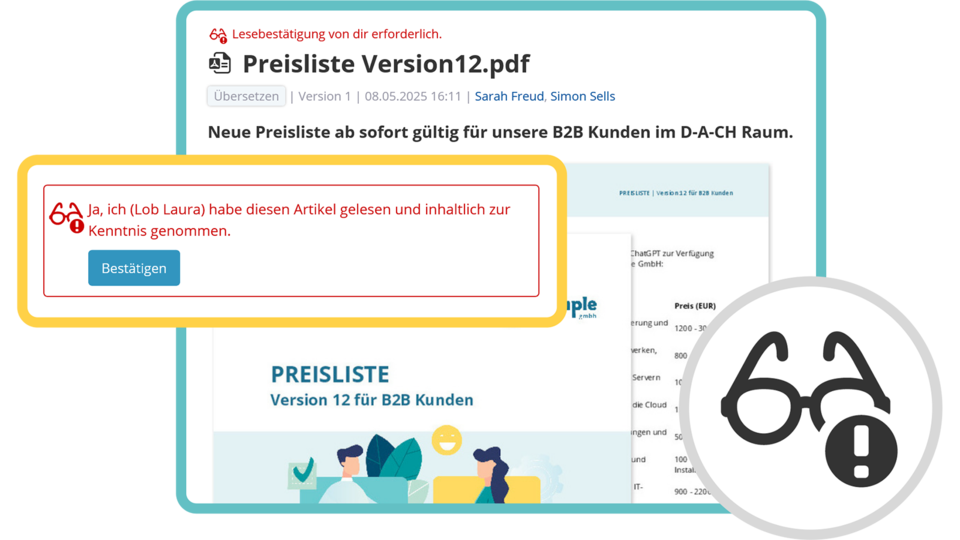 Confirming important changes in the app
Knowledge and documents
Work instructions, manuals and process descriptions are kept in one place, with versions and access rights. A full-text search also finds content in Word, Excel and PDF files, including scanned documents.
People and organization
Profile cards, the org chart and locations show who is responsible for what. This saves a lot of questions, especially for new employees and in companies with several locations.
Requests and self-service
Sick notes, time-off requests, damage reports or IT‑tickets are submitted through forms and forwarded automatically to the responsible team. Status and feedback are visible to everyone involved.
E‑Learning and onboarding
Courses for further training, mandatory training or onboarding can be created from PDF and PowerPoint files or your own learning slides and supplemented with quiz questions. Deadlines, refresher cycles, reporting and certificates document learning progress.
Quality management and compliance
Agreements are sent to the right people and confirmed, and reviews send reminders when content is due for a check. Recurring records are handled through protocols. Surveys and a confidential whistleblowing system collect feedback and reports in a traceable way.
Projects and tasks
Projects, tasks and schedules run on the same platform as knowledge and communication. Documents do not have to be copied between tools.
AI assistant
An AI assistant answers questions from approved company knowledge and cites its sources so answers can be checked. This requires the assistant to respect access rights and only process content the person asking is allowed to see anyway.
4. Signs that your company needs a digital workplace
A missing digital workplace usually shows up as many small sources of friction in everyday work.
If several of these apply, it is worth taking a closer look at your current tool landscape.
5. Introducing a digital workplace in seven steps
Introducing a digital workplace starts with the company’s processes. Choosing the software comes next. These seven steps have proven themselves in practice:
- Analyze the starting point: Where is time lost? Which data is maintained twice? Which questions come up again and again?
- Involve stakeholders early: give departments, the works council and employees from day-to-day operations a say from the start. This builds acceptance.
- Define the structure: organize content and assign owners, versions and review dates for each area.
- Clarify channels: agree on what chat, tickets, news and documents are each used for.
- Start with what matters most: introduce the areas that deliver noticeable benefits quickly. Further features are added as needed.
- Roll out step by step: train with real situations from everyday work, name contacts in each team and go live in phases.
- Activate AI last: only use assistants and automation once content, permissions and sources are in order.
From an IT perspective, questions about hosting, sign-in and interfaces come on top. The article Implementing an intranet from an IT perspective covers these in more detail.
6. AI in the digital workplace: order first, then the assistant
An AI assistant is only as good as the content it can access. If there are three versions of a work instruction, the AI will give contradictory answers. A well-maintained digital workplace is therefore an important prerequisite for reliable AI answers.
Three questions should be answered before you start:
- Which content may the AI use? The assistant should adopt existing access rights and link to its sources.
- Where is the data processed? For many European companies, processing within the EU is an important selection criterion.
- Who may use the AI? Approval per person, for example after AI training, helps with the AI literacy requirements of the EU AI Act.
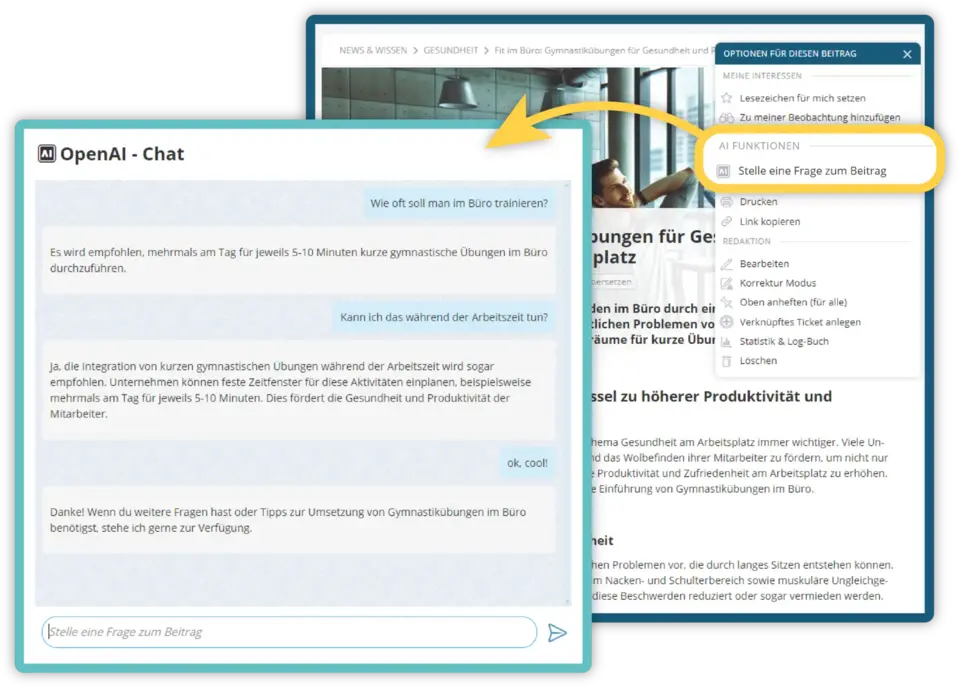 AI chatbot answers questions about posts and document contents
7. Your digital workplace with KenCube
KenCube is a digital workplace for companies and organizations, from SMEs to large corporations. The platform brings communication, knowledge, tasks, agreements, obligations and learning together in one place, in the browser and in the KenCube app.
Core modules: a fully equipped platform
The three core modules cover everything an intranet does and already go beyond it:
- Communication & Knowledge Hub: news, knowledge, events, chat, notifications and polls.
- Share Office Documents: provide Word, Excel, PowerPoint and PDF files centrally, view them in the browser and the app without an Office license and find them with full-text search including OCR. Existing documents from SharePoint Online can be integrated if needed.
- Organization Map: profile cards, org chart, locations and floor plans.
Extension modules: the step to a complete digital workplace
Extension modules add new areas of work to the platform as soon as you need them. Every extension module runs on the same platform, with the same accounts and through central permission management:
- Self-Service with Ticket System: forms, requests, reports, an internal shop and the eBox for personal documents such as payslips.
- Compliance & Quality Management: agreements, reviews, protocols, surveys and a whistleblowing system.
- Onboarding & E‑Learning: learning paths, mandatory training and certificates.
- Project Management: projects with schedules and documents, as a Kanban board or Gantt chart.
- AI Companion: answers questions from company knowledge with sources and, if needed, completes tasks in the activated modules via the Model Context Protocol (MCP).
You can introduce KenCube step by step. Features your company already covers with another solution can be hidden and taken over later.
Your choice of AI, operated in the EU
The AI Companion only processes content the person is allowed to see anyway. You can choose KenCube’s own AI running on its own hardware in the EU, external providers such as Mistral, Claude or ChatGPT with your own API‑key, or your company’s own AI server. If you do not want to use AI, you can use KenCube fully without it.
Hosting and data protection in the EU
KenCube is operated in a GDPR-compliant way in ISO 27001-certified data centers in the EU. The Cyber Trust Austria/Europe Label in Gold includes an external audit and supports companies with their supply chain due diligence under NIS2.
Introduction with personal support
Introducing KenCube does not require a large IT project. It starts with a basic setup and training for the people in charge. After that, personal contacts are available to you. KenCube is owner-managed and has more than 25 years of experience.
Digital workplace FAQ
What is the difference between an intranet and a digital workplace?
An intranet informs, while a digital workplace informs and lets people get their work done directly. The intranet provides news, documents and knowledge. The digital workplace combines this content with forms, tickets, training, projects and AI on one platform. This makes the intranet part of the digital workplace and the information base it is built on.
What does a digital workplace include?
A digital workplace includes internal communication, knowledge and documents, an employee directory with an org chart, self-service for requests and reports, learning and compliance, project work and an AI assistant. All areas use the same accounts and permissions. The platform is available in the browser and through an employee app, so frontline employees without a PC are included as well.
Does a company with an intranet also need a digital workplace?
An existing intranet is a good starting point. A digital workplace extends this information base with processes that currently run by email, on paper or in separate tools. This makes sense when information is maintained twice, records are compiled by hand or deskless workers are hard to reach. Existing systems can be replaced step by step.
How do you introduce a digital workplace?
The introduction starts with an analysis of existing processes: where is time lost, and which data exists twice? Next, stakeholders are involved, responsibilities are defined and the use of each channel is agreed. You start with the areas that deliver quick benefits. Further features and AI are added step by step.
Does a digital workplace work without AI?
Yes. Communication, knowledge, documents, self-service and training work fully without AI. An AI assistant is a useful addition once content and access rights are in order. In KenCube, the AI Companion is an optional module. The organization decides who may use the AI and can also switch it off completely.
Get to know KenCube as your digital workplace
Would you like to see what a digital workplace with KenCube could look like in your company? We’d be happy to show you the platform in a no-obligation demo, or you can try KenCube with a free trial.
Further reading
- OMR Reviews: Digitaler Arbeitsplatz (editorial article in German featuring KenCube as a practical example)

Heidi is responsible for marketing at KenCube. When she's not creating new marketing material, she enjoys connecting with customers and prospects, using KenCube to find solutions for their digital workplace and challenges in internal communication & collaboration.
 Practical selection of features